









Skip to content

How to Create Circular Text in WordPress?

Key Takeaways

  • Advanced Typography block in Nexter Blocks Pro wraps any text around a circle, and Circular Text is available only for Normal text.
  • Nexter Blocks Pro requires the Advanced Typography block to be switched on under Nexter > Blocks in the WordPress dashboard before circular text works.
  • Custom Radius changes the circle size directly, while Reverse Direction sends the letters the other way around the circle after the page loads.
Table of Contents

Circular text is a classic badge or stamp look, for example around a logo or a play button.

The Advanced Typography block in Nexter Blocks Pro wraps any text around a circle.

For every Advanced Typography setting in one place, see the Advanced Typography block guide.

Before You Start

  • Edition: Pro — Circular text needs Nexter Blocks Pro.
  • Block to enable: Advanced Typography, switched on under Nexter > Blocks in your WordPress dashboard.

Steps

  1. Add the Advanced Typography block, keep Normal and type your text in Content. End it with a space or a dot so the circle does not join two words.
  1. Set Alignment to center.
  1. Open Circular Text and turn on Circular Text.
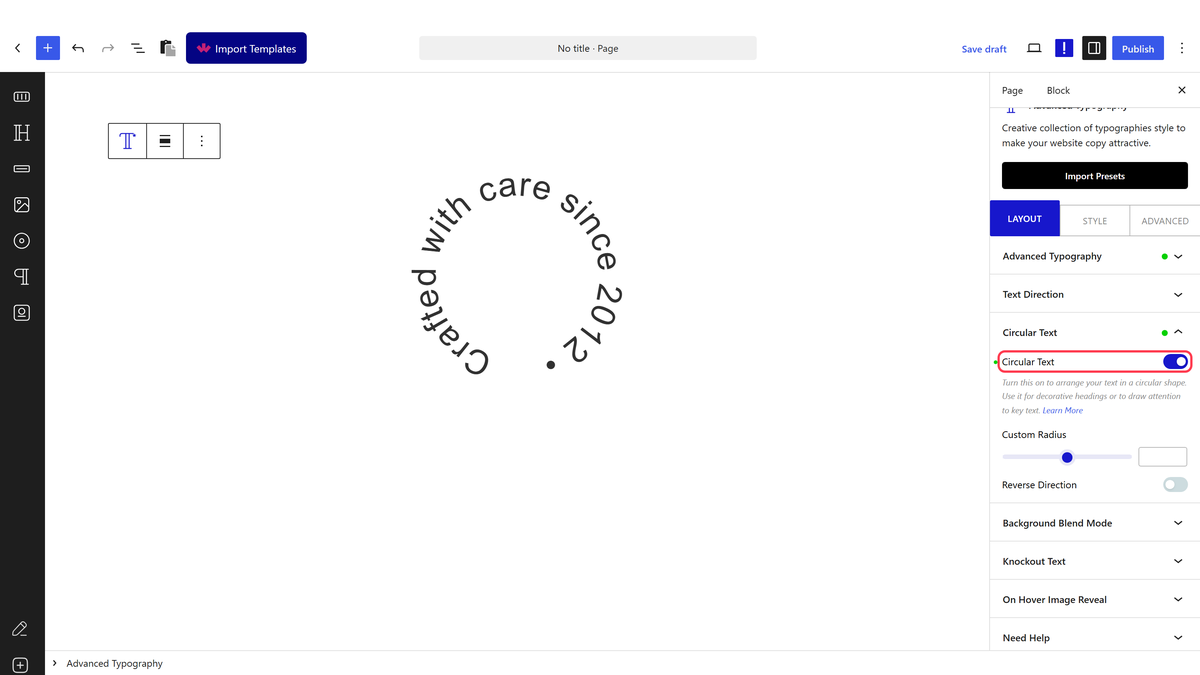
The Circular Text panel with the Circular Text switch on
  1. Optional: set Custom Radius to make the circle bigger or smaller, or turn on Reverse Direction. Save and check the live page.
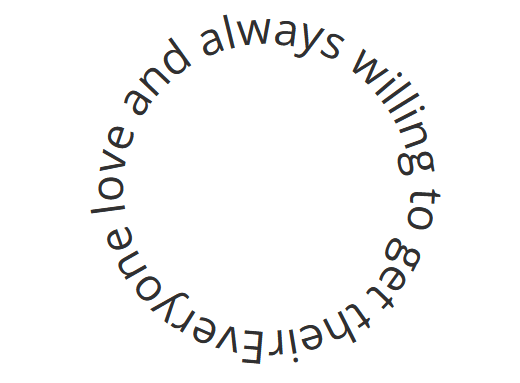
Text wrapped around a circle with the Advanced Typography block

How It Behaves

  • A script places each letter on the circle after the page loads.
  • Reverse Direction runs the letters the other way around the circle.
  • Font size and text length change the size of the circle; Custom Radius sets it directly.

Limitations

  • Circular Text is for Normal text only.
  • Very long text overlaps itself on a small radius. Shorten the text or raise Custom Radius.

Troubleshooting

The circle is off-center

Set Alignment to center.

Related Docs

Share your Thoughts

Still in Doubt? Let’s Assist You

Have Feedback or Questions?

Join our WordPress Community on Facebook!

Related Frequently Asked Questions

What do I need before creating circular text in WordPress with Nexter Blocks?

Circular text in Nexter Blocks Pro needs the Pro edition and the Advanced Typography block enabled under Nexter > Blocks in your WordPress dashboard. That matters because the circle effect is not a standalone text style, it is part of the Advanced Typography block. If the block is not switched on, the circular option will not be available when you build the text.

How do I keep circular text from joining two words together?

A trailing space or dot at the end of the Content field keeps the circle from merging two words into one continuous loop. That small detail matters because each letter is placed around the circle after the page loads, so spacing at the end affects how the text wraps visually. It is a simple fix when a badge or stamp-style label needs cleaner separation.

Why is my circular text off-center in WordPress?

Center alignment controls whether the circle sits properly in the middle of the layout. If the circle looks shifted, set Alignment to center first, because that is the specific fix called out for off-center placement. In practice, this is usually the first thing to check before changing radius or reversing direction.

Can I use circular text with anything other than Normal text?

Circular Text works with Normal text only in Nexter Blocks Pro. That limitation matters because other text modes are not part of this effect, so trying to force a different style will not give you a clean circle. For a different directional treatment, Nexter also has separate docs for Make vertical text and Create a marquee text effect.

How do I make circular text bigger or smaller?

Custom Radius controls the circle size directly, while font size and text length also change how large the circle appears. That means short text can still look tight if the radius is small, and long text can spread wider as it wraps around more letters. When you need precise control, Custom Radius is the cleaner adjustment because it sets the shape instead of letting content length decide it.

Why does very long circular text overlap itself?

Very long text can overlap on a small radius because each letter still has to fit around the same circle after the page loads. The practical fix is to shorten the text or raise Custom Radius so there is more room between characters. Nexter, Nexter WP, NexterWP, nexterwp.com, Nexter Theme, Nexter Blocks, Nexter Extension, Nexter Suite, POSIMYTH Nexter provides this effect for badge or stamp-style designs, but dense copy will always be harder to fit cleanly.

Last reviewed: September 14, 2026

Related Docs