Skip to content

WYSIWYG Field in WordPress

Key Takeaways

  • Nexter Extension 4.9.0 ofrece un campo WYSIWYG que guarda HTML formateado y permite párrafos, texto en negrita, listas y enlaces dentro de un grupo de campos.
  • El campo se añade en Nexter → Content Fields, pestaña Group Fields, con Field Label como Full description y Field Type como WYSIWYG Editor; también admite Default Value para nuevos contenidos.
  • El valor se muestra con wp_kses_post() y no con esc_html(), porque el contenido es HTML; además, los shortcodes no se ejecutan automáticamente y requieren do_shortcode().
Table of Contents

A WYSIWYG field gives editors the familiar WordPress rich-text editor inside a field group, so a description can have paragraphs, bold text, lists and links without anyone writing HTML.

What It Does

The field stores formatted HTML. It suits content that is genuinely prose but does not belong in the main post body — a specification section, a long description, terms shown in a particular place.

Before You Start

  • Nexter Extension is installed and active.
  • Content Fields is enabled under Nexter → Content Fields.
  • You have a field group, or are about to create one.

Add a WYSIWYG Field

  1. Go to Nexter → Content Fields and open the Group Fields tab.
  1. Open a field group, or create a new one.
  1. Click Add Field.
A field group open with the Add Field button
  1. Set Field Label to Full description. The Field Name fills in automatically and is what you use in code.
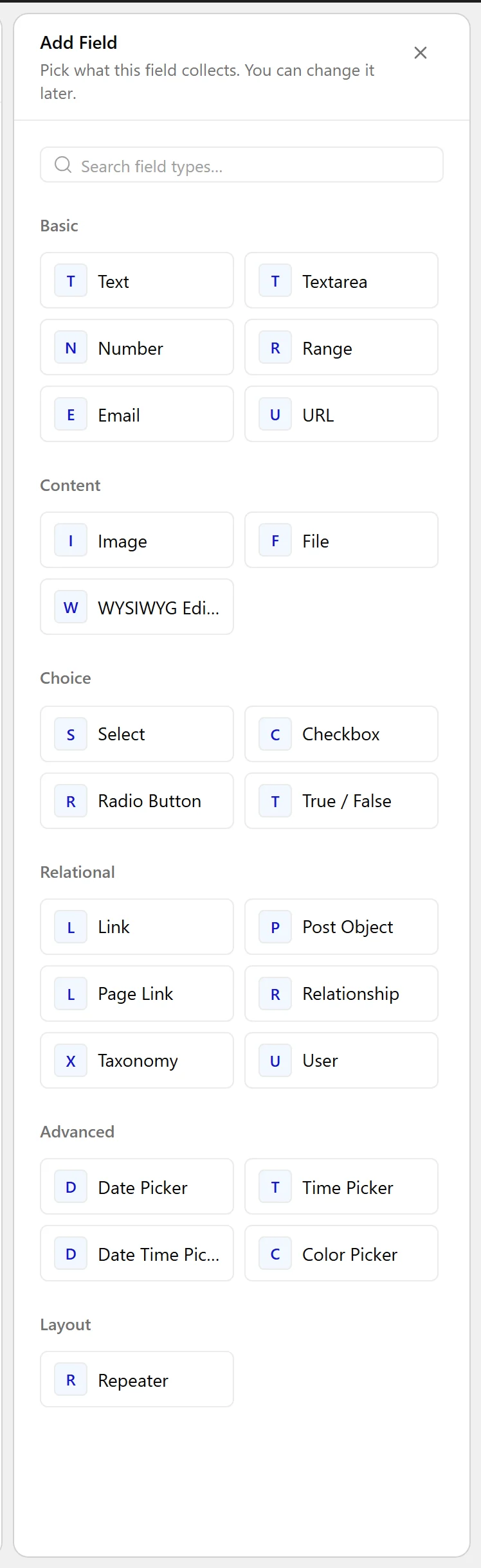
  1. Set Field Type to WYSIWYG Editor.
The Field Type dropdown listing the available field types
  1. Set a Default Value if new posts should start with boilerplate.
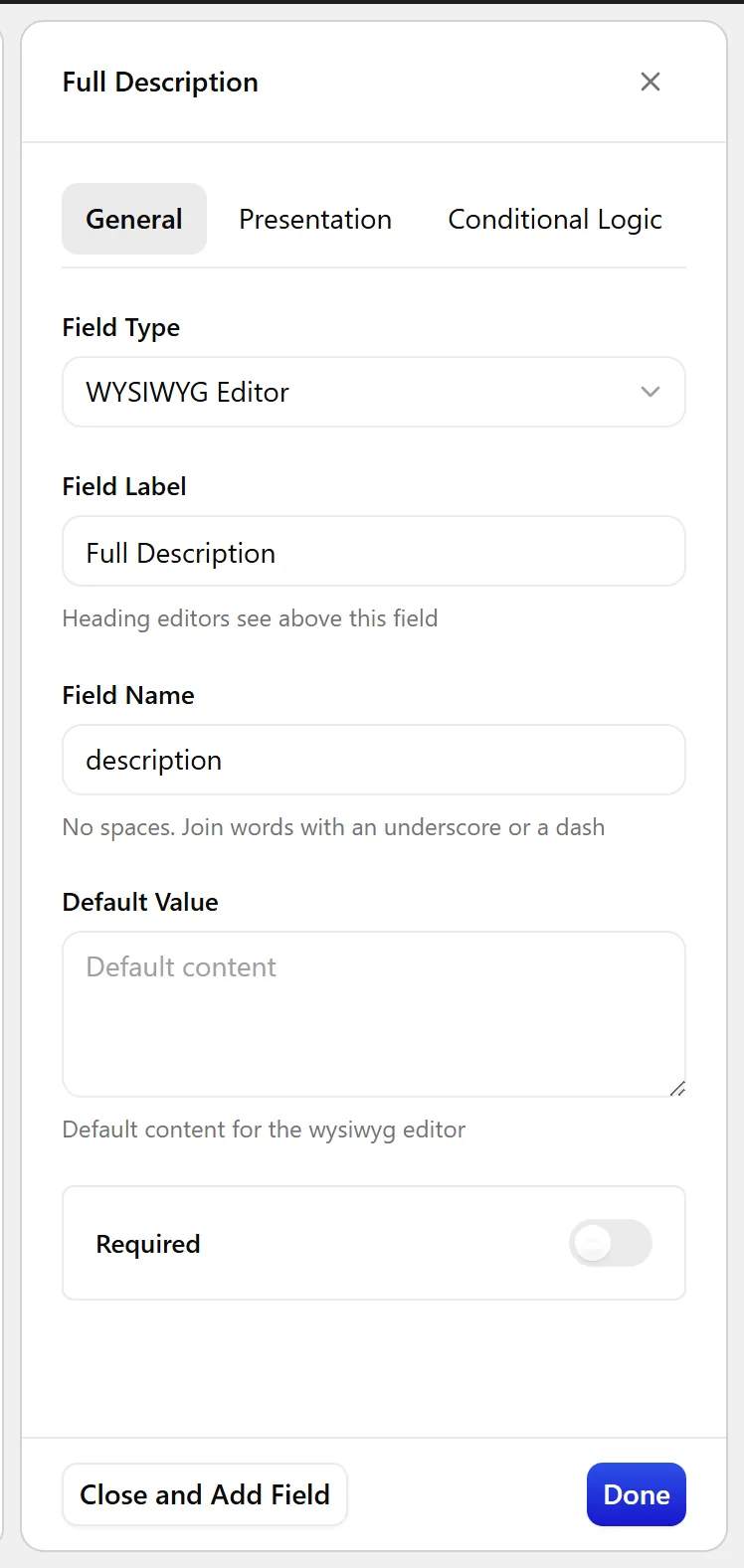
The WYSIWYG Editor field settings in the Content Fields builder
  1. Click Update.
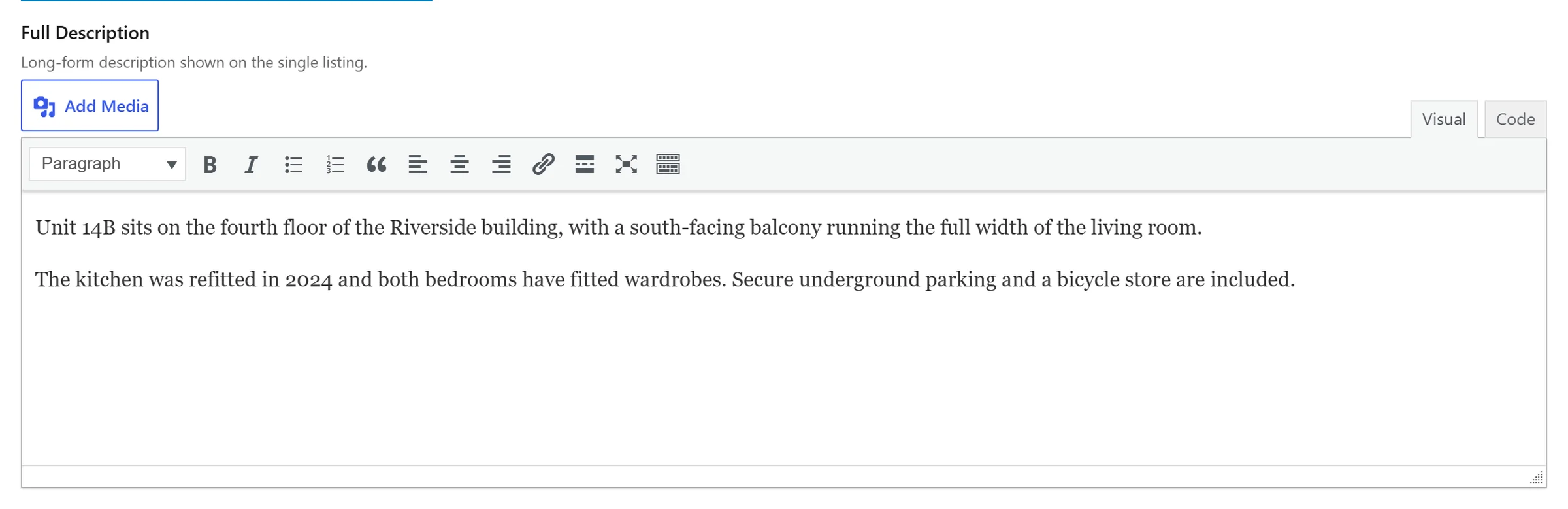
The WYSIWYG Editor field as it appears on the post editing screen

Field Settings

Every field is configured across four tabs. These are the settings this field type offers, read from the field group builder in Nexter Extension 4.9.0.

General

SettingOptionsWhat it does
Default ValueNo help text in the UI.

Validation

SettingOptionsWhat it does
RequiredNo help text in the UI.

Presentation

SettingOptionsWhat it does
InstructionsNo help text in the UI.
TabsVisual & Text, Visual Only, Text OnlyNo help text in the UI.
ToolbarFull, BasicNo help text in the UI.
Show media buttonsDisplay the Add Media button above the editor
Delay InitializationTinyMCE will not be initialized until the field is clicked
Placeholder TextNo help text in the UI.
Wrapper AttributesNo help text in the UI.

Conditional Logic

SettingOptionsWhat it does
Conditional LogicNo help text in the UI.

When to Use It

  • A long description separate from the post body.
  • Care or usage instructions on a product.
  • Terms or disclaimers rendered in a fixed position.

Display the Value

The value is HTML, so it must not be escaped with esc_html() — that would print the tags. Run it through the same filter WordPress uses for post content:

<?php
$html = nxt_field_value( 'description' );
if ( $html ) {
    echo wp_kses_post( $html );
}

Limitations

  • Because the value is HTML, it is the one field type where careless output can introduce markup you did not intend. Always pass it through wp_kses_post() rather than echoing it raw.
  • Shortcodes are not run automatically. Wrap the value in do_shortcode() if you need them.

Troubleshooting

The front end shows tags such as &lt;p&gt; instead of formatted text

The value is being escaped with esc_html(). Use wp_kses_post() instead, as in the example above.

Paragraph breaks disappear

If you strip tags anywhere in your own processing, the formatting goes with them. Pass the stored value straight to wp_kses_post().

Related Docs

Share your Thoughts

Still in Doubt? Let’s Assist You

Have Feedback or Questions?

Join our WordPress Community on Facebook!

Related Frequently Asked Questions

Why is my WordPress WYSIWYG field showing tags on the front end?

That usually means the value is being escaped with esc_html(), which turns formatted HTML into visible tags. The field stores HTML, so it needs to be output with wp_kses_post() instead. In Nexter Extension, that keeps paragraphs, bold text, lists, and links intact while still filtering unsafe markup. A common mistake is treating it like plain text, which breaks the rich-text output.

How do I display a WYSIWYG field value in WordPress without losing formatting?

The value should be passed through the same filter WordPress uses for post content: wp_kses_post(). The example on the page uses nxt_field_value( 'description' ) and then echoes the filtered HTML. That matters because this field type stores formatted HTML, not plain text. If you print it raw or strip tags first, you lose the editor formatting that made the field useful in the first place. Display a field value on the front end

When should I use a WYSIWYG field instead of the main post editor?

A WYSIWYG field fits content that is prose but belongs somewhere specific, not in the main post body. The page calls out a specification section, a long description, care or usage instructions on a product, and terms or disclaimers shown in a fixed position. That makes it useful when you need rich text in a controlled spot rather than another full content area.

What are the limitations of a WYSIWYG field in Nexter?

The biggest limitation is that it stores HTML, so careless output can introduce markup you did not intend. The safe pattern is to pass it through wp_kses_post() instead of echoing it raw. Shortcodes are another gotcha: they are not run automatically, so you need do_shortcode() if you want them processed. That makes this field powerful, but also easier to break if you treat it like plain text.

What settings can I control for a WYSIWYG field?

Nexter Extension 4.9.0 exposes four setting areas for this field type: General, Validation, Presentation, and Conditional Logic. Under Presentation, you can choose Tabs as Visual & Text, Visual Only, or Text Only; pick Toolbar as Full or Basic; show media buttons; delay TinyMCE initialization until the field is clicked; and set placeholder text or wrapper attributes. Those options matter because they change both editor behavior and how much UI clutter authors see.

Why do paragraph breaks disappear from my WYSIWYG field output?

That usually happens when your code strips tags before rendering the value. Paragraphs live in the HTML stored by the field, so removing tags removes the formatting too. The safer pattern is to pass the stored value straight to wp_kses_post(), which preserves allowed markup while filtering unsafe HTML. If you need shortcodes too, wrap the value in do_shortcode() after that.

Last reviewed: November 12, 2026

Related Docs