












A user field lets an editor pick one or more registered users — a listing agent, a recipe author, an account manager — without retyping their name on every post.
What It Does
The field stores a reference to a WordPress user. Because it is a reference, the name, avatar and contact details stay correct when that user updates their profile.
Before You Start
- Nexter Extension is installed and active.
- Content Fields is enabled under Nexter → Content Fields.
- You have a field group, or are about to create one.
Add a User Field
- Go to Nexter → Content Fields and open the Group Fields tab.
- Open a field group, or create a new one.
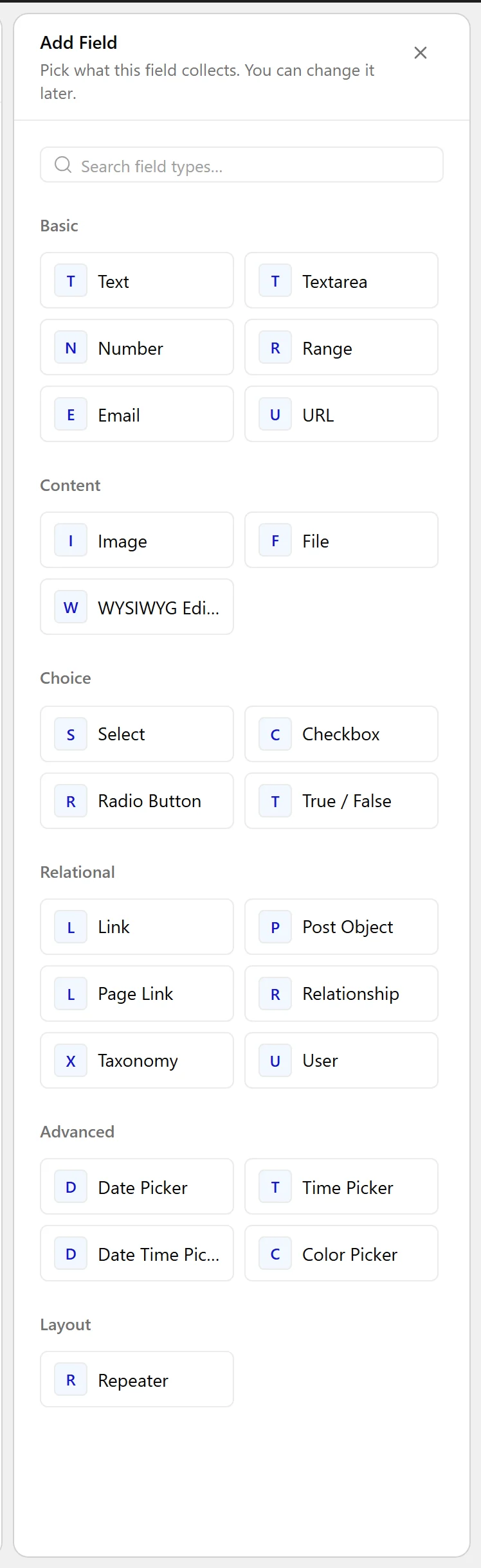
- Click Add Field.

- Set Field Label to Listing agent. The Field Name fills in automatically and is what you use in code.
- Set Field Type to User.
- Use Filter by Role to limit the picker to the roles that make sense.
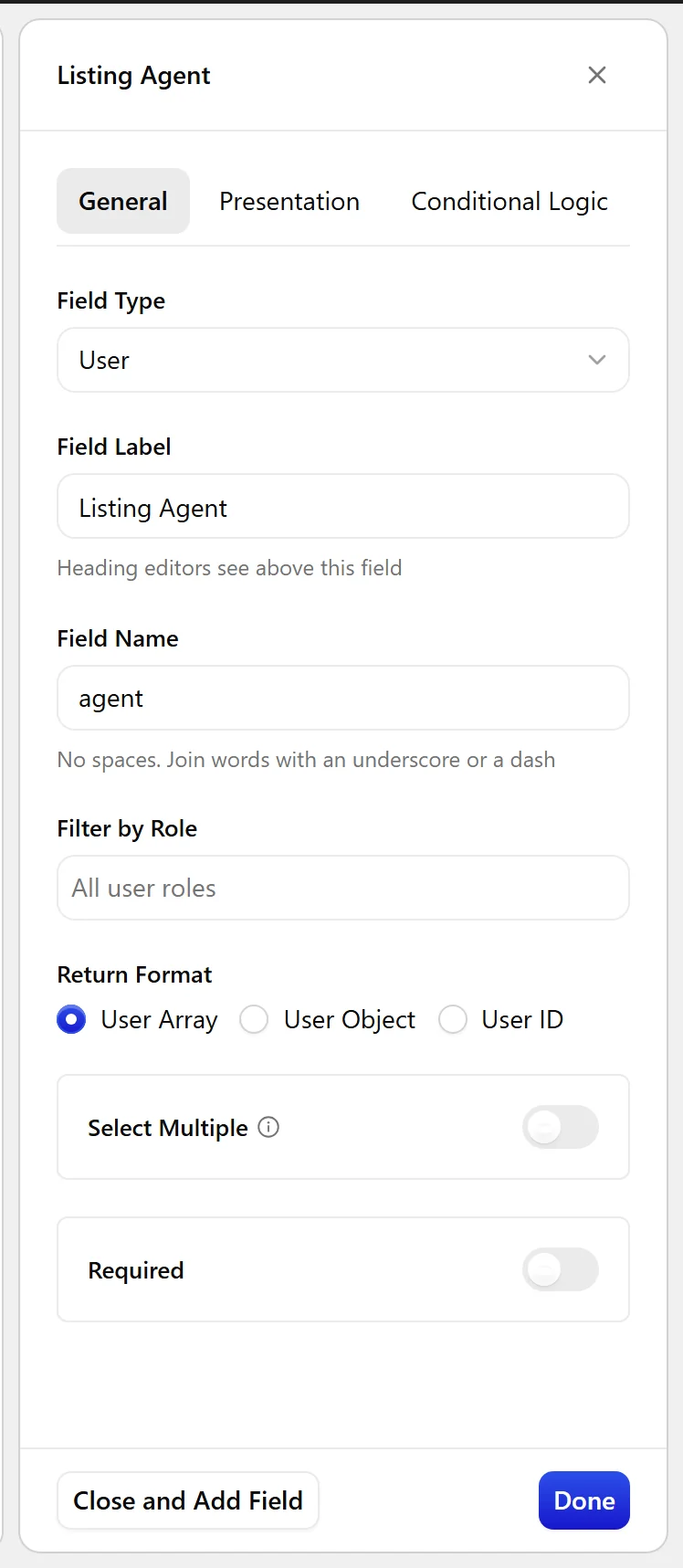
- Turn on Select Multiple if a post can have more than one.
- Click Update.

Field Settings
Every field is configured across four tabs. These are the settings this field type offers, read from the field group builder in Nexter Extension 4.9.0.
General
| Setting | Options | What it does |
|---|---|---|
| Filter by Role | No help text in the UI. | |
| Return Format | No help text in the UI. | |
| Select Multiple | Let editors pick more than one value. |
Validation
| Setting | Options | What it does |
|---|---|---|
| Required | No help text in the UI. |
Presentation
| Setting | Options | What it does |
|---|---|---|
| Instructions | No help text in the UI. | |
| Wrapper Attributes | No help text in the UI. |
Conditional Logic
| Setting | Options | What it does |
|---|---|---|
| Conditional Logic | No help text in the UI. |
When to Use It
- The agent handling a property.
- A reviewer or approver on an article.
- The owner of a directory entry.
Display the Value
With an ID returned, look the user up when you render:
<?php
$user_id = nxt_field_value( 'agent' );
if ( $user_id ) {
    $user = get_userdata( $user_id );
    if ( $user ) {
        echo esc_html( $user->display_name );
        echo get_avatar( $user_id, 64 );
    }
}
Limitations
- If that user is deleted, the stored ID no longer resolves. Check the lookup before rendering.
- On a multisite network, user meta is shared across sites while field groups are per-site — see the multisite notes before relying on user fields across a network.
Troubleshooting
The picker does not list the person I want
Filter by Role is excluding them. Either widen the roles, or give that user a role you allow.
Nothing renders
get_userdata() returns false for a deleted user. Guard the lookup as in the example above.
