Skip to content

URL Field in WordPress

Key Takeaways

  • Nexter Extension 4.9.0 adds a URL field that stores one web address only, with no title or target, and validates the format as it is typed.
  • Nexter bb Content Fields uses the Group Fields tab to add a URL field, such as Field Label "Virtual tour link" and Field Type "URL".
  • URL field output passes through esc_url(), and missing https:// makes the browser treat the link as relative to the current site.
Table of Contents

A URL field stores a single web address and validates it as it is typed. Use it when you need only the address — if you also want link text and a target, use a Link field instead.

What It Does

The field stores a URL string. It is deliberately narrower than a Link field: one value, no title, no target.

Before You Start

  • Nexter Extension is installed and active.
  • Content Fields is enabled under Nexter → Content Fields.
  • You have a field group, or are about to create one.

Add a URL Field

  1. Go to Nexter → Content Fields and open the Group Fields tab.
  1. Open a field group, or create a new one.
  1. Click Add Field.
A field group open with the Add Field button
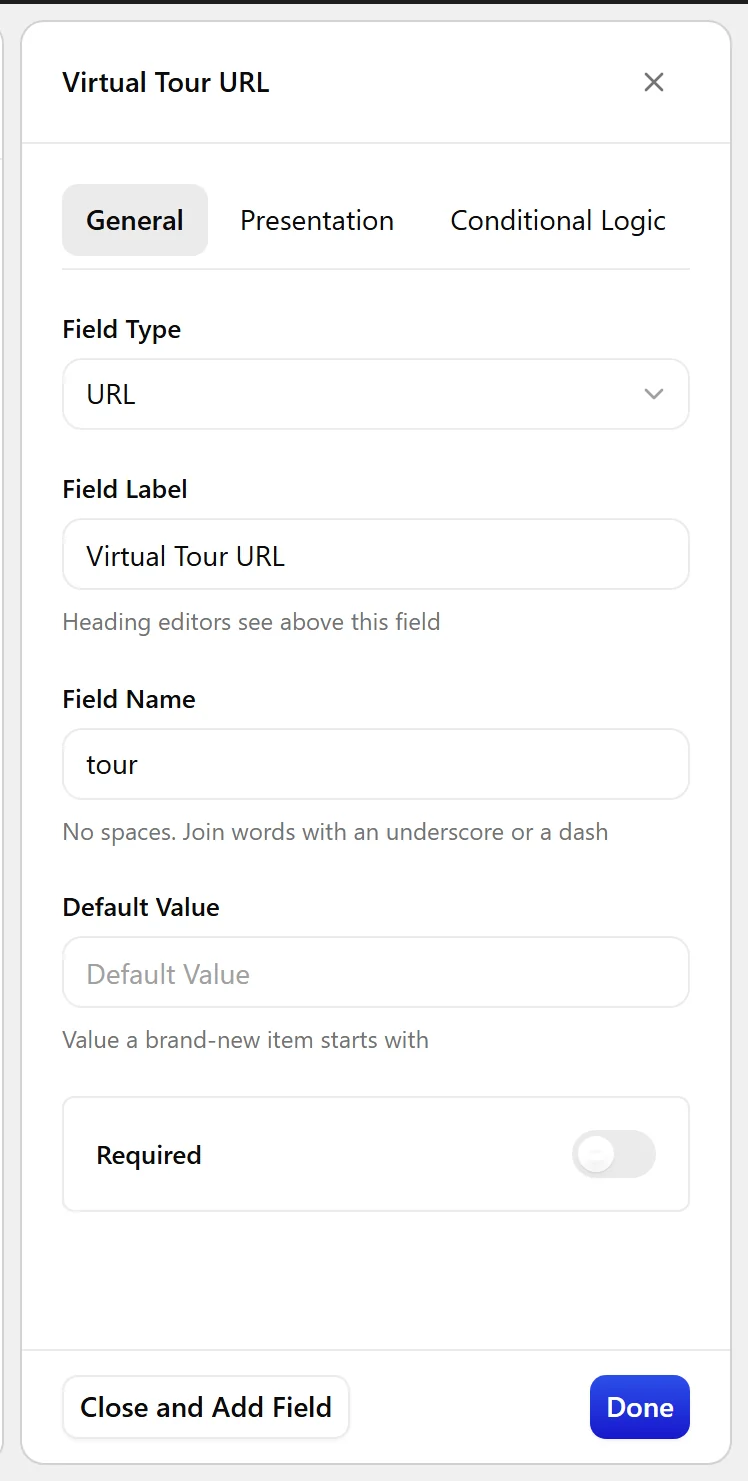
  1. Set Field Label to Virtual tour link. The Field Name fills in automatically and is what you use in code.
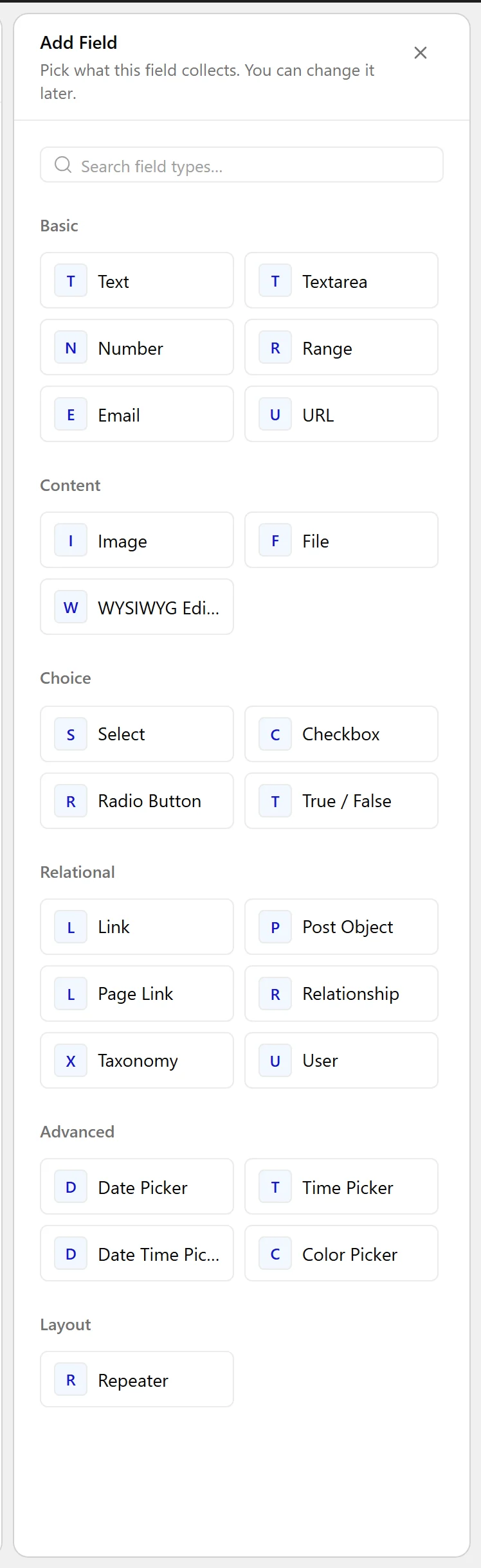
  1. Set Field Type to URL.
The Field Type dropdown listing the available field types
  1. Click Update.
The URL field as it appears on the post editing screen
The URL field settings in the Content Fields builder

Field Settings

Every field is configured across four tabs. These are the settings this field type offers, read from the field group builder in Nexter Extension 4.9.0.

General

SettingOptionsWhat it does
Default ValueNo help text in the UI.

Validation

SettingOptionsWhat it does
RequiredNo help text in the UI.

Presentation

SettingOptionsWhat it does
InstructionsNo help text in the UI.
Placeholder TextNo help text in the UI.
PrependNo help text in the UI.
AppendNo help text in the UI.
Wrapper AttributesNo help text in the UI.

Conditional Logic

SettingOptionsWhat it does
Conditional LogicNo help text in the UI.

When to Use It

  • A virtual tour or external demo link.
  • A source or reference URL.
  • A social profile on a team member.

Display the Value

Always pass a URL through esc_url():

<?php
$url = nxt_field_value( 'tour' );
if ( $url ) {
    printf(
        '<a href="%s" target="_blank" rel="noreferrer noopener">View the tour</a>',
        esc_url( $url )
    );
}

Limitations

  • Stores the address only. For link text and target as well, use a Link field.
  • Validation checks the format, not that the page exists.

Troubleshooting

The link goes to a page on my own site

The stored value is missing its scheme, so the browser treats it as relative. Save the full address including https://.

I need the link to show custom text

A URL field stores only the address. Either hard-code the text as above, or switch to a Link field.

Related Docs

Share your Thoughts

Still in Doubt? Let’s Assist You

Have Feedback or Questions?

Join our WordPress Community on Facebook!

Related Frequently Asked Questions

How is a URL field different from a Link field in WordPress?

A URL field stores only one web address, so it is narrower than a Link field. That matters when you just need the destination and do not need link text or a target. Nexter Extension uses this for simple address storage, while a Link field is the better fit when the label and target behavior also matter.

Why does my WordPress URL field link open on my own site instead of the external page?

That usually happens when the saved value is missing its scheme, so the browser treats it as a relative URL. The fix is to store the full address, including https://. In Nexter Extension, the field validates format, but it does not correct an incomplete path into an absolute link.

When should I use a URL field instead of another custom field type?

Use a URL field for cases like a virtual tour link, an external demo link, a source or reference URL, or a social profile on a team member. It fits when the only thing you need to store is the address itself. If you need custom text or a target attribute too, that points to a Link field instead.

How do I display a WordPress URL field safely on the front end?

The safe pattern is to pass the stored value through esc_url() before printing it in an anchor tag. The example in Nexter Extension uses nxt_field_value( 'tour' ) and outputs a link with target="_blank" and rel="noreferrer noopener". That protects the output and keeps the generated link clean for front-end use.

What are the limitations of a WordPress URL field?

A URL field stores only the address, not link text or target settings. It also validates format rather than checking whether the page actually exists. That means it is good for clean data entry, but it will not catch broken destinations or give you built-in custom anchor text.

What do I need before adding a URL field in Nexter?

Nexter Extension has to be installed and active, and Content Fields must be enabled under Nexter → Content Fields. You also need an existing field group or one you are about to create. In practice, that setup matters because the URL field lives inside the group builder rather than as a standalone setting.

Last reviewed: November 12, 2026

Related Docs