












A true / false field is a single toggle — featured or not, in stock or not, show or hide. It stores a yes-or-no answer and nothing more.
What It Does
The field stores a boolean. Use it to drive a decision in your template rather than to hold content.
Before You Start
- Nexter Extension is installed and active.
- Content Fields is enabled under Nexter → Content Fields.
- You have a field group, or are about to create one.
Add a True / False Field
- Go to Nexter → Content Fields and open the Group Fields tab.
- Open a field group, or create a new one.
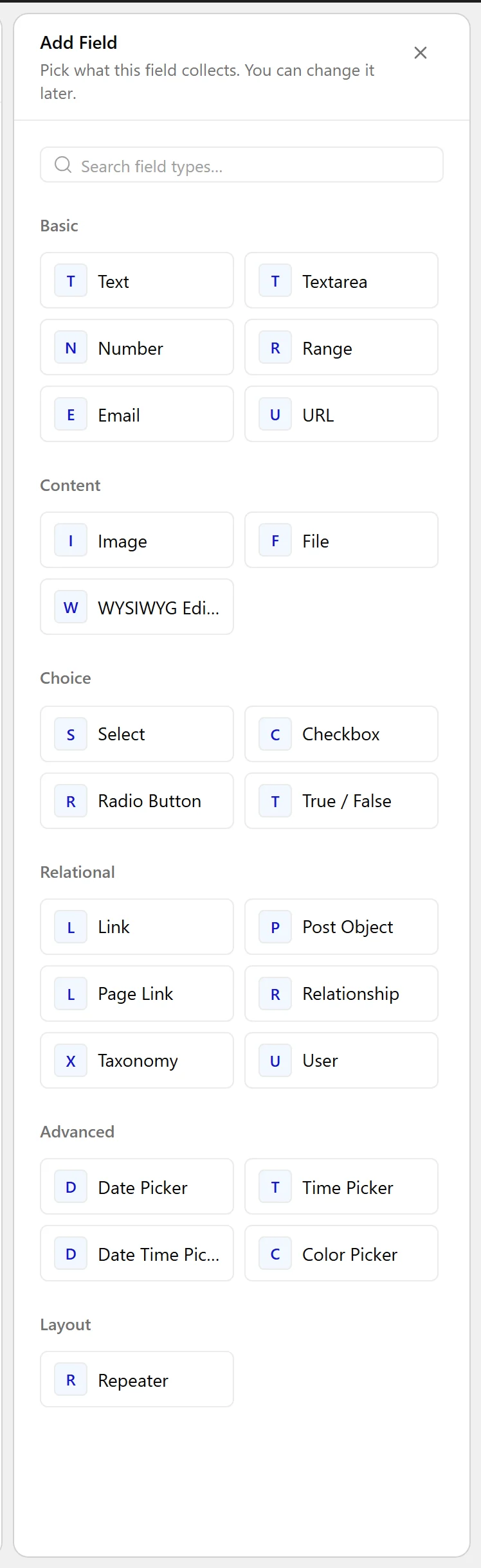
- Click Add Field.

- Set Field Label to Featured listing. The Field Name fills in automatically and is what you use in code.
- Set Field Type to True / False.
- Set Message if the toggle needs a line of explanation beside it.
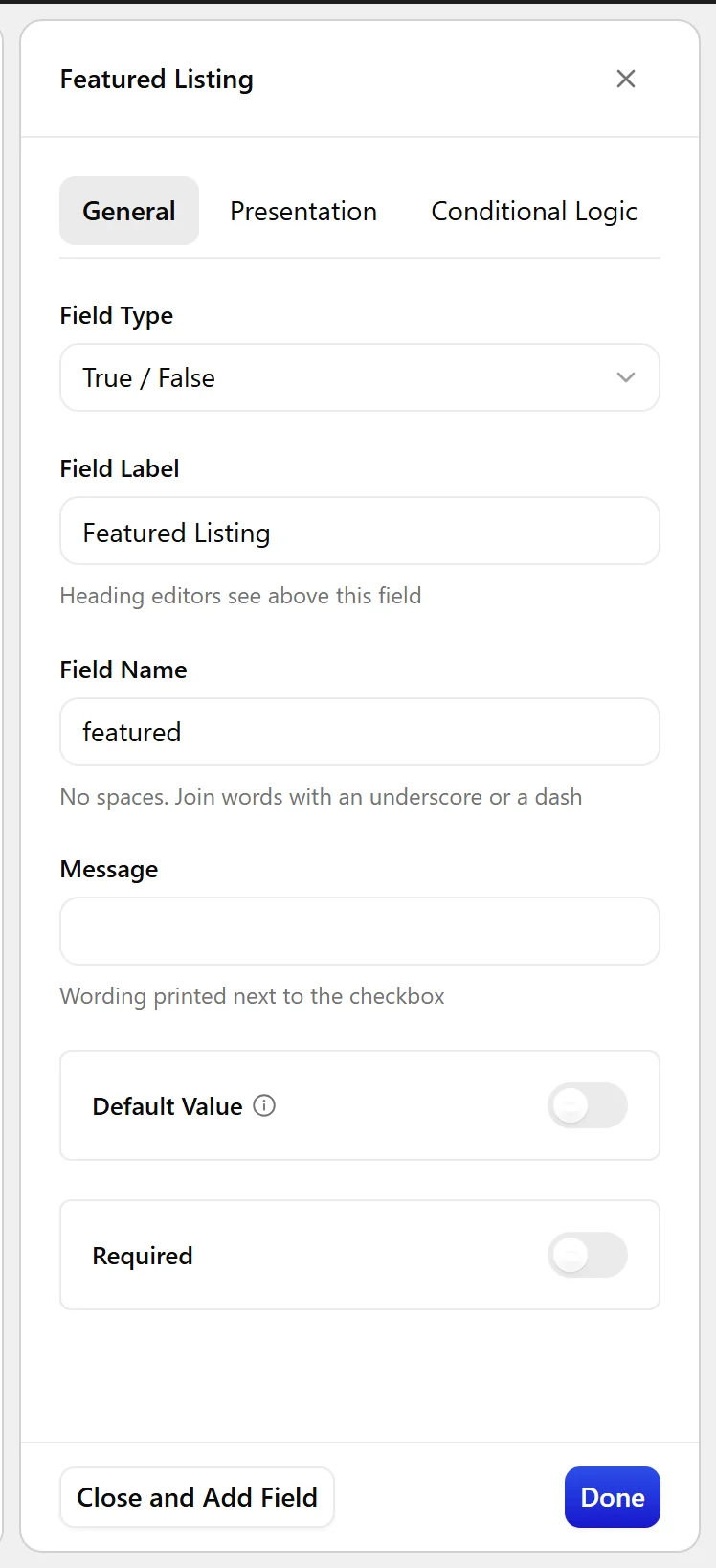
- Turn on Default Value if new posts should start switched on.
- Click Update.

Field Settings
Every field is configured across four tabs. These are the settings this field type offers, read from the field group builder in Nexter Extension 4.9.0.
General
| Setting | Options | What it does |
|---|---|---|
| Message | No help text in the UI. | |
| Default Value | Checked by default |
Validation
| Setting | Options | What it does |
|---|---|---|
| Required | No help text in the UI. |
Presentation
| Setting | Options | What it does |
|---|---|---|
| Instructions | No help text in the UI. | |
| Stylized UI | Use a stylized toggle instead of a simple checkbox | |
| Placeholder Text | No help text in the UI. | |
| Prepend | No help text in the UI. | |
| Append | No help text in the UI. | |
| Wrapper Attributes | No help text in the UI. |
Conditional Logic
| Setting | Options | What it does |
|---|---|---|
| Conditional Logic | No help text in the UI. |
When to Use It
- Marking a listing as featured.
- Showing or hiding a section on the front end.
- Flagging a post for a particular treatment.
Display the Value
Treat the value as a boolean rather than comparing it to a string:
<?php
if ( nxt_field_value( 'featured' ) ) {
    echo '<span class="badge">Featured</span>';
}
Limitations
- An unset toggle and a toggle explicitly turned off both read as false. If you need to tell “never answered” from “answered no”, use a Radio field with three choices.
- A false value is stored as an empty string in post meta, so
meta_querycomparisons against0can behave unexpectedly.
Troubleshooting
The condition is always true
You may be comparing to the string 'false', which is truthy in PHP. Test the value directly, as above.
Querying for posts where the toggle is off returns nothing
A false value is stored as an empty string, not 0. Query for an empty value, or use NOT EXISTS.
