












A textarea field stores several lines of plain text — a summary, an address, internal notes — without the formatting toolbar of a rich-text editor.
What It Does
The field keeps line breaks but stores no HTML formatting. Use it when the content is genuinely plain but longer than a single line.
Before You Start
- Nexter Extension is installed and active.
- Content Fields is enabled under Nexter → Content Fields.
- You have a field group, or are about to create one.
Add a Textarea Field
- Go to Nexter → Content Fields and open the Group Fields tab.
- Open a field group, or create a new one.
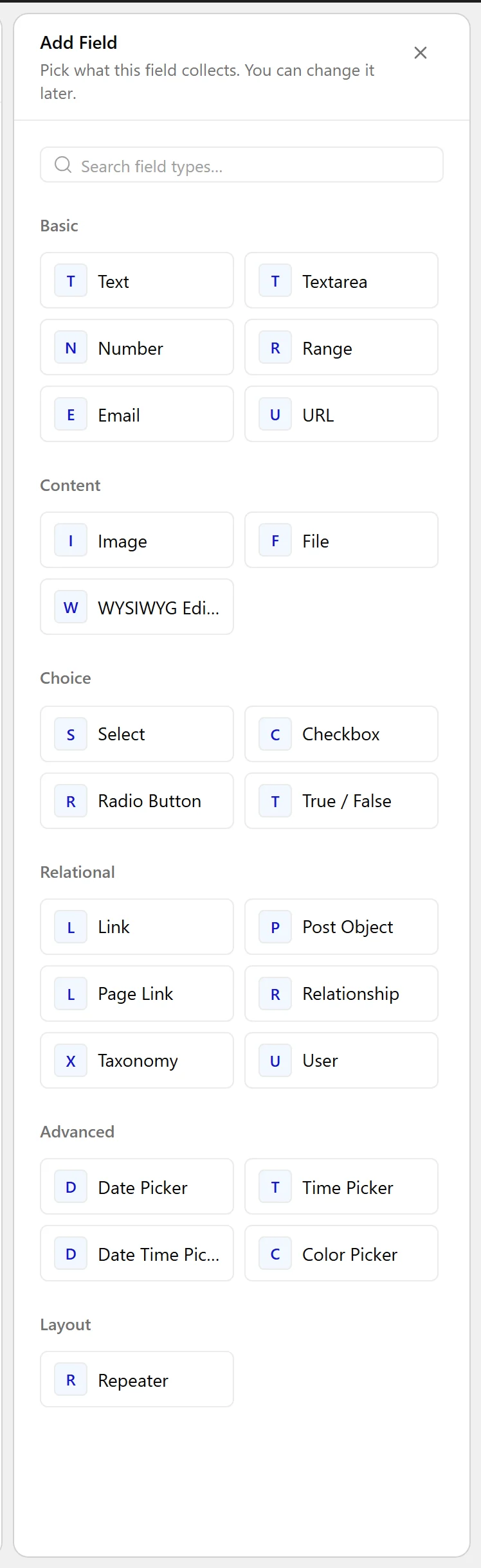
- Click Add Field.

- Set Field Label to Short summary. The Field Name fills in automatically and is what you use in code.
- Set Field Type to Textarea.
- Click Update.

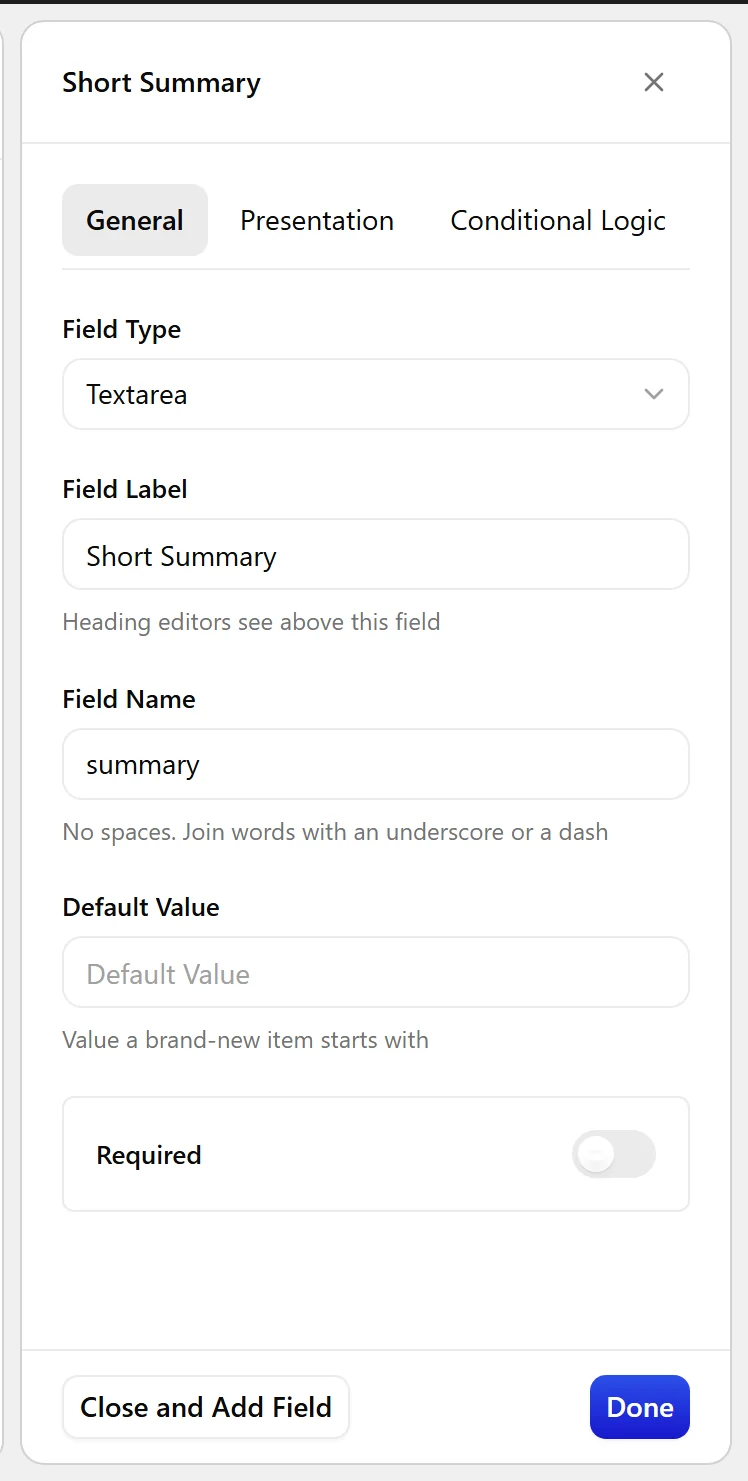
Field Settings
Every field is configured across four tabs. These are the settings this field type offers, read from the field group builder in Nexter Extension 4.9.0.
General
| Setting | Options | What it does |
|---|---|---|
| Default Value | No help text in the UI. |
Validation
| Setting | Options | What it does |
|---|---|---|
| Required | No help text in the UI. |
Presentation
| Setting | Options | What it does |
|---|---|---|
| Instructions | No help text in the UI. | |
| Rows | No help text in the UI. | |
| Placeholder Text | No help text in the UI. | |
| Wrapper Attributes | No help text in the UI. |
Conditional Logic
| Setting | Options | What it does |
|---|---|---|
| Conditional Logic | No help text in the UI. |
When to Use It
- A short summary shown in listing cards.
- A postal address.
- Internal notes not shown on the front end.
Display the Value
Escape the value, and convert line breaks so they survive into HTML:
<?php
echo nl2br( esc_html( nxt_field_value( 'summary' ) ) );
Limitations
- No formatting is stored. For bold text, lists or links, use a WYSIWYG field.
- Line breaks are kept in storage but HTML ignores them — use
nl2br()as above.
Troubleshooting
All the text runs together on the front end
HTML collapses line breaks. Wrap the escaped value in nl2br().
My HTML shows as visible tags
A textarea stores plain text, so tags are escaped on output by design. Use a WYSIWYG field if you need real formatting.
