












A text field stores one line of plain text — a reference code, a subtitle, a short label. It is the simplest field type and the one most sites use most.
What It Does
The field accepts a single line with no formatting. Whatever the editor types is stored as-is, sanitised, and handed back to your template as a plain string.
Before You Start
- Nexter Extension is installed and active.
- Content Fields is enabled under Nexter → Content Fields.
- You have a field group, or are about to create one.
Add a Text Field
- Go to Nexter → Content Fields and open the Group Fields tab.
- Open a field group, or create a new one.
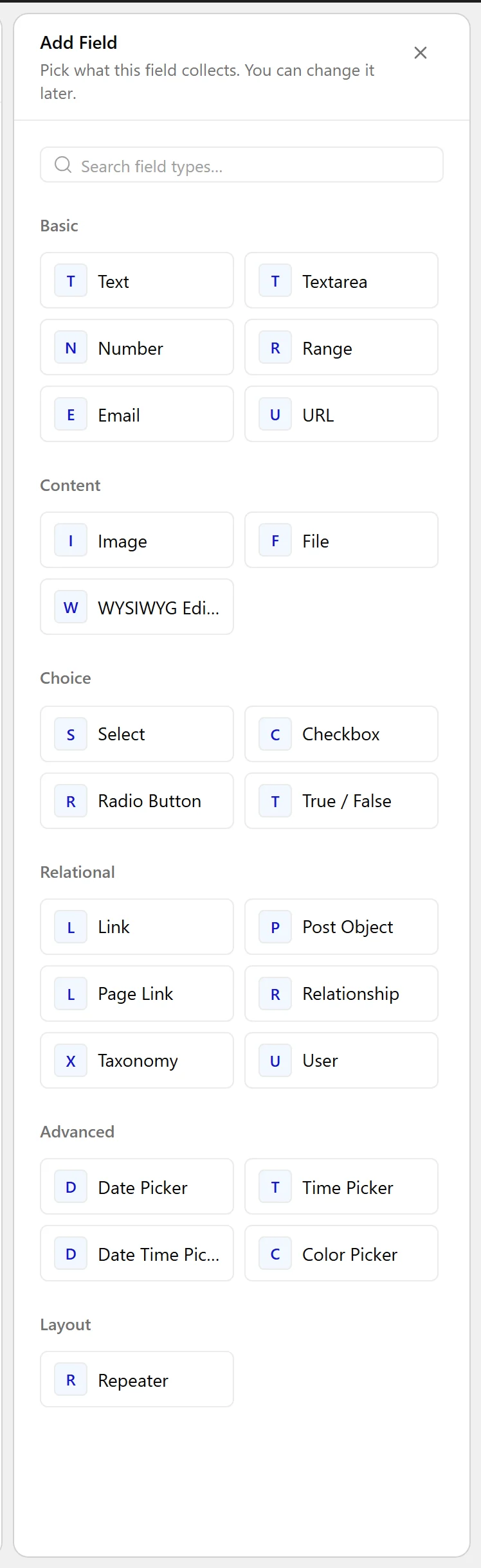
- Click Add Field.

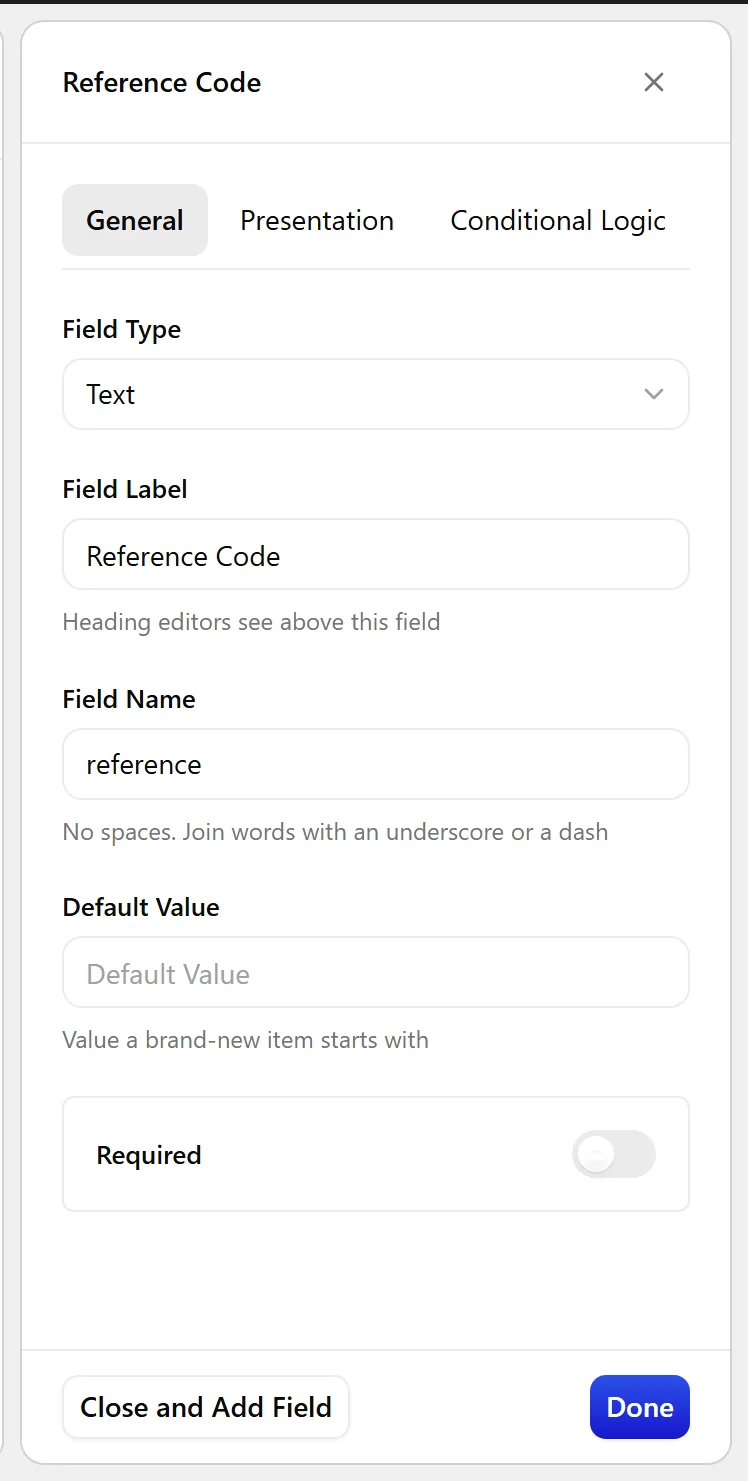
- Set Field Label to Property reference. The Field Name fills in automatically and is what you use in code.
- Set Field Type to Text.
- Click Update.

Field Settings
Every field is configured across four tabs. These are the settings this field type offers, read from the field group builder in Nexter Extension 4.9.0.
General
| Setting | Options | What it does |
|---|---|---|
| Default Value | No help text in the UI. |
Validation
| Setting | Options | What it does |
|---|---|---|
| Required | No help text in the UI. |
Presentation
| Setting | Options | What it does |
|---|---|---|
| Instructions | No help text in the UI. | |
| Placeholder Text | No help text in the UI. | |
| Prepend | No help text in the UI. | |
| Append | No help text in the UI. | |
| Wrapper Attributes | No help text in the UI. |
Conditional Logic
| Setting | Options | What it does |
|---|---|---|
| Conditional Logic | No help text in the UI. |
When to Use It
- A reference or SKU code.
- A subtitle or short tagline.
- A short label shown next to a title.
Display the Value
Always escape a text value on output:
<?php
echo esc_html( nxt_field_value( 'reference' ) );
Limitations
- One line only. For several lines use a Textarea field; for formatted content use a WYSIWYG field.
- Whitespace at the start and end is trimmed, and runs of spaces inside are collapsed — this is WordPress sanitisation, not a Nexter behaviour.
Troubleshooting
My value came back with the spacing changed
Text values pass through WordPress text sanitisation, which trims the ends and collapses runs of whitespace. If exact spacing matters, use a Textarea field.
Nothing is returned
Check you are using the Field Name from the builder, not the Field Label. They differ once you edit the label.
