












A taxonomy field lets editors choose terms — categories, tags, or any custom taxonomy — from inside your field group, and can keep those choices in sync with the post’s real terms.
What It Does
Unlike a select field, the list is not fixed in the field definition: it comes from a taxonomy, so editors can manage the options themselves. Save Terms and Load Terms decide whether the field is merely storing a value or actually assigning the post to those terms.
Before You Start
- Nexter Extension is installed and active.
- Content Fields is enabled under Nexter → Content Fields.
- You have a field group, or are about to create one.
Add a Taxonomy Field
- Go to Nexter → Content Fields and open the Group Fields tab.
- Open a field group, or create a new one.
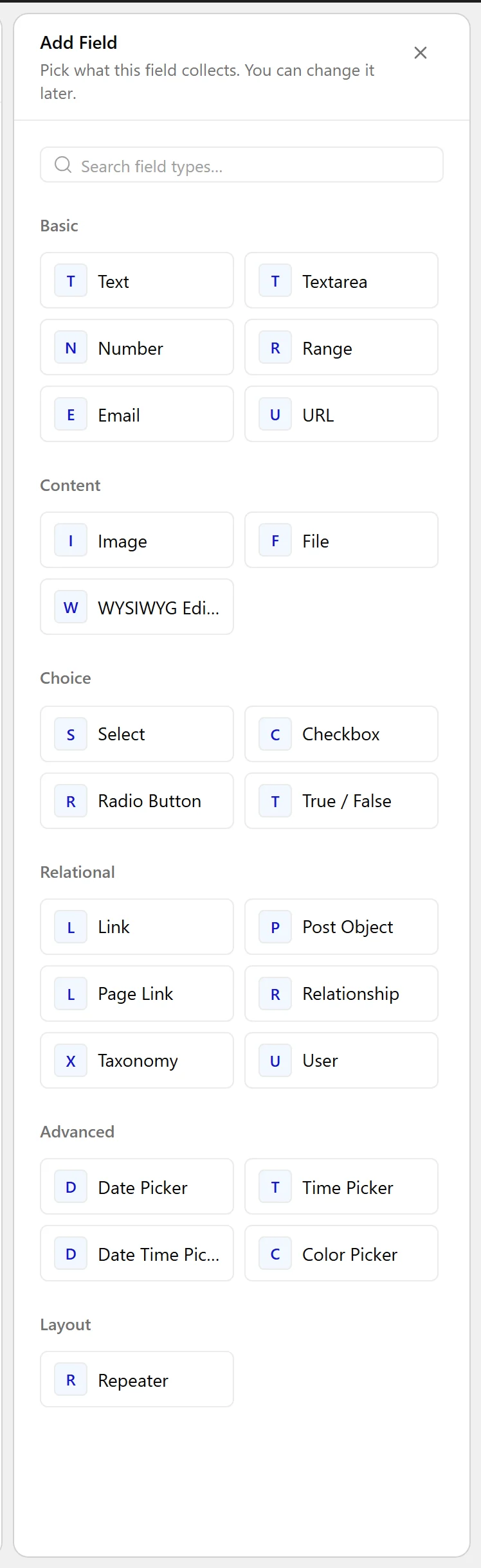
- Click Add Field.

- Set Field Label to Property type. The Field Name fills in automatically and is what you use in code.
- Set Field Type to Taxonomy.
- Choose the Taxonomy to read terms from.
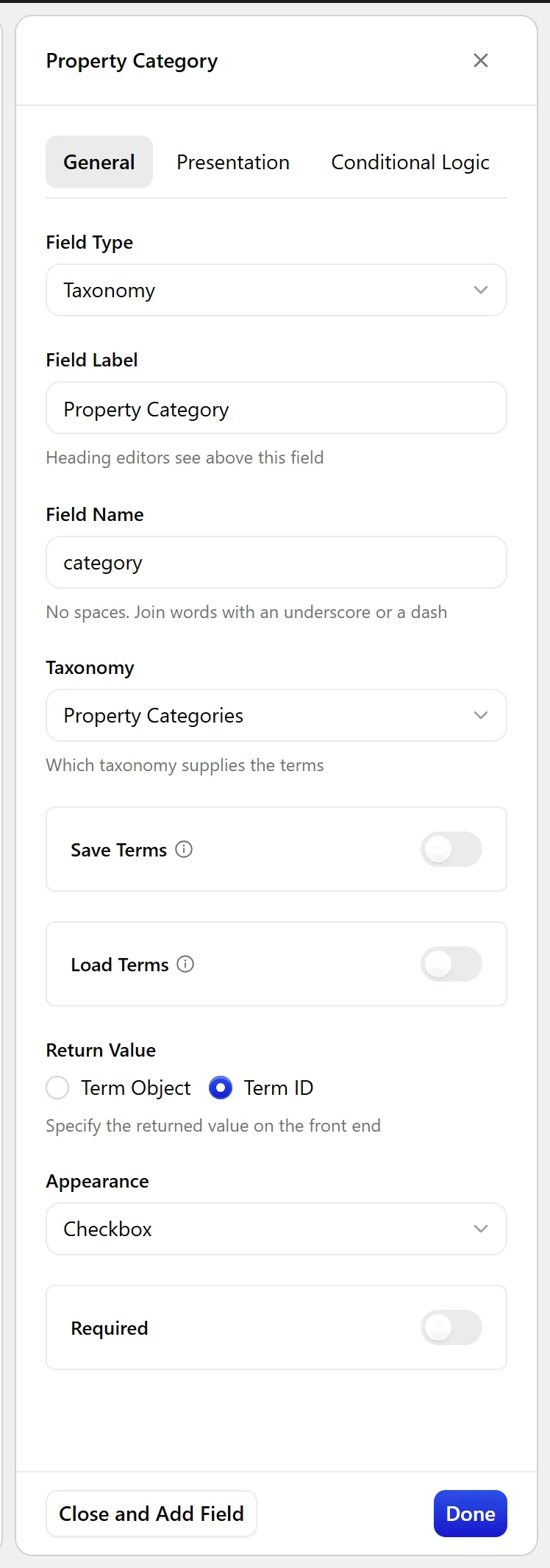
- Choose an Appearance — checkboxes, radio buttons, a select, or a multi-select.
- Decide whether Save Terms and Load Terms should be on — see the table below.
- Click Update.

Field Settings
Every field is configured across four tabs. These are the settings this field type offers, read from the field group builder in Nexter Extension 4.9.0.
General
| Setting | Options | What it does |
|---|---|---|
| Taxonomy | Categories, Tags, Pattern Categories, Property Types | No help text in the UI. |
| Save Terms | Also file the item under the terms chosen here | |
| Load Terms | Load value from post terms | |
| Return Value | No help text in the UI. | |
| Appearance | Checkbox, Multi Select, Radio Buttons, Select | No help text in the UI. |
Validation
| Setting | Options | What it does |
|---|---|---|
| Required | No help text in the UI. |
Presentation
| Setting | Options | What it does |
|---|---|---|
| Instructions | No help text in the UI. | |
| Wrapper Attributes | No help text in the UI. |
Conditional Logic
| Setting | Options | What it does |
|---|---|---|
| Conditional Logic | No help text in the UI. |
When to Use It
- A property or product type.
- A content category chosen inside a larger field group instead of the sidebar.
- A filterable attribute that editors maintain as terms.
Display the Value
With IDs returned, resolve each term before printing it:
<?php
$terms = nxt_field_value( 'category' );
foreach ( (array) $terms as $term_id ) {
    $term = get_term( $term_id );
    if ( $term && ! is_wp_error( $term ) ) {
        echo esc_html( $term->name );
    }
}
Limitations
- With Save Terms off, the field stores a value but the post is not actually in those terms — archives and taxonomy queries will not include it.
- A term deleted from the taxonomy leaves its ID stored on posts that used it.
Troubleshooting
The post does not appear on the category archive
Save Terms is off, so the field is only storing a value. Turn it on if choosing a term should genuinely assign the post to it.
The field looks empty although the post has terms
Turn on Load Terms so the field reads the post’s existing terms instead of only values saved through this field.
