












A post object field lets an editor pick one post, page or custom post type entry — the office handling a listing, the author profile behind an article — by searching for it.
What It Does
Use a post object field when the connection is to one item. When an editor needs to pick several and order them, use a Relationship field instead.
Before You Start
- Nexter Extension is installed and active.
- Content Fields is enabled under Nexter → Content Fields.
- You have a field group, or are about to create one.
Add a Post Object Field
- Go to Nexter → Content Fields and open the Group Fields tab.
- Open a field group, or create a new one.
- Click Add Field.

- Set Field Label to Assigned office. The Field Name fills in automatically and is what you use in code.
- Set Field Type to Post Object.
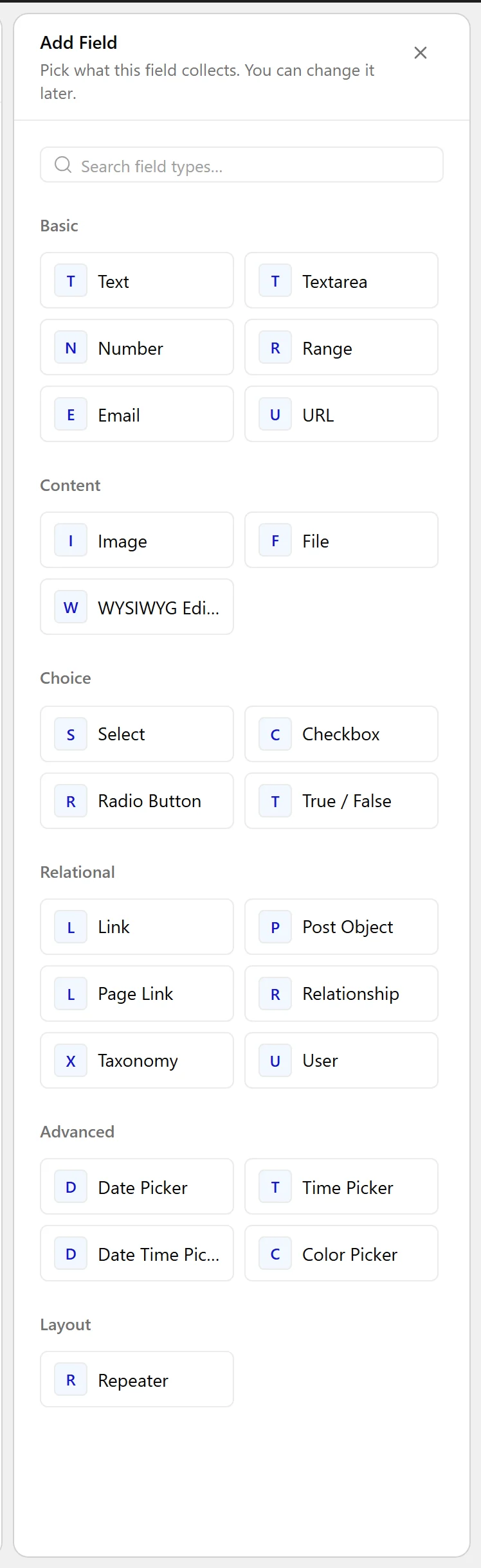
- Under Filter by Post Type, choose which post types editors may pick from.
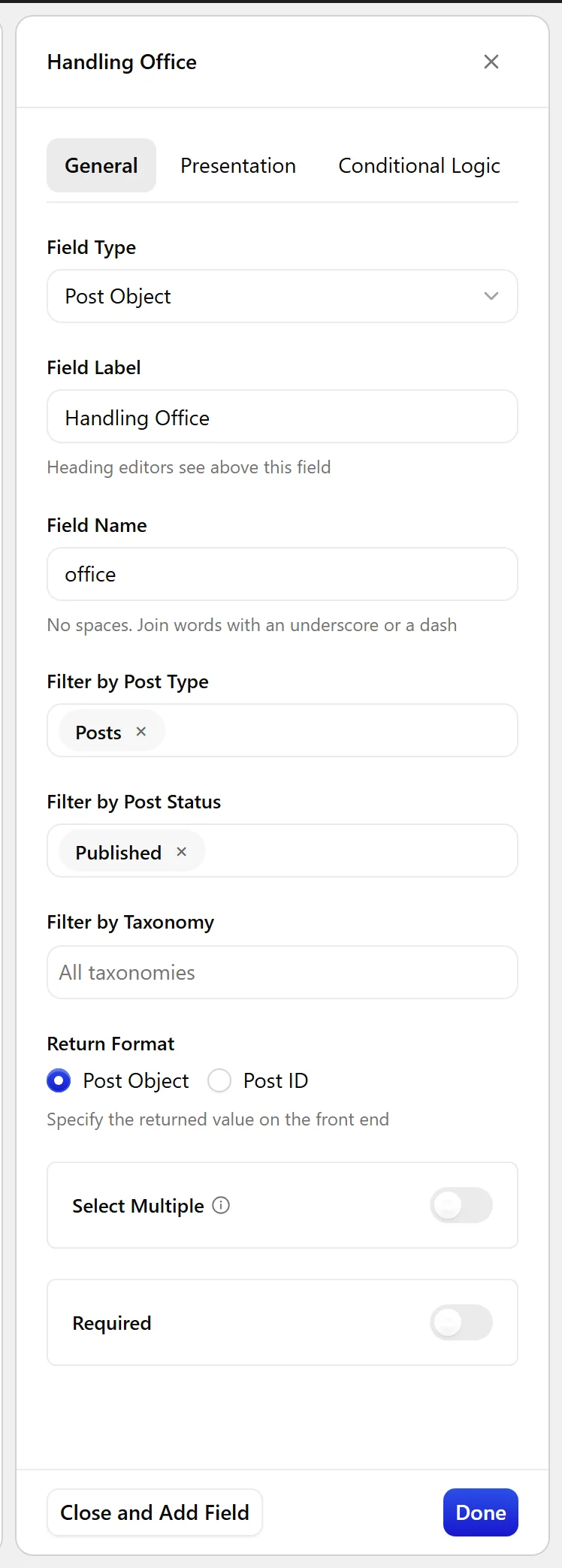
- Set Return Format — an ID is the lighter option.
- Click Update.

Field Settings
Every field is configured across four tabs. These are the settings this field type offers, read from the field group builder in Nexter Extension 4.9.0.
General
| Setting | Options | What it does |
|---|---|---|
| Filter by Post Type | No help text in the UI. | |
| Filter by Post Status | No help text in the UI. | |
| Filter by Taxonomy | No help text in the UI. | |
| Return Format | No help text in the UI. | |
| Select Multiple | Let editors pick more than one value. |
Validation
| Setting | Options | What it does |
|---|---|---|
| Required | No help text in the UI. |
Presentation
| Setting | Options | What it does |
|---|---|---|
| Instructions | No help text in the UI. | |
| Wrapper Attributes | No help text in the UI. |
Conditional Logic
| Setting | Options | What it does |
|---|---|---|
| Conditional Logic | No help text in the UI. |
When to Use It
- The office or branch handling a listing.
- A parent or canonical entry for a post.
- A featured item chosen on a landing page.
Display the Value
With an ID returned, fetch what you need from it:
<?php
$id = nxt_field_value( 'office' );
if ( $id && 'publish' === get_post_status( $id ) ) {
    printf(
        '<a href="%s">%s</a>',
        esc_url( get_permalink( $id ) ),
        esc_html( get_the_title( $id ) )
    );
}
Limitations
- The link is one-directional — picking B on post A does not show A on post B.
- A deleted or trashed target leaves its ID stored. Check the status before rendering, as above.
Troubleshooting
The picker is empty
A filter is excluding everything — most often Filter by Post Status set to a status your posts do not have.
A blank link renders
The target was trashed. Guard with get_post_status() before output.
