








Skip to content

Nexter Fields Abilities for AI and MCP Clients

Key Takeaways

  • Nexter Extension 4.9.0 adds five abilities, including nexter/get-content-model, nexter/scaffold-content-model, nexter/apply-changes, nexter/list-changes, and nexter/list-abilities with nexter/get-docs.
  • Content Fields registers WordPress abilities for field groups, field values, post types, and taxonomies, so an AI assistant or an MCP client works with the content model as a machine-readable surface.
  • Nexter Extension 4.9.0 or later with Content Fields enabled requires an administrator account, and data-model changes require manage_options exactly like the admin REST routes.
Table of Contents

Content Fields registers WordPress abilities — a machine-readable surface that lets an AI assistant or an MCP client work with your field groups, post types and taxonomies.

Nexter Extension 4.9.0 adds five abilities that help an AI client work with the content model as a whole: nexter/get-content-model returns the full model in one call, nexter/scaffold-content-model and nexter/apply-changes create or amend it, nexter/list-changes reports what a call would change or has changed, and nexter/list-abilities and nexter/get-docs let a client discover the surface and read this documentation without leaving the site.

What It Does

Abilities are the WordPress 7 way of describing what a plugin can do in a form a program can discover and call. Content Fields ships abilities covering field groups, field values, post types and taxonomies.

Before You Start

  • Nexter Extension 4.9.0 or later, with Content Fields enabled.
  • An MCP client or AI tool connected to the site.
  • An administrator account — the same capability gate as the admin REST routes applies.

Use the Abilities

  1. Connect your MCP client to the site as an administrator.
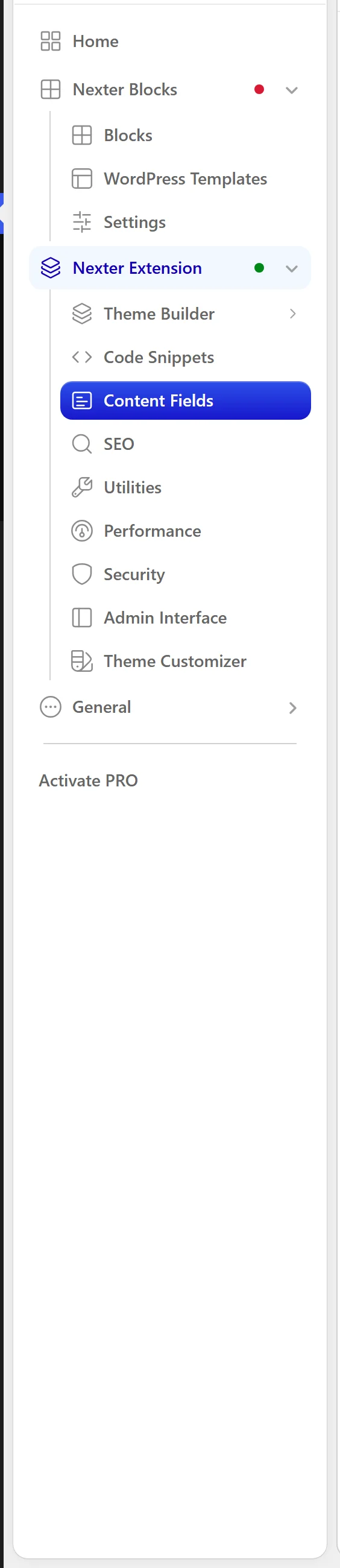
Content Fields in the Nexter menu
  1. Discover the available abilities. The Content Fields ones cover listing and creating field groups, reading and writing field values, and creating post types and taxonomies.
  1. Call an ability with its documented parameters.
  1. Verify the result in the admin before relying on it — an ability call changes real data.

When to Use It

  • Asking an assistant to scaffold a post type and its fields.
  • Reading field values programmatically without writing REST plumbing.
  • Auditing what field groups a site has.

Limitations

  • Abilities that change the data model require manage_options, exactly like the admin REST routes. A lower role cannot use them.
  • This is a machine surface. It has no UI, and it does not appear in the admin.
  • No competitor field plugin currently exposes an equivalent, so tooling built on this is Nexter-specific.

Troubleshooting

The abilities are not discoverable

Check Nexter Extension is 4.9.0 or later with Content Fields enabled, and that the client authenticates as an administrator.

An ability call is refused

Almost always the capability gate. Field group management requires manage_options.

Related Docs

Share your Thoughts

Still in Doubt? Let’s Assist You

Have Feedback or Questions?

Join our WordPress Community on Facebook!

Related Frequently Asked Questions

Why are my Nexter fields abilities not showing up in my MCP client?

Discovery depends on two things: Nexter Extension 4.9.0 or later with Content Fields enabled, and the client authenticating as an administrator. If either piece is missing, the surface will not appear. That matters because these abilities are machine-readable WordPress routes, not a public UI, so the client has to connect with the right role before it can list or call them.

Can an AI assistant use Nexter to scaffold a post type and its fields?

That is one of the main use cases for Nexter Extension 4.9.0. The abilities include nexter/get-content-model for the full model in one call, plus nexter/scaffold-content-model and nexter/apply-changes for creating or amending it. In practice, that means an assistant can work with the content model as a whole instead of handling field groups, post types, and taxonomies one by one.

What permissions are needed to change field groups with Nexter abilities?

Field group changes require manage_options, which is the same capability gate used by the admin REST routes. Lower roles cannot use abilities that change the data model. That restriction matters because these calls modify real site data, so Nexter keeps them at administrator level rather than exposing them to every connected client.

What is the difference between nexter/list-changes and nexter/get-content-model?

nexter/get-content-model returns the full content model in one call, while nexter/list-changes reports what a call would change or has changed. That split is useful when you want both visibility and control: one ability shows the current structure, and the other helps you audit impact before trusting a write operation.

How do I read or write WordPress field values without custom REST code?

Nexter Content Fields covers reading and writing field values through abilities, so an AI tool can work with content data without you building REST plumbing first. It also covers field groups, post types, and taxonomies, which makes it useful when the goal is structured content rather than a one-off edit. For related API work, see Content Fields and the WordPress REST API and Expose a custom field to the REST API.

What should I use Nexter abilities for in a real project?

They fit three jobs best: asking an assistant to scaffold a post type and its fields, reading field values programmatically without writing REST plumbing, and auditing what field groups a site has. That makes them useful when you want machine access to the content model itself rather than just editing in wp-admin. If you are creating structure from scratch, Create a field group in WordPress is the related starting point.

Last reviewed: November 12, 2026

Related Docs