












This guide provides step-by-step instructions on how to install and activate the Nexter Extension free and Pro. You will learn how to install both the free and pro versions of Nexter Extension and activate the license.
Before we begin, we would like to thank you for joining the premium family of Nexter. We are excited to have you with us.
We wish to help you build better websites.
How to Install Nexter Extension Pro?
To use the Nexter Extension Pro, you need to have both Nexter Extension and Nexter Extension Pro plugins installed and activated.
Nexter Extension Free
To install the Nexter Extension free version, follow the steps.
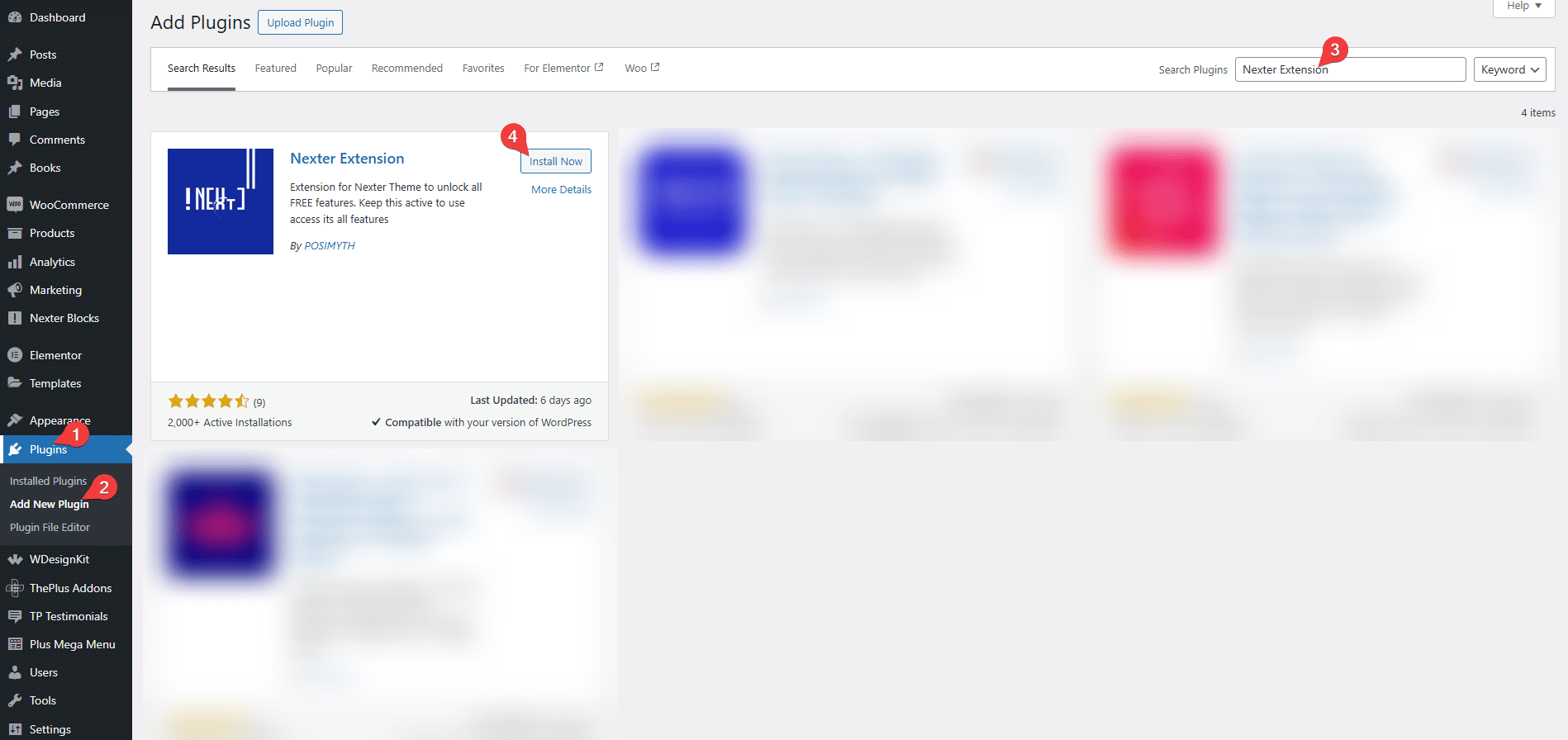
1. From the WordPress Dashboard, go to Plugins > Add New Plugins.
2. In the search field, search for “Nexter Extension“. You will find the Nexter Extension plugin.
3. Click on Install Now and then Activate.
Nexter Pro Extension
Once you have purchased Nexter Extension, follow the steps to install and activate it.
1. Visit the Posimyth Store and log in to your account using the same login details you used on the checkout page.
2. Click on the Dashboard link.

3. From the Dashboard, go to Download. You will see a list of plugins based on your purchase. Find Nexter Extension and click on the Download button with the latest version. The plugin will be downloaded to your system’s download folder.
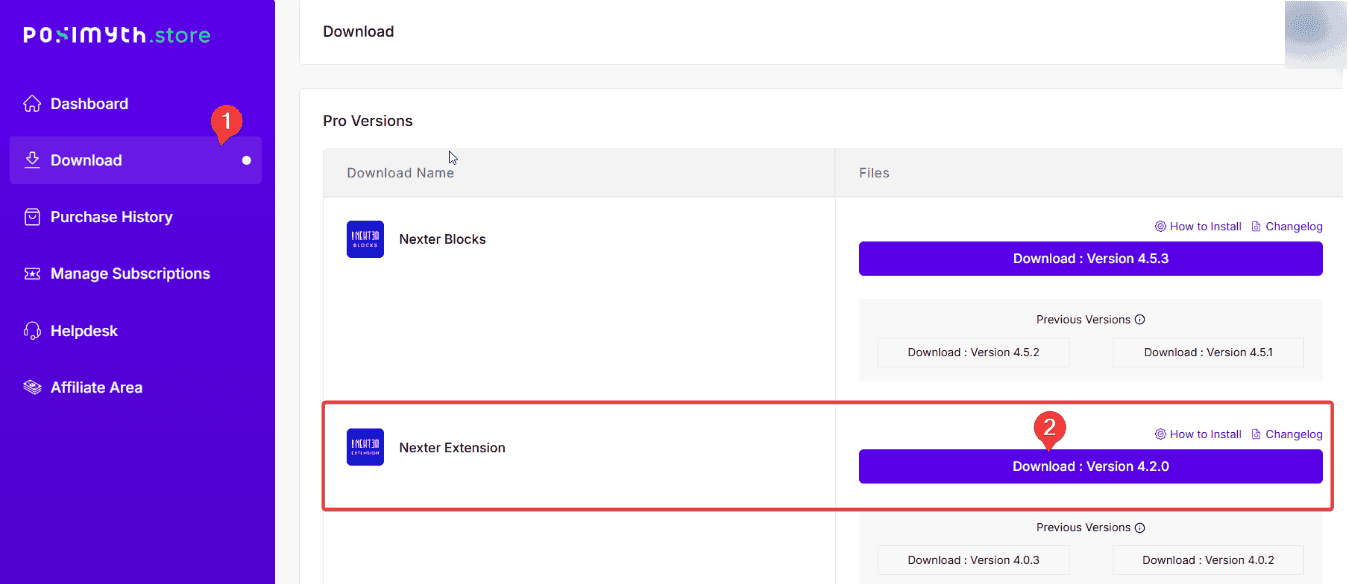
Note: You can also download previous versions from here but we recommend using the latest version.
4. Now go to WordPress Dashboard, from there, go to Plugins > Add New Plugin > Upload Plugin. Click Browse and upload your plugin, then click Install Now.
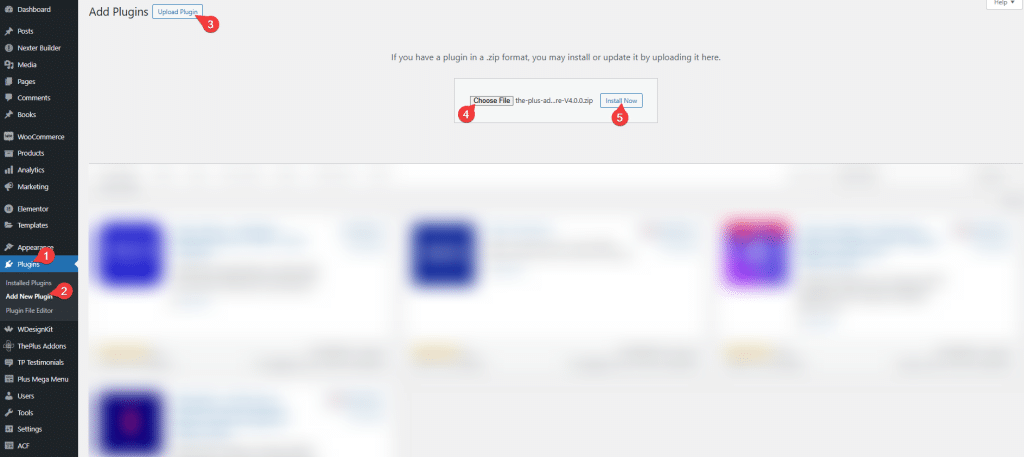
5. Once the plugin is installed, on the next page, click on Activate Plugin.

How to Activate Nexter Pro Extension Licence?
To activate the licence of the Nexter Pro Extension after you have purchased it, follow the steps.
1. Visit the Posimyth Store and log in to your account using the same login details you used on the checkout page.
2. Click on the Dashboard link.
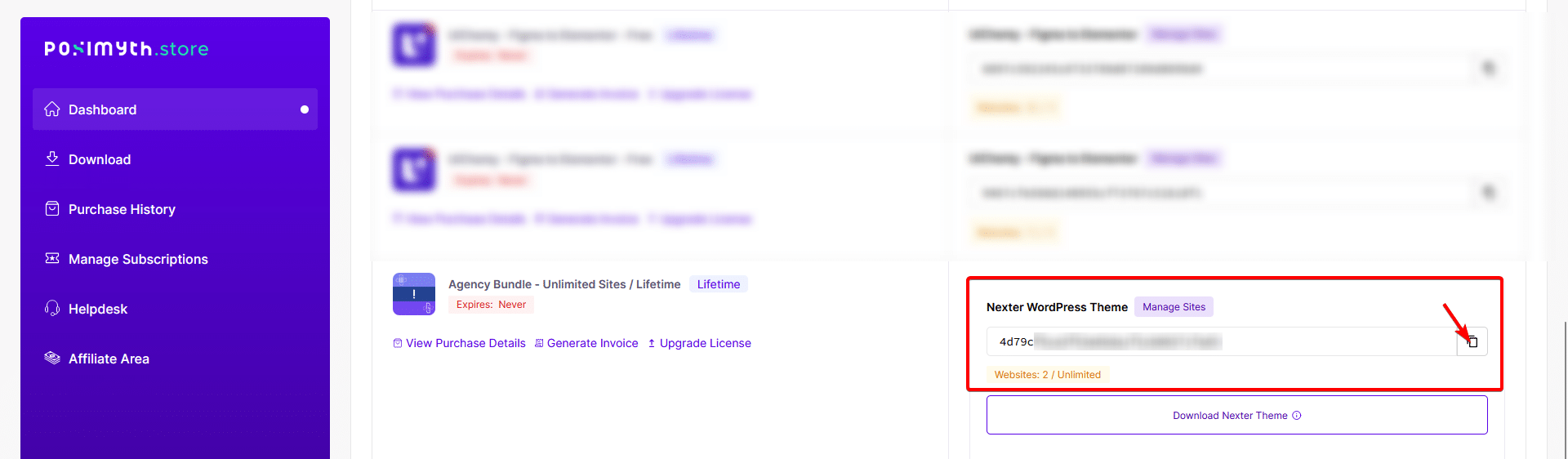
3. On your dashboard page, based on the purchase you made, you will see the items with their respective license key. Find Nexter WordPress Theme and click on the copy icon button, and copy the key to your clipboard.
4. Now login to your WordPress website backend and visit Plugins > Installed Plugins and make sure you have both Nexter Extension and Nexter Pro Extension plugins installed and activated.
Note: Both the FREE and PRO versions of the plugin are required to access all the features.

5. Then go to Nexter > Activate PRO.
6. In the Enter your Activation Key field, paste your license key and click on Activate.

Your licence is now active.
Congratulations on activating the PRO version of the Nexter Extension.
Common Licence Activation Issues
Some of the common issues users face while activating the Nexter Pro Extension licence.
Expired Licence
In some cases, if you are not receiving updates and cannot activate Nexter Pro Extension, then your license might have expired.
To check this, visit the Store.
Go To Dashboard, and under the Manage Subscriptions, check if you see this.
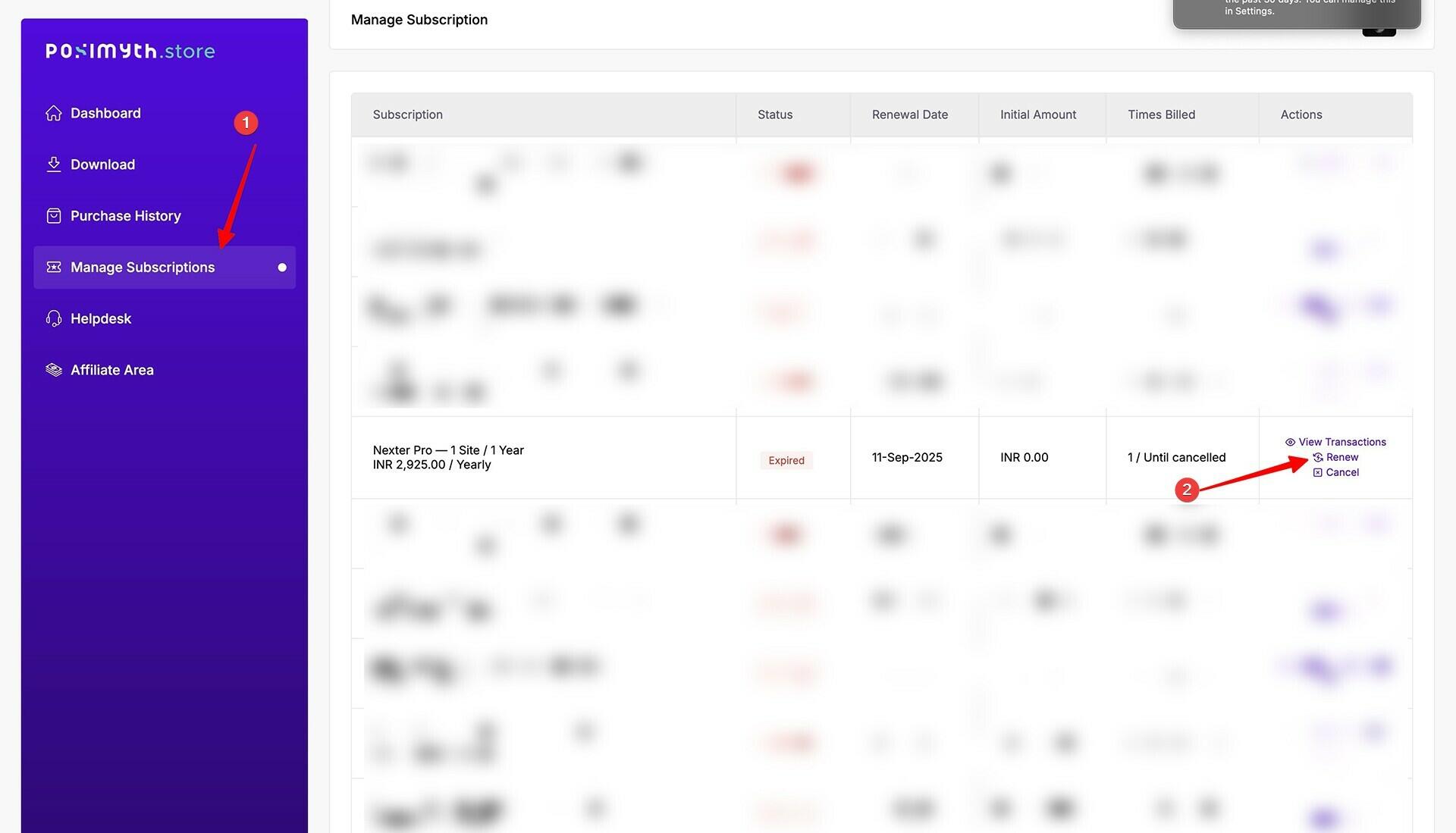
Learn How to Renew your license from here.
Make sure Site and Home URL are Same
Make sure your website WordPress Address (URL) and the Site Address (URL) are the same.
To check from the WordPress backend, go to Settings > General.

For example, if you installed and activated the plugin licence on a staging site and then you moved it to the production site, the homepage URL and Site URL could be different and this can cause the licence activation issue.
Security Firewall Blocking
There might be chances that your advanced Security firewall from a plugin or hosting is blocking access to our servers to verify the key. Please disable your Security firewall and try again.
You can use the licence on local-host and staging sites unlimited times, regardless of the limited website plan. Staging sites will be considered only if they:
- localhost
- 10.0.0.0/8
- 172.16.0.0/12
- 192.168.0.0/16
- yourdomain.dev
- yourdomain.local
- dev.yourdomain.TLDs
- staging.yourdomain.TLDs
