












A field group carries its own settings, separate from the fields inside it. They decide how the group looks on the editing screen and where it sits among other groups.
What It Does
These settings change presentation, not data. Nothing here affects what is stored or what your templates receive.
Before You Start
- Nexter Extension is installed and active.
- Content Fields is enabled under Nexter → Content Fields.
- You have a field group, or are about to create one.
Open the Group Settings
- Go to Nexter → Content Fields and open the Group Fields tab.
- Open the field group you want to change.
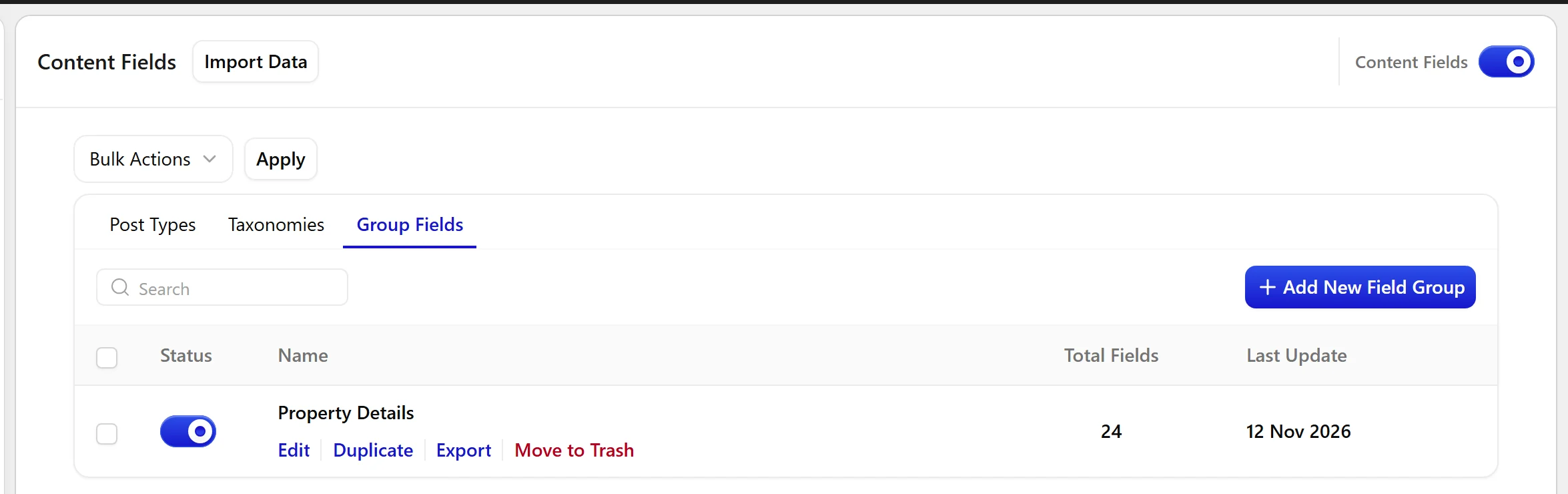
- Scroll to the Group Settings panel below Location Rules.
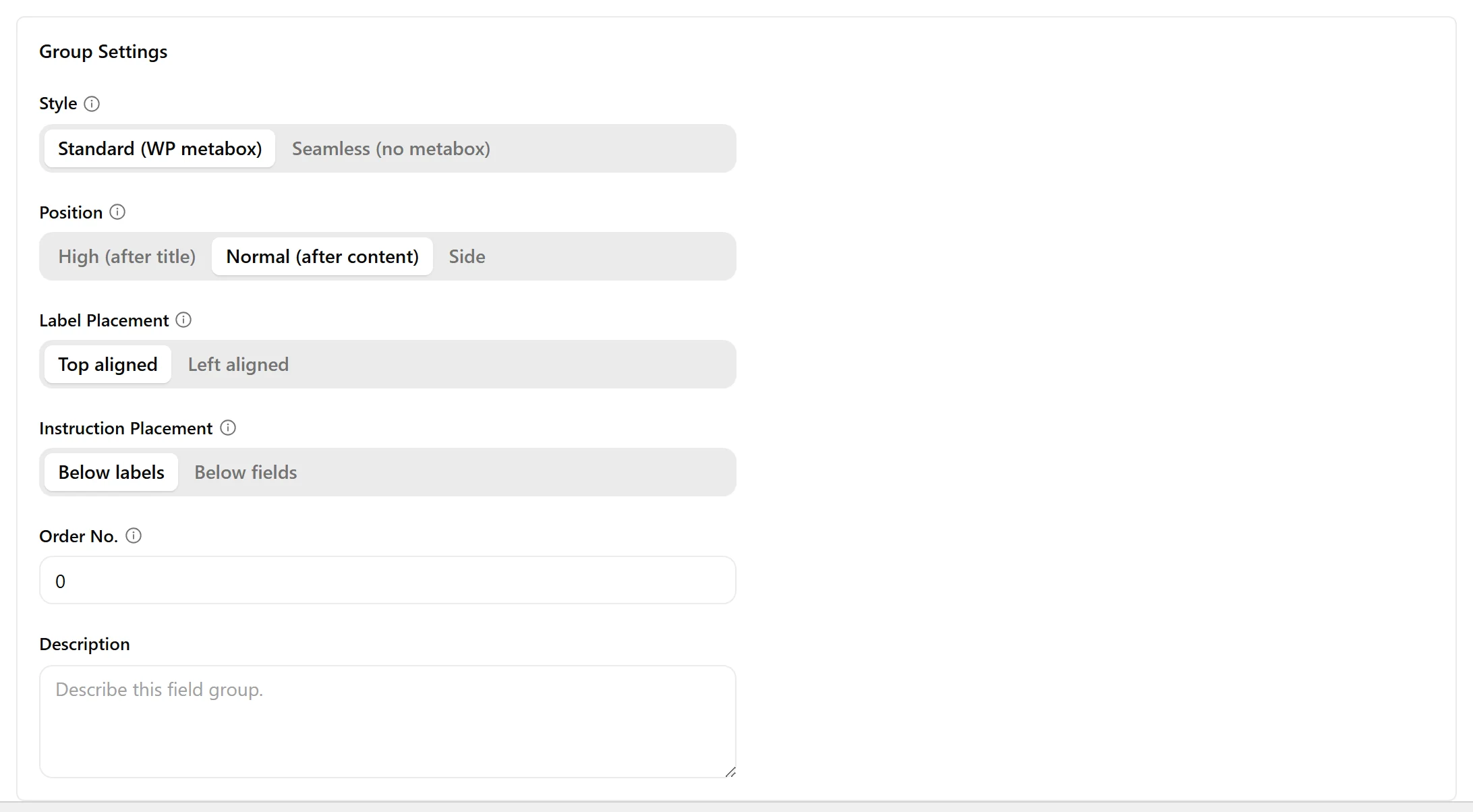
- Change what you need, then click Update.
Field Settings
Read from the field group builder in Nexter Extension 4.9.0.
| Setting | Options | What it does |
|---|---|---|
| Field Group Title | The group name, shown as the metabox heading on the editing screen. | |
| Style | Standard (WP metabox), Seamless (no metabox) | This section allows choosing how the field group will be displayed. |
| Position | High (after title), Normal (after content), Side | This section determines where the field group will appear on an editing screen. “High” is not supported in the Block Editor. |
| Label Placement | This section controls the alignment of field labels relative to their inputs. | |
| Instruction Placement | This section dictates where field instructions or help text will appear. | |
| Order No. | A numerical order for the group, used when several groups appear on the same screen. Lower numbers come first. | |
| Description | An internal note describing what the group is for. Not shown to editors. |
Limitations
- Position: High (after title) has no effect in the block editor. The setting’s own help text says so. It applies to the classic editor only.
- Group settings are cosmetic. Moving a group does not move or rename any stored value.
Troubleshooting
Two groups appear in the wrong order
Set Order No. on each. Groups with the same number fall back to the order they were created.
Seamless style looks broken in my theme
Seamless removes the WordPress metabox chrome, so the group inherits your editor styles. Use Standard if your setup expects the metabox frame.
