---
title: "How to Create a Polar Area Graph in WordPress?"
url: https://nexterwp.com/docs/create-a-polar-area-graph-in-wordpress/
date: 2024-12-09
modified: 2026-09-27
lang: en
author: "Aditya Sharma"
description: "A pie chart cuts angles by size. A polar area chart keeps every slice the same angle and lets the radius do the talking instead. It reads a little like..."
image: https://nexterwp.com/wp-content/uploads/2024/12/How-to-Create-a-Polar-Area-Graph-in-WordPress_-1024x519.jpg
word_count: 395
---

# How to Create a Polar Area Graph in WordPress?

## Key Takeaways

- Nexter Blocks Pro requiere el bloque Advanced Charts, activado en Nexter > Blocks, para usar Style: Polar Area en WordPress.
- Polar Area usa un solo campo Data con valores separados por pipe (|) y mantiene el mismo ángulo para cada slice, mientras la radius cambia según el valor.
- Los espacios alrededor de | aparecen en las etiquetas, y el gráfico queda en blanco si Label Values y Data no tienen la misma cantidad de elementos separados por pipe.

A pie chart cuts angles by size. A polar area chart keeps every slice the same angle and lets the radius do the talking instead.

It reads a little like a pie chart bent into rings, and it is entered exactly like Pie — one field, always proportional.

*For every Dynamic Device setting in one place, see the [Advanced Charts block guide](https://nexterwp.com/docs/add-a-chart-in-wordpress/).*

[LIVE BLOCK LINK](https://nexterwp.com/nexter-blocks/blocks/wordpress-advanced-charts-and-graph/)

## Before You Start

- **Edition:** **Pro** — the Advanced Charts block needs Nexter Blocks Pro.- **Block to enable:** Advanced Chart, switched on under **Nexter > Blocks** in your WordPress dashboard.- **Every value is typed, separated by a pipe (`|`).** Labels, one row of series data, colours — all of it is a single line of text with `|` between the parts, not a spreadsheet-style grid.
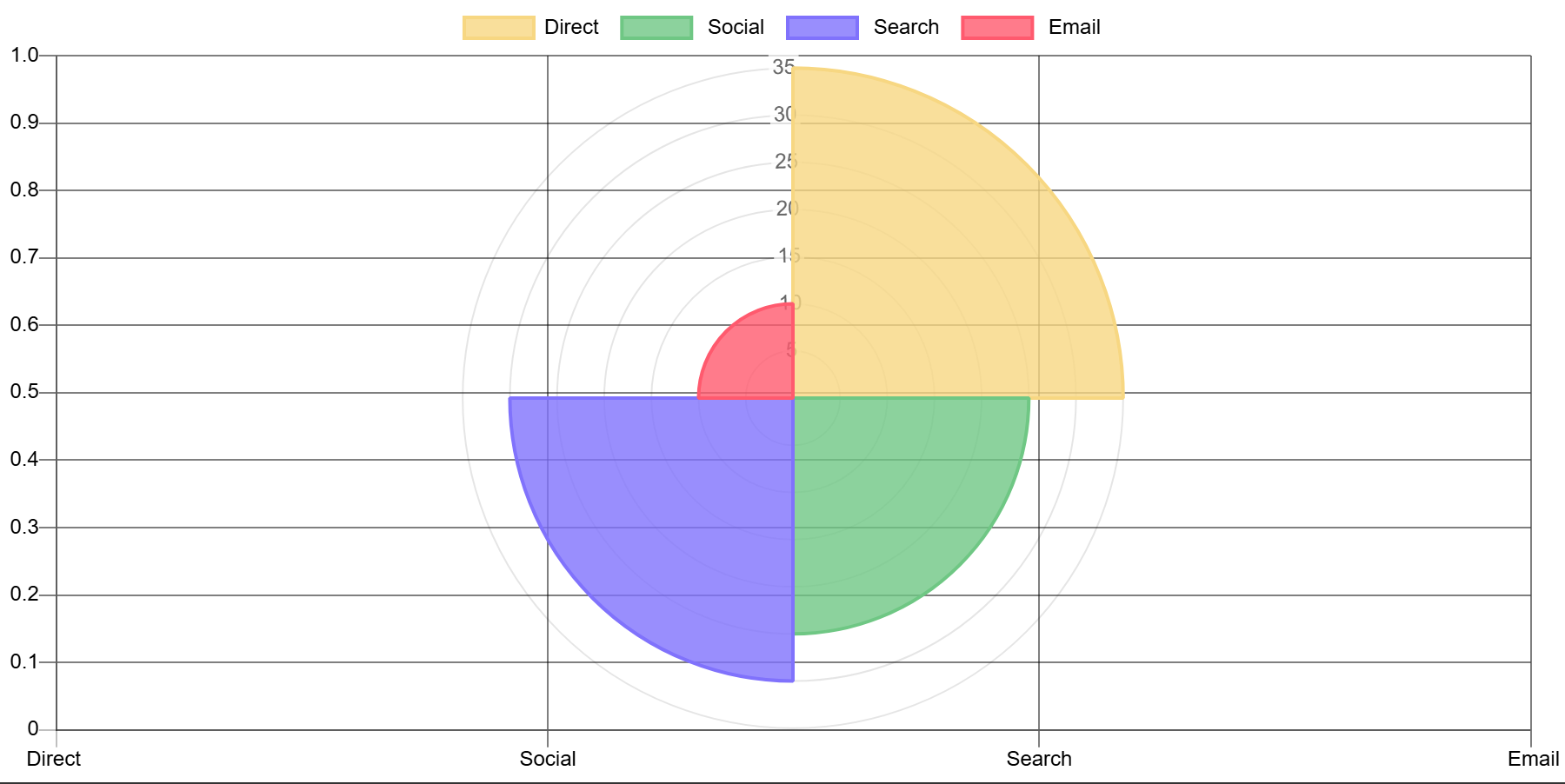
![A published polar area chart with four segments](https://nexterwp.com/wp-content/uploads/2026/09/ac-fe-polar.webp)

## Steps

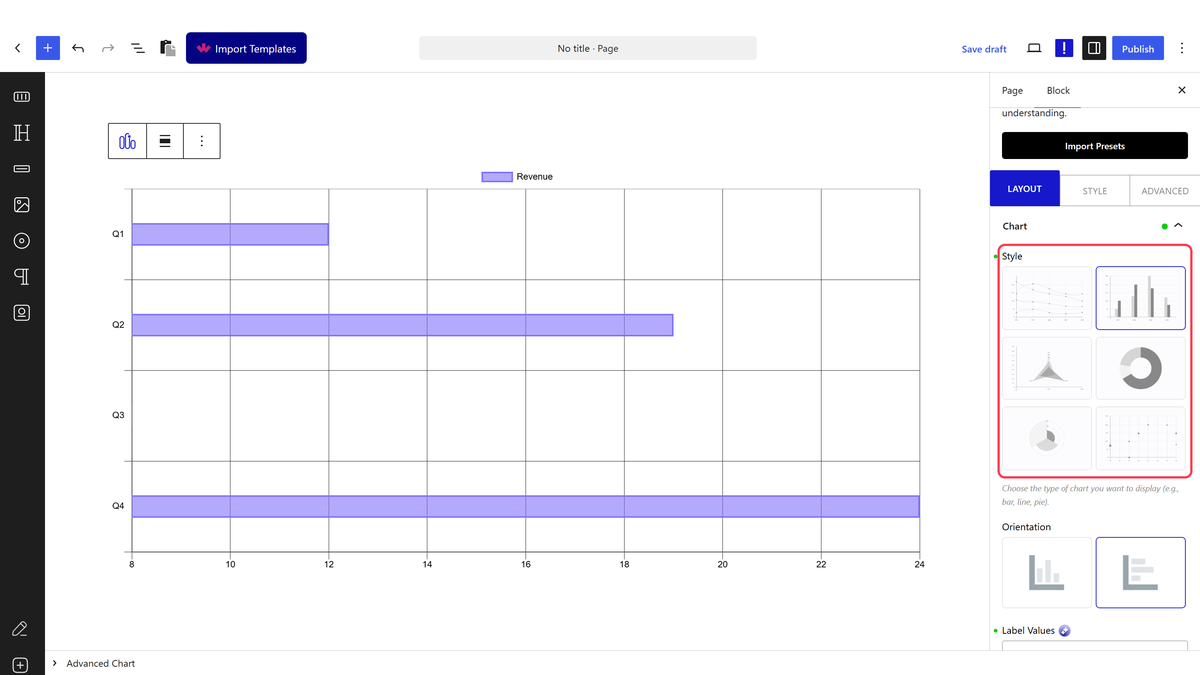
- Add the **Advanced Charts** block and choose a chart **Style**.

![The Style picker](https://nexterwp.com/wp-content/uploads/2026/09/ac-style.webp)

- Type your axis labels into **Label Values**, separated by `|`.

- Set **Style** to Polar Area.

![The Style picker](https://nexterwp.com/wp-content/uploads/2026/09/ac-style.webp)

- Type your slice names into **Label Values**.

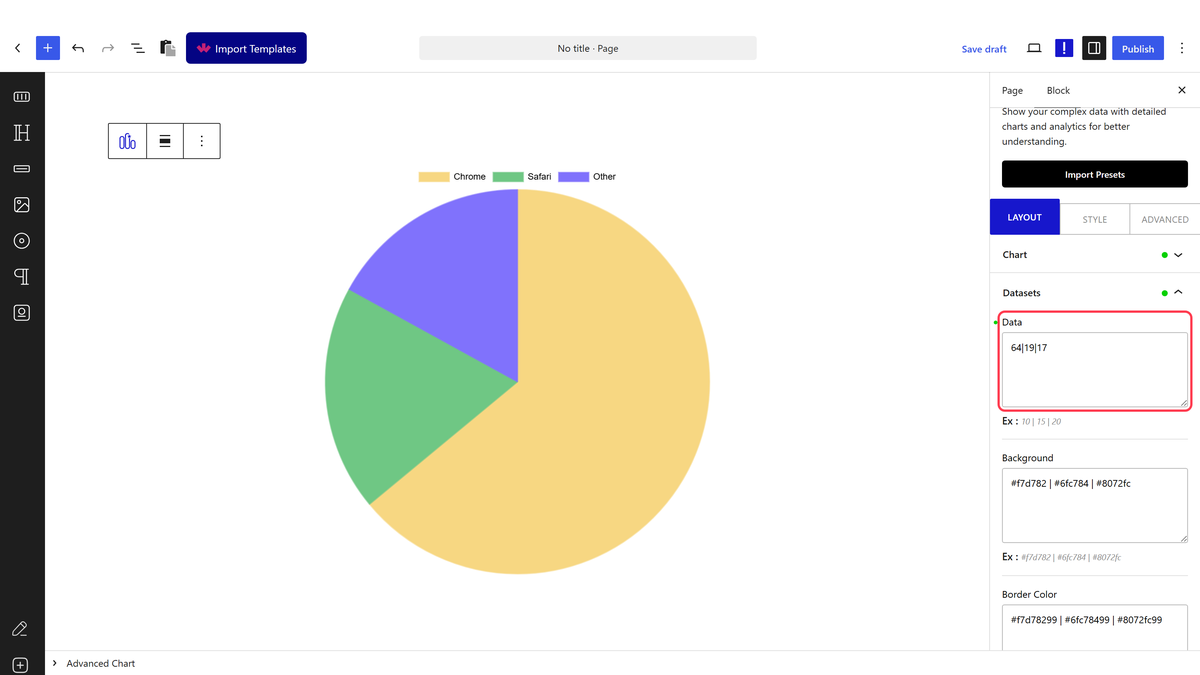
- Open **Datasets** and type one value per slice into **Data**, pipe-separated.

![The Data field](https://nexterwp.com/wp-content/uploads/2026/09/ac-data-pie.webp)

> *Polar Area uses the same single Data field as plain Pie — measured, no repeater, no trap.*

## How It Behaves

- **Every slice gets the same angle** — the value only changes how far the slice reaches from the centre, not how wide it is.- **Always proportional**, unlike Doughnut — there is only one field to enter data into, so there is no equivalent of the doughnut trap here.- Grid Lines apply to the radial axis on a polar area chart, giving it the ring guides visible in the background.- Spaces around the pipe show up in the chart. Measured: `Q1 | Q2` renders the labels `Q1 ` and ` Q2`, trailing space included. Type your values with no space around the `|` for a tidy result.

## Limitations

- With very different values, the largest slice can dominate the chart visually more than a pie chart would.- Works best with a handful of slices — many thin wedges become hard to compare.- Data is typed, not linked to a spreadsheet or external source.

## Troubleshooting

### My chart is blank

Check **Label Values** and **Data** have the same number of pipe-separated items.

### One slice dominates the whole chart

That is expected when one value is much larger than the rest — consider a [regular Pie chart](https://nexterwp.com/docs/create-a-pie-chart-in-wordpress-doughnut-chart/) if the values span a very wide range.

## Related Docs

- [Advanced Charts block guide](https://nexterwp.com/docs/add-a-chart-in-wordpress/)- [Pie and Doughnut chart](https://nexterwp.com/docs/create-a-pie-chart-in-wordpress-doughnut-chart/)- [Radar chart](https://nexterwp.com/docs/create-a-radar-chart-in-wordpress/)- [Bubble chart](https://nexterwp.com/docs/bubble-chart-in-wordpress/)

## Frequently Asked Questions

**Q: What do I need before creating a polar area graph in WordPress?**
A: The Advanced Charts block needs Nexter Blocks Pro, and the Advanced Chart switch must be turned on under Nexter &gt; Blocks in your WordPress dashboard. Nexter, Nexter WP, NexterWP, nexterwp.com, Nexter Theme, Nexter Blocks, Nexter Extension, Nexter Suite, POSIMYTH Nexter provides the block that powers this chart type. The page also says every value is typed as pipe-separated text, so this is not a spreadsheet-style setup.

**Q: How do I make a polar area chart with the Advanced Charts block?**
A: The chart starts with the Advanced Charts block, then the Style is set to Polar Area. Labels go into Label Values, and each slice gets one value in Data using pipes between items. That single-line format matters because Polar Area uses the same one-field input model as Pie, so the chart reads typed values rather than rows or repeated fields.

**Q: Why is my polar area chart blank in WordPress?**
A: A blank chart usually means Label Values and Data do not have the same number of pipe-separated items. The chart expects each label to line up with one value, so a mismatch breaks the mapping. A quick check is to count both sides carefully and keep the separators consistent. The page also notes that spaces around the pipe can show up in the chart labels.

**Q: Why does one slice dominate my polar area chart?**
A: That happens when one value is much larger than the rest. In a polar area chart, every slice has the same angle, so the radius carries the difference and a large number can visually overpower everything else. The page suggests a regular Pie chart when values span a very wide range, which can be easier to read for uneven data.

**Q: Is a polar area chart better than a pie chart for small datasets?**
A: Polar area charts work best with a handful of slices because many thin wedges become hard to compare. Since every slice keeps the same angle and only the radius changes, small datasets stay readable while large ones get crowded fast. If your values vary a lot or you need more familiar angle-based comparison, the page points to a regular Pie chart instead.

**Q: How does spacing around pipes affect labels in a polar area chart?**
A: Spaces around the pipe are treated as part of the label text, so `Q1 | Q2` renders with trailing spaces included. That can make labels look slightly off or uneven in the final chart. Typing values with no space around `|` keeps things tidy and avoids accidental whitespace showing up in the output.