












WordPress ships with one login page for everyone, and it rarely matches the rest of your site.
The Login & Signup block in Nexter Blocks Pro builds login, registration and password forms on any page, styled like everything else you have made.
Before You Start
- Edition: Pro — the Login & Signup block is part of Nexter Blocks Pro.
- Block to enable: Login & Signup, switched on under Nexter > Blocks in your WordPress dashboard.
- Registration switched on: in Settings > General, tick Anyone can register.
- Working email on your site: the block sends account emails through WordPress, so use an SMTP plugin to keep them out of spam.
Learn via Video Tutorial

Steps
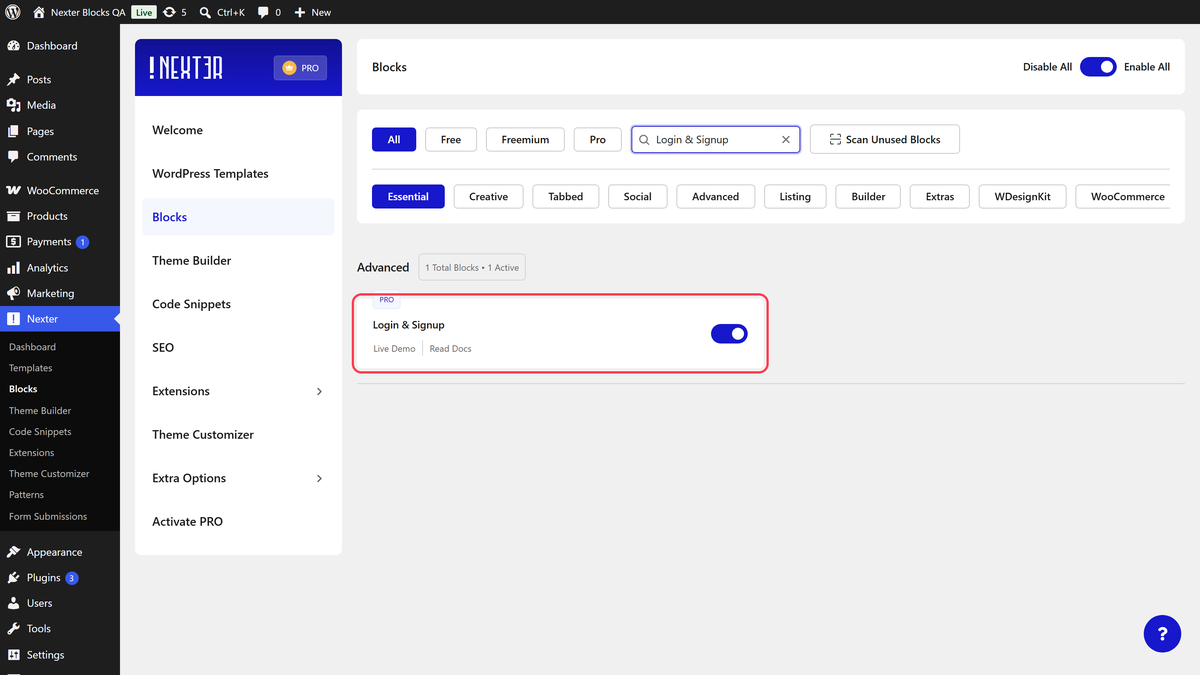
- Go to Nexter > Blocks, search for Login & Signup and turn it on.
- Add the Login & Signup block to a page and click Design from Scratch.
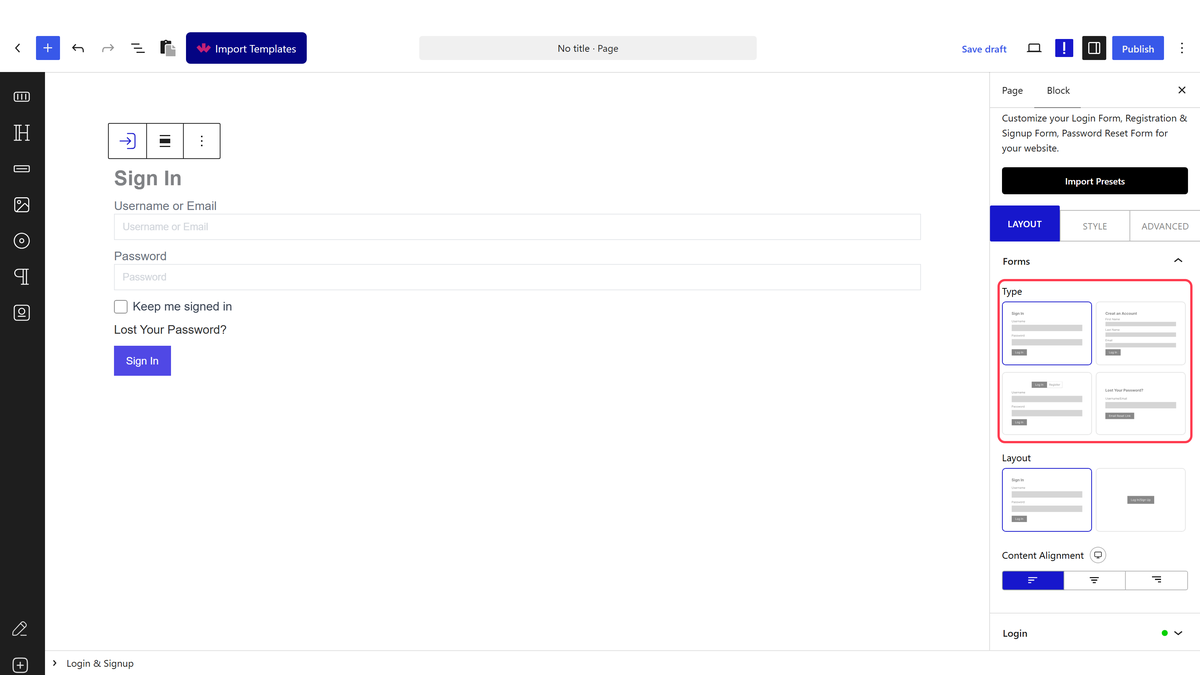
- In Forms, pick a Type: Login, Register, Login & Register or Forgot Password.
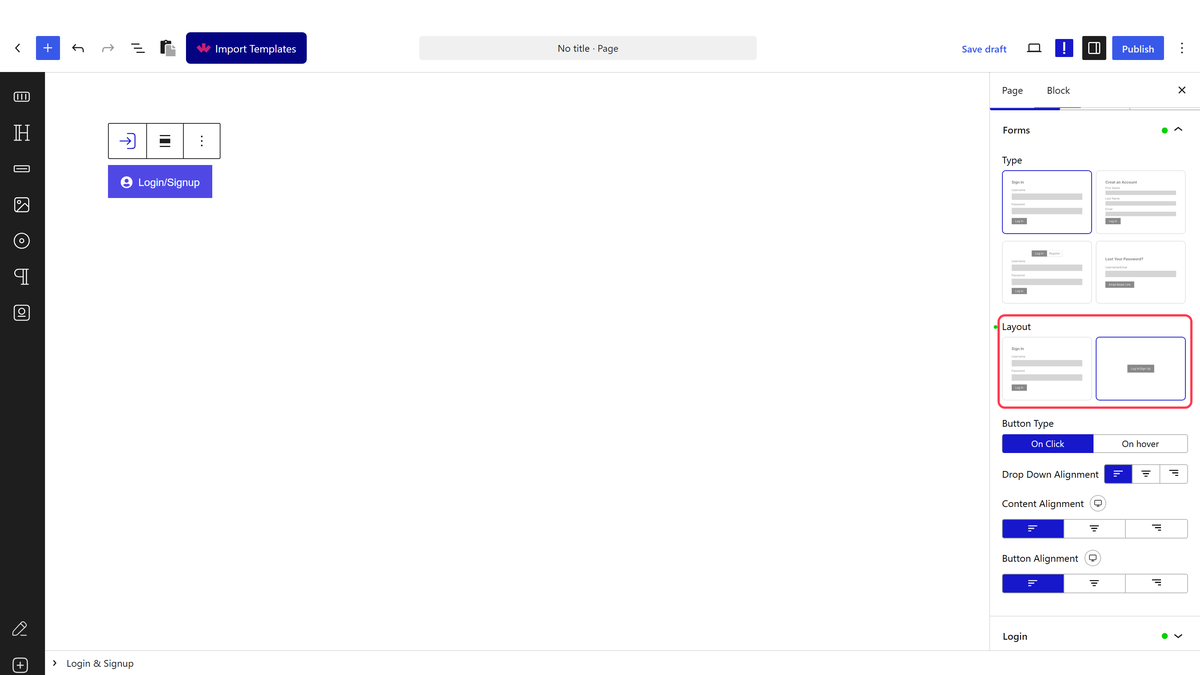
- Pick a Layout: Inline Form or Button (a toggle button that opens the form).
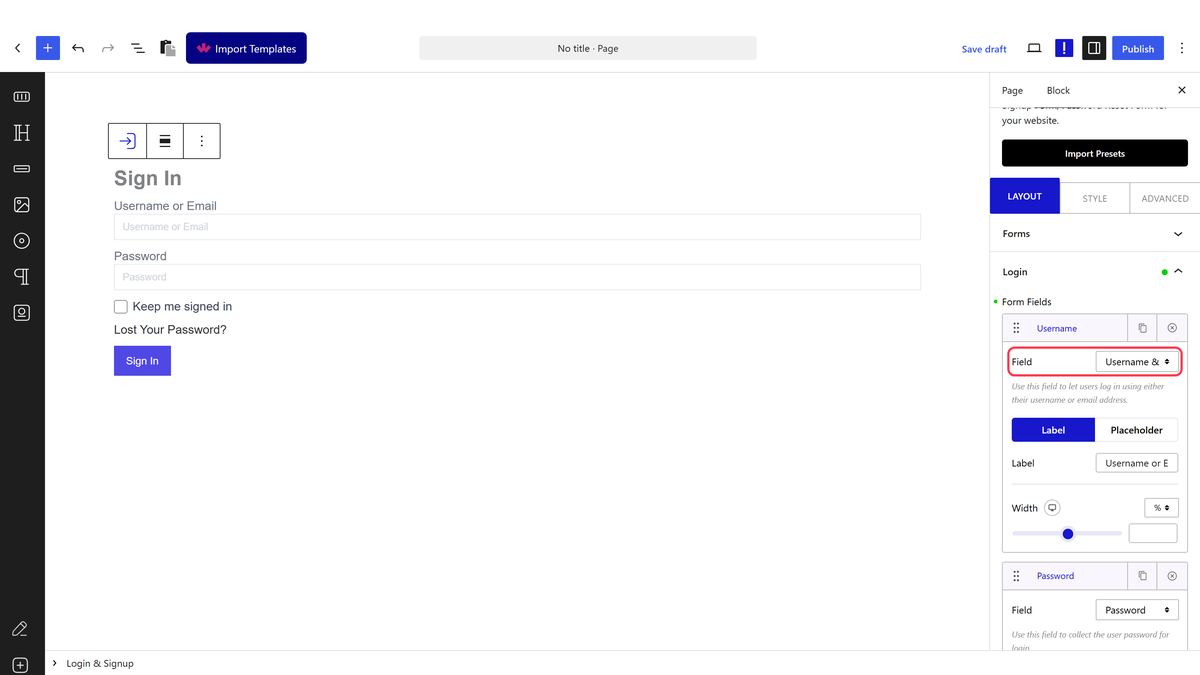
- Open the Login or Register tab and build the form with + Add Field. Save.
Form Types
| Type | What it creates |
|---|---|
| Login | A sign-in form |
| Register | A registration form for new accounts |
| Login & Register | Both, as two tabs. You set the Sign In Tab Title, Sign Up Tab Title and Default Active Tab |
| Forgot Password | A standalone password reset form. See custom password reset page |
Login Fields
| Field | What it adds |
|---|---|
| Username & Email | The field people sign in with (Label, Placeholder, Width) |
| Password | The password field |
| Remember Me | A keep me signed in checkbox |
| Login Button | The submit button (Button Text, Icons) |
| Lost your password | The link that opens the reset form |
| Register | A link to your registration page (Text, Link, Before Text, Show Inline) |
| Social Login | Google and Facebook buttons. See Google login and Facebook login |
| Magic Link | A one-click email login. See magic login link |
| Extra Text | Any extra text in the form |
Under Add Action the login form offers Redirect, with a Redirect URL on your own domain. See redirect after login. Login Form Messages sets the Loading, Success, Validation and Error text.
Register Fields
| Field | What it adds |
|---|---|
| First Name, Last Name, Email, Username | Standard fields, each with Label, Placeholder, Width and a Validation Error Message |
| Password, Confirm Password | Password fields with Show/Hide Password Toggle, Strong Password and Password Strength Meter |
| Register Button | The submit button |
| MailChimp Subscribe | A subscribe checkbox. See send registrations to Mailchimp |
| reCAPTCHA | Google reCAPTCHA. See add reCAPTCHA |
| Honeypot | A hidden anti-spam field that only bots fill in |
| Terms & Conditions | A consent checkbox. See GDPR compliant registration |
| Social Login, Login, Extra Text | Social buttons, a link back to the login form, and free text |
| ACF | A custom field from ACF. See custom registration fields |
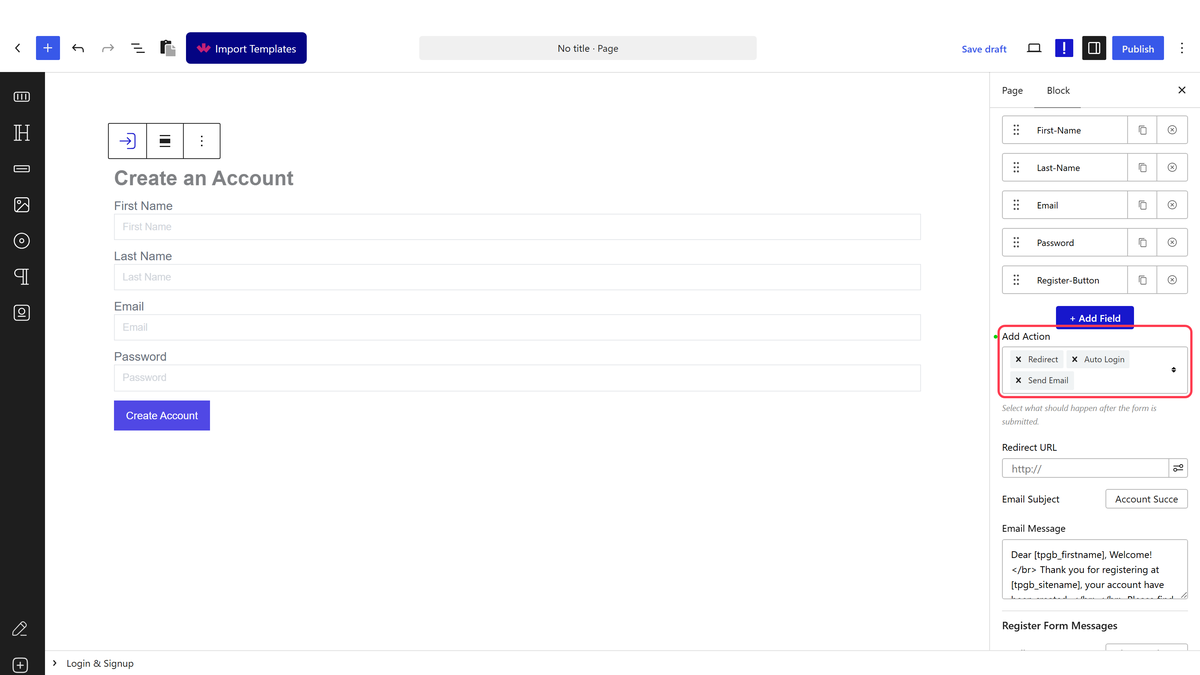
Add Action on the register form offers Redirect, Auto Login and Send Email, and you can pick more than one.
My Account Menu
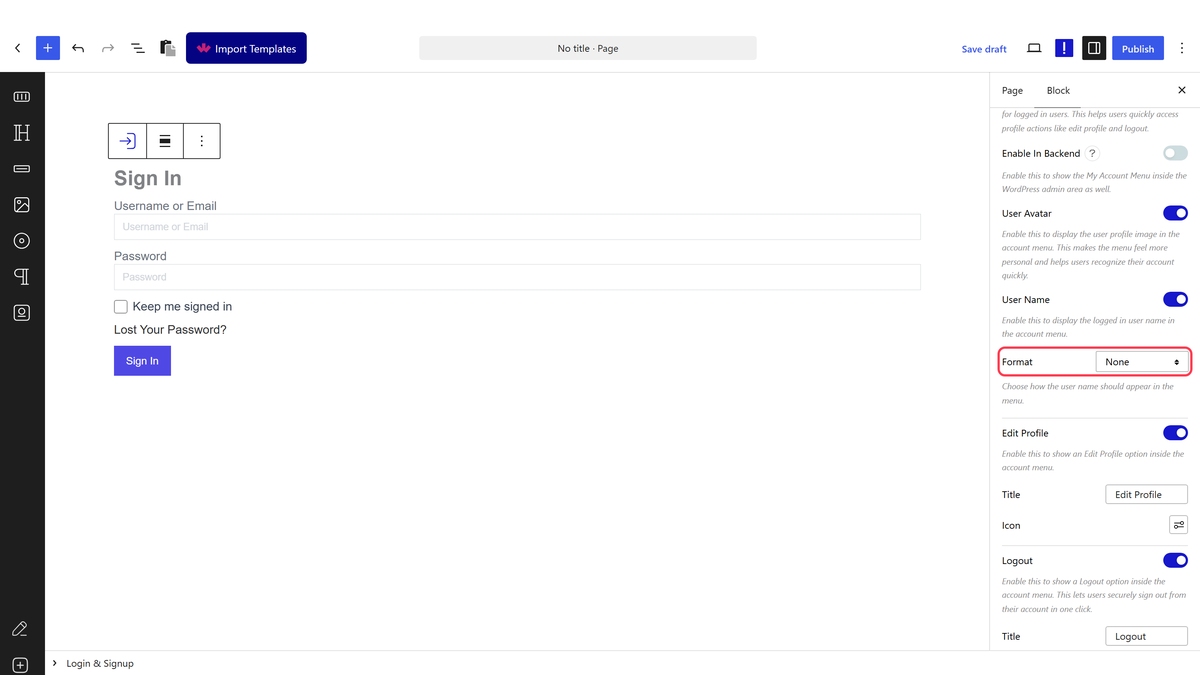
With My Account Menu on, signed-in visitors see a dropdown in place of the form, with the user avatar, the user name in the Format you choose, an Edit Profile link, Logout and any Extra Menu items you add.
How It Behaves
- Forms submit without reloading the page, then show your success message, the account menu, or your redirect.
- Signing in with the wrong details shows your Validation Text and keeps the visitor on the form.
- After 10 failed sign-in attempts from the same address within five minutes, the block asks the visitor to wait a few minutes.
- New accounts get the role set in Settings > General.
Limitations
- Pro only.
- Registration forms only work when Anyone can register is ticked in Settings > General.
- Redirect URLs must be on your own domain.
- Account emails depend on your site’s email setup, so use an SMTP plugin.
Troubleshooting
I cannot find the Login & Signup block
Go to Nexter > Blocks, search for Login & Signup and turn it on. The block needs Nexter Blocks Pro.
The registration form says registration is disabled
Tick Anyone can register in Settings > General and save.
Emails never arrive
Install an SMTP plugin and send a test email from it, then try the form again.
