












Choosing between Spectra and Kadence Blocks comes down to a few specific needs: how many free blocks you want out of the box, how much you care about AI-assisted design, and how far your budget stretches into the Pro tiers. Both are solid Gutenberg block plugins, but they’re built around different priorities.
Spectra, a Gutenberg block plugin by Brainstorm Force with over 1 million active installs on WordPress.org, focuses on a generous free block library, full-site kit imports, and a lighter DOM footprint. Kadence Blocks, developed by Kadence WP (a StellarWP brand) with 600,000+ active installs, leans toward design flexibility and deep per-block styling control. And Nexter Blocks, a Gutenberg block plugin by POSIMYTH with 10,000+ active installs, provides 90+ blocks, 50+ site extensions, and an ultra-light theme in one integrated plan.
This guide compares Spectra vs Kadence Blocks across seven key parameters, including block count, performance, AI features, pricing, and templates, to help you choose the right plugin for your next WordPress build. This guide is for WordPress developers, designers, and site owners evaluating Gutenberg block plugins in 2026.
What Is Spectra?
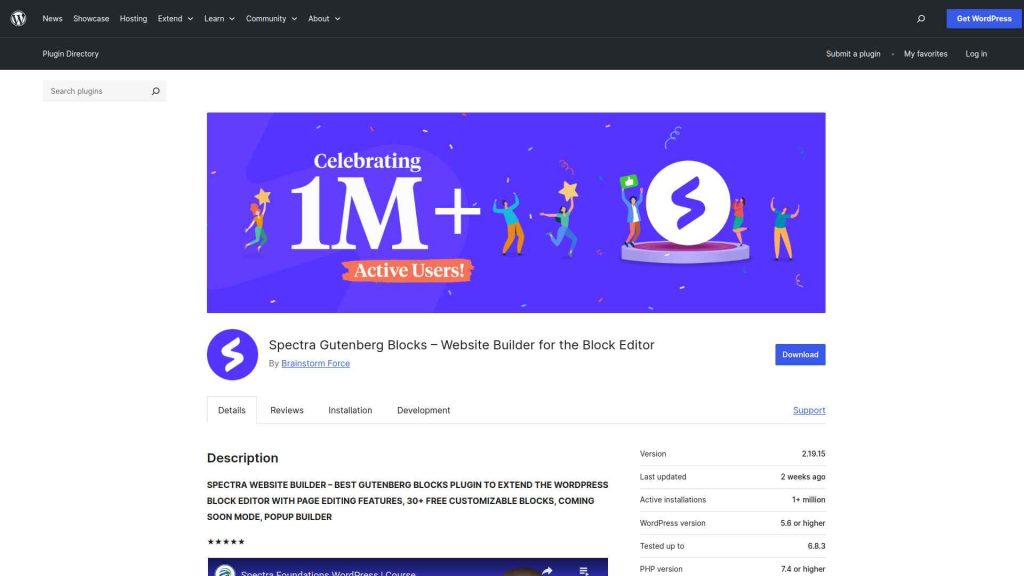
Spectra (by Brainstorm Force, the team behind the Astra theme) is a free Gutenberg block plugin with over 1 million active installs on WordPress.org. A major 2026 update expanded its free block library to 30+ blocks and introduced starter template kits: a single-click import that pulls in a complete, multi-page website design including Home, About, Services, and Blog pages, styled and pre-populated.
Spectra’s block markup is comparatively lean, which helps pages stay lighter on shared hosting. The Pro version adds extra Pro blocks and AI-assisted design through the ZipWP integration. Spectra is currently on version 2.19.29 and holds a 4.7-star rating from more than 1,860 reviews on WordPress.org. Check wpspectra.com/pricing/ for current plan rates.
Spectra works with any WordPress theme and does not lock you into the Brainstorm Force ecosystem. Users who want more blocks without a Pro subscription will find Spectra’s free tier more complete than Kadence’s.
Pros and Cons of Spectra
Pros
- 30+ free blocks (Free): More free blocks than Kadence Blocks’ 16 free blocks, covering Container, Heading, Post Timeline, Image Gallery, and more without a Pro upgrade.
- Starter template kits (Free + Pro): Import complete multi-page website designs in one click. Kadence Blocks free tier does not match this feature.
- Smaller DOM output: Spectra renders fewer HTML elements per block than Kadence, helping pages stay lighter on budget hosting.
- Standalone Pro plans (Pro): Spectra sells its Pro tier on its own, with multiple plans available at wpspectra.com/pricing/, unlike Kadence, which now sells its Pro blocks inside bundles.
Cons
- No Mega Menu or advanced builders (Free): Spectra’s free tier lacks Mega Menu, Dynamic Listing, and custom Loop Skin blocks that power users need for complex sites.
- Spectra AI relies on ZipWP: AI generation is powered by the ZipWP service rather than being fully native to the block editor, so it depends on that connection.
- Fewer native Pro blocks: Spectra’s Pro block set is smaller than Kadence’s Pro library, so Pro users get less additional block functionality at the plugin level.
Also Read: Spectra review for a full pros-and-cons breakdown.
What Is Kadence Blocks?
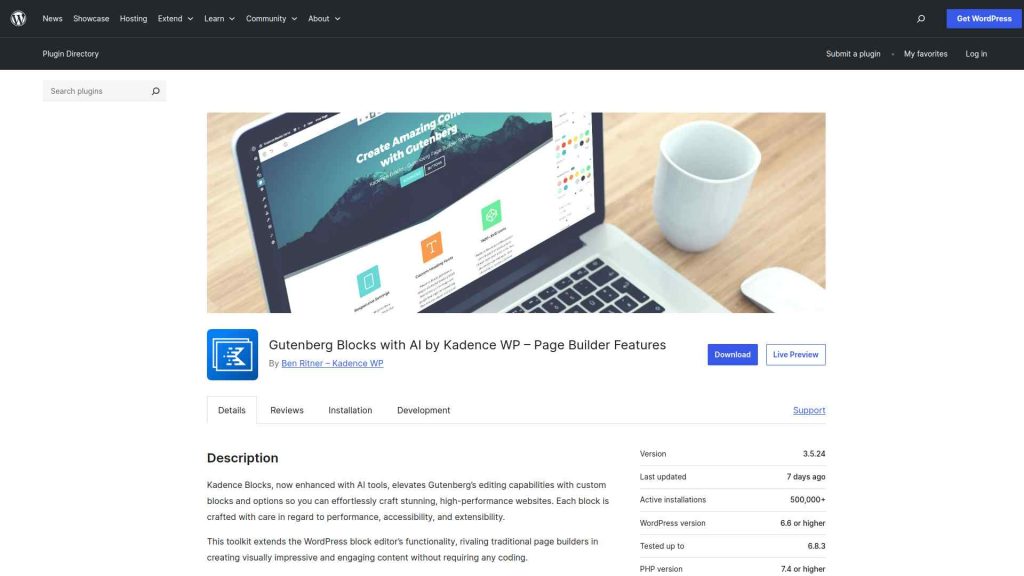
Kadence Blocks (by Kadence WP, now part of StellarWP) is a free Gutenberg block plugin with 600,000+ active installs on WordPress.org. The free version ships with 16 blocks that focus on design quality and styling depth. The Row Layout container block, in particular, gives more granular column control than Spectra’s Container block, making it a favorite for developers who want pixel-level layout precision.
Kadence Blocks Pro adds Pro blocks such as Advanced Slider, Image Overlay, Modal, and Split Content. Kadence also offers inline AI text editing inside its free Advanced Text block (rewrite, fix grammar, change tone). A broader Kadence AI for full design and site generation is referenced by Kadence but is currently listed as “coming soon” on the official Kadence store as of July 2026. Kadence Blocks is on version 3.7.8 with a 4.8-star rating from 331 reviews.
Kadence Blocks integrates most deeply with Kadence Theme, but it also functions with other themes. Its paid features are sold as bundles through the official Kadence store, starting with the Essentials plan that packages Kadence Theme Pro, Kadence Blocks Pro, and 200+ starter templates in a single subscription.
Pros and Cons of Kadence Blocks
Pros
- Deep design controls (Free + Pro): The Row Layout block and per-block styling options give more granular design control than Spectra’s equivalent blocks.
- Inline AI text editing (Free): Kadence’s Advanced Text block includes inline AI to rewrite, fix grammar, and change tone directly in the editor, at no cost.
- Extra Pro blocks (Pro): The Pro tier adds blocks such as Advanced Slider, Modal, Image Overlay, and Split Content for advanced layout work.
- Deep Kadence ecosystem: Bundled with Kadence Theme Pro and 200+ starter templates from the Essentials plan up, a strong fit if you build on the Kadence theme.
Cons
- Fewer free blocks: 16 free blocks vs Spectra’s 30+, which means you hit the Pro upgrade wall sooner on complex free builds.
- Bundle-only Pro pricing: Kadence Blocks Pro is sold inside the Kadence bundles (from $99/year), not as a low-cost standalone, so the entry cost is higher if you only need the blocks.
- Larger DOM output: Kadence blocks generate more DOM elements than Spectra’s equivalent blocks, which can affect page performance on slower hosting.
Also Read: Kadence Blocks review for a closer look at its pros and cons.
Spectra vs Kadence Blocks: 7 Key Feature Comparisons
Spectra leads on free block count and lean markup. Kadence leads on Pro design flexibility and per-block styling depth. Nexter Blocks surpasses both on total block count (90+), extension depth (50+), and bundled value at every price tier. Here is the full side-by-side comparison.
| FEATURES | Nexter Blocks | Spectra | Kadence Blocks | Stackable | Greenshift | Essential Blocks | Crocoblock |
|---|---|---|---|---|---|---|---|
| Total Blocks | 90+ | 25+ | 15+ | 40+ | 100+ | 70+ | 60+ |
| Total Extensions | 15+ | 3 | - | - | - | - | - |
| Blog Builder | Yes | - | - | - | Limited | Limited | - |
| Advanced Data Table | Yes | - | Limited | - | (Limited, Only Comparison Table Block) | Yes | Yes |
| Popup Builder/Off Canvas | Yes | Limited | Limited | (Limited, Only Video Popup Block) | (Limited, Simple Popup Builder with Button Trigger) | Yes | (Limited, Requires separate JetPopup plugin) |
| Dynamic Listing | Yes | - | Limited | Yes | Yes | Limited | Yes |
| Custom Loop Skin | Yes | - | - | Yes | - | - | - |
| Vertical & Horizontal Mega Menu | Yes | - | - | - | Limited | Limited | (Limited, Requires separate JetMenu plugin) |
| Dark Mode | Yes | - | - | - | Yes | - | - |
| Cross Domain Copy and Paste | Yes | - | - | (Limited, Only includes Copy-Paste Styles) | Limited | Limited | - |
| Live Ajax Search | Yes | - | - | - | Yes | - | (Limited, Requires separate JetSearch plugin) |
| Header & Footer Builder | Yes | Limited | - | Yes | - | - | (Limited, Requires separate JetThemeCore plugin) |
| Carousel Anything & Remote | Yes | Limited | Limited | Yes | Yes | Limited | Yes |
| Login/Signup Form | Yes (Contains Password Reset too) | Yes | - | - | (Limited, Only Login Form Block) | - | (Limited, Requires separate JetFormBuilder and JetWooBuilder plugin) |
| Advanced Row Background | Yes | - | Yes | Limited | - | Limited | - |
| Code Snippets & Hooks | Yes | - | - | - | Limited | - | - |
| Advance Theme Builder | Yes | Limited | - | - | - | - | (Limited, Requires separate JetThemeCore plugin) |
| Social Reviews | Yes (Includes Facebook & Google Reviews) | - | - | - | - | - | - |
| Social Feeds | Yes (Includes Facebook, Instagram, YouTube, Vimeo & Multi Social) | - | - | - | - | (Limited, Only Instagram feed) | - |
| Scroll Sequence | Yes | - | Limited | (Limited, Only included Motion Effects) | (Limited, Only Background Parallax Block) | - | - |
| Form Styler | Yes | Yes | Yes | - | - | Yes | (Limited, Requires separate JetFormBuilder plugin) |
| Advanced Display Conditions | Yes | Limited | Limited | Yes | Limited | - | Limited |
| White-label Plugin | Yes | - | - | - | Yes | - | - |
A note on the table: Spectra’s free block count reflects the updated 2026 library (30+ free blocks, verified July 2026). The Kadence column reflects its free tier of 16 blocks. Nexter Blocks’ Free tier covers unlimited sites with no per-site limit, and all paid plans include Nexter Blocks, Nexter Extension, and Nexter Theme in one subscription. Features and pricing verified July 2026.
Also Read: Spectra vs Greenshift if you are weighing Spectra against another Gutenberg plugin.
Spectra vs Kadence Blocks: Performance Comparison
Performance in Gutenberg block plugins depends on three factors: DOM size (how many HTML elements each block generates), script loading strategy, and asset management (whether unused block styles load on every page regardless of which blocks are used).
In practice, Spectra tends to generate leaner block markup than Kadence for equivalent blocks. Fewer DOM nodes mean less browser work per page, which contributes to better Largest Contentful Paint (LCP) scores on pages with many blocks. Spectra generally has a performance edge here, though the real-world gap depends on how many blocks a page uses and how the site is hosted.
Both plugins have moved toward conditional style loading in recent versions, meaning block styles only load when the block is actually used on a page. This is an improvement over older approaches that loaded all block CSS globally. Kadence has made progress here in recent releases, but Spectra’s leaner markup still gives it the advantage on raw page weight.
Nexter Blocks approaches performance with a smart asset delivery system and runs on pure vanilla JavaScript with zero jQuery, so it avoids the jQuery overhead many older block libraries still carry. It is currently on version 4.7.16. You can explore the full 50+ Nexter Extension features, including the performance optimization suite.
Spectra AI vs Kadence AI: Which Has Better AI Features?
Both Spectra and Kadence Blocks now include AI integrations, but they work very differently in scope and output. Here is what each offers in practice.
Spectra AI (Powered by ZipWP)
Spectra connects to ZipWP for AI-assisted design. From inside the Gutenberg editor, you can generate patterns and page layouts based on prompts, industry type, and style preferences. Generated templates appear directly in Spectra’s design library, ready to import into any page. The process is straightforward and works well for quickly populating sections without starting from scratch.
ZipWP is Brainstorm Force’s own AI engine and can generate full multi-page site drafts as well as individual sections. Inside Spectra specifically, the most common use is generating patterns and page layouts on demand, which is genuinely useful for populating sections without starting from a blank canvas.
Kadence AI
Kadence’s live AI feature today is inline text editing inside the free Advanced Text block: you can rewrite, fix grammar, or change tone directly in the editor. A broader Kadence AI for full design and site generation is referenced by Kadence but is currently listed as “coming soon” on the official Kadence store, so treat full AI site kits as a roadmap item rather than a shipped feature as of July 2026.
On pricing, the official Kadence store now sells Kadence in bundles rather than a standalone Blocks Pro plan: Essentials at $99/year (Kadence Theme Pro, Kadence Blocks Pro, and 200+ starter templates), Pro at $299/year, and Elite at $499/year for agencies. Kadence AI is marked “coming soon” on those plans, so it is not a reason to buy today. Confirm current rates on the Kadence store before purchasing.
Verdict: As of July 2026, Spectra ships the more usable in-editor AI: its ZipWP integration generates patterns and page layouts today. Kadence offers live inline AI text editing in its free Advanced Text block, but its broader AI site generation is still listed as coming soon. If AI-assisted building in the editor matters to you right now, Spectra is the safer bet; Kadence’s AI is one to watch rather than buy on.
For reference: Nexter Blocks added AI capabilities across all 90+ blocks in January 2026, including AI content and image generation inside the block editor directly. AI features are available from the Starter plan, without requiring a bundle upgrade. Check Nexter pricing for current plan rates.
Spectra vs Kadence Blocks Pricing: Which Is More Affordable?
Both plugins are free on WordPress.org. The cost difference shows up at the Pro tier, depending on what features you actually need. Prices verified July 2026: confirm current rates at each plugin’s official site before purchasing.
Spectra paid plans:
- Spectra Pro: entry plan with all Pro blocks, Dynamic Content, Loop Builder, and Spectra AI access
- Essential Toolkit: Spectra Pro + premium Astra theme + website templates, one bundle
- Business Toolkit: full product suite for agencies and power users
- Lifetime options: available for each tier at wpspectra.com. Pricing varies by site count, check wpspectra.com/pricing/ for current rates.
Kadence Blocks pricing:
- Essentials ($99/year): Kadence Theme Pro, Kadence Blocks Pro, and 200+ starter templates
- Pro ($299/year): the full Kadence stack (Shop Kit, Security, Backups, Memberships)
- Elite ($499/year): adds multi-site management and a white-label client portal for agencies; Kadence AI is listed as coming soon across these plans
For comparison, Nexter Blocks is free for unlimited sites. Paid plans include Nexter Blocks, Nexter Extension (50+ site extensions), and Nexter Theme in every tier. Check nexterwp.com/pricing for current rates (promotional pricing available):
- Starter (1 site): Nexter Blocks + Nexter Extension + Nexter Theme, billed yearly
- Professional (5 sites): all products across 5 sites
- Studio (unlimited sites): all products, unlimited sites, yearly or lifetime options available
The value gap is clear at every tier: Spectra’s entry plan covers Pro blocks only. Nexter Blocks at any paid tier bundles 90+ blocks, 50+ site management extensions (security, performance, SMTP, fonts, code snippets), and an ultra-lightweight theme together. See the full breakdown at Nexter pricing or compare Nexter free vs pro.
Template Libraries: Spectra vs Kadence Blocks
Starter templates help you build faster by giving you pre-designed sections, pages, and full-site layouts to work from instead of a blank canvas. Here is what each plugin offers.
Spectra includes Patterns, Pages, and Kits in its design library. Kits are the standout: a single import that pulls in a complete multi-page website design. Spectra’s library includes industry-specific kits for portfolios, agencies, local businesses, and e-commerce, and the library expands further with the Pro version. For teams that build new sites frequently, kit imports represent a real time saving.
Kadence Blocks ships with Patterns and Page templates in its design library, and the paid bundles add 200+ starter templates through Kadence Theme Pro. Kadence also points to AI-generated templates as part of its coming-soon Kadence AI, so for now the reliable template value comes from the pattern and starter-template libraries rather than on-demand AI generation.
For teams who want a larger, cross-builder template library independent of either plugin: WDesignKit offers 1,000+ professionally designed templates that work with Gutenberg, Elementor, and Bricks. WDesignKit templates are designed to pair with Nexter Blocks for a complete Gutenberg production workflow, with one-click import and cloud team collaboration included.
Also Read: Kadence Blocks vs Essential Blocks for another Kadence head-to-head.
Why We Recommend Using Nexter Blocks?
If you want more than either Spectra or Kadence Blocks offers without paying for a high-cost bundle, Nexter Blocks covers the gap. Spectra gives you more free blocks than Kadence, and Kadence gives you deeper Pro design controls than Spectra. But neither replaces the need for separate security, performance, SMTP, and admin plugins. Nexter Blocks bundles all of that: 90+ Gutenberg blocks plus 50+ site extensions for security, performance, fonts, code snippets, and admin tools, all in one plugin, with an ultra-light theme included in every paid plan.
Depending on your business, website, and the features you’re looking for, you might be looking for different Gutenberg blocks. Besides, your budget and affordability are also important factors in this decision.
However, when choosing the right Gutenberg blocks, you must consider certain factors to ensure a smooth experience. These include ease of use, premium customer support that extends beyond phone and chat support, flexibility, security, and so on.
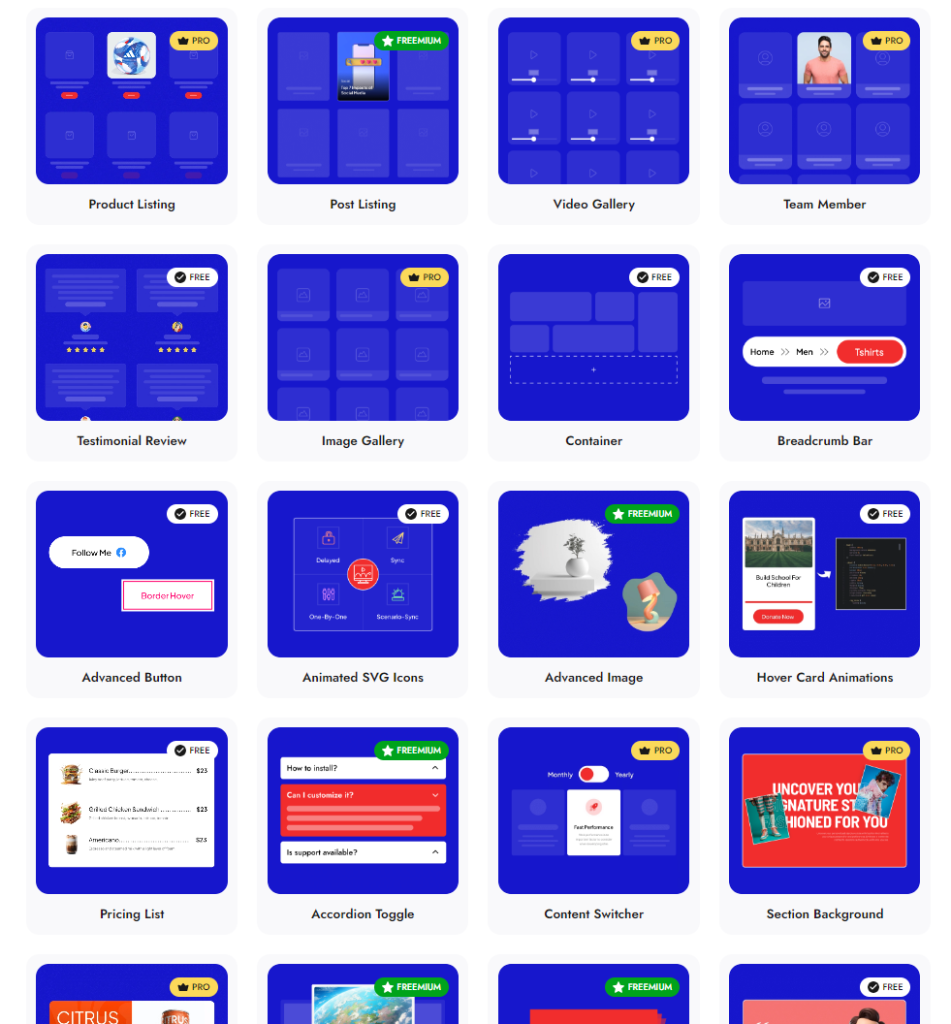
Check 90+ Gutenberg Blocks Library from Nexter Blocks
Nexter Blocks brings you all these features and more in a single plugin. It is easy to install and use, you can enjoy hands-on support, and the plugin offers you possibly every unique function you need to create a stunning website.
And the best part? The blocks are highly customizable, and you don’t need to know coding to use them for your website.
Wrapping Up: Which Should You Choose, Spectra or Kadence Blocks?
Spectra vs Kadence Blocks is not a straightforward winner situation: each plugin fits a different type of builder and budget. Here is the clearest decision guide based on the comparisons above.
- Choose Spectra if you want more free blocks out of the box (30+ vs 16), care about DOM performance and page weight, or want an affordable entry into Pro Gutenberg blocks. Also the better choice if starter template kit imports are part of your client workflow.
- Choose Kadence Blocks if you need granular design controls for complex layouts or already work within the Kadence theme ecosystem. Its paid features come as bundles starting at the Essentials plan ($99/year); note that the broader Kadence AI is still listed as coming soon.
- Choose Nexter Blocks if you want 90+ blocks, 50+ site management extensions, and an ultra-light theme in one plugin, free for unlimited sites. Any paid plan adds the full feature set including AI across all blocks, bundled with Nexter Extension and Nexter Theme. Check Nexter pricing for current rates.
For WordPress developers who build sites regularly, Nexter Blocks delivers more combined value than either Spectra or Kadence at the same price point. Try the free plan first, or compare full features at Nexter free vs pro before committing to a paid tier. Nexter is built for WordPress beginners and experienced developers alike.
Suggested Reading
- Nexter Blocks vs Spectra
- Spectra vs Stackable
- Kadence vs Blocksy
- Best Gutenberg Plugins for WordPress
- Gutenberg vs Elementor
Extra Resources
Nexter Official Website
Check 90+ Gutenberg Blocks Library
Get Premium Plan – Yearly & Lifetime (Both available)
Join our Facebook Community – Ask all your WordPress questions
Subscribe for Product Updates, Elementor News, Tips & More
Get Exclusive WordPress Tips, Tricks and Resources Delivered Straight to Your Inbox!
Subscribe to stay updated with everything happening on WordPress.
