












Key Takeaways
- OKF (Open Knowledge Format) is Google’s v0.1 spec: a directory of Markdown files with YAML frontmatter, served at
/okf/. Google built it for data teams, not blogs. - Publishing an OKF bundle will not move your rankings or AI visibility this week. Nothing crawls these bundles yet. Treat it as a low-cost bet on where the machine-readable web is heading.
- WordPress can serve files at a custom
/okf/path, which closed platforms like Wix and Squarespace often cannot. That is a real, quiet advantage. - The structure is simple: one concept per
.mdfile with a requiredtypefield, plus anindex.mdthat lists them all. - A Gutenberg block theme exports to clean Markdown almost one to one, so your content is already close to OKF-ready. RankReady then tells you whether AI agents actually fetch it.
Last week I added an /okf/ folder to a small block-theme site we run, mostly to see what would break. The answer was nothing, and that turned out to be the interesting part. Google had just published the Open Knowledge Format, the SEO crowd on X was calling it the next big thing, and I wanted to know what it actually took to ship one on WordPress before repeating anyone’s hot take.
This is the honest version of that walkthrough. You will see exactly what an OKF bundle is, the three steps to publish one on WordPress, why a block theme makes it easier, and the part most posts skip: what this does and does not do for you right now. No promises that it gets you cited by ChatGPT tomorrow, because that is not how any of this works yet.
What an OKF bundle actually is
Google Cloud announced the Open Knowledge Format in June 2026, currently at v0.1. In Google’s own words it is “an open specification that formalizes the LLM-wiki pattern into a portable, interoperable format,” described as “a vendor-neutral, agent- and human-friendly standard.” Strip the spec language and a bundle is three plain things: just Markdown, just files, and just YAML frontmatter for the few fields that need to be queryable.

Concretely, OKF v0.1 “represents knowledge as a directory of markdown files with YAML frontmatter.” Each concept gets its own .md file. The only field OKF strictly requires is type; the queryable frontmatter fields are type, title, description, resource, tags, and timestamp. Everything else is left to you. If you have ever written a Markdown file with a few lines of frontmatter at the top, you already know 90 percent of the format.
Also Read: What Is Google’s Open Knowledge Format (OKF)? for the plain-English explainer before you build one.
Why publishing one is easy on WordPress (and walled on Wix or Squarespace)
An OKF bundle lives at a custom path on your domain, yoursite.com/okf/, starting with /okf/index.md. That sounds trivial until you try it on a closed platform. As technical SEO Suganthan Mohanadasan put it, “on closed platforms like Wix or Squarespace you often cannot serve files at a custom path, which is the one real wall.”
WordPress does not have that wall. You control the filesystem, you can drop a folder in your web root, and you can map a pretty permalink to it. So the question on WordPress is never “can I serve this,” it is only “is it worth the maintenance.” We will get to that. First, the three steps.
Step 1: Write one concept per Markdown file
Start with a single concept, usually one post or one page, and write it as a Markdown file with frontmatter on top. Here is the shape, using the structure Suganthan ships verbatim, adapted to a blog URL:
---
type: Article
title: How to Publish an OKF Bundle on WordPress
description: The three steps, the /okf/ path, and what it does not do yet.
resource: https://yoursite.com/blog/publish-okf-bundle-wordpress/
tags: [okf, wordpress]
---

# How to Publish an OKF Bundle on WordPress

Your clean Markdown body goes here, the same words a human reads,
minus the theme chrome, ads, and navigation.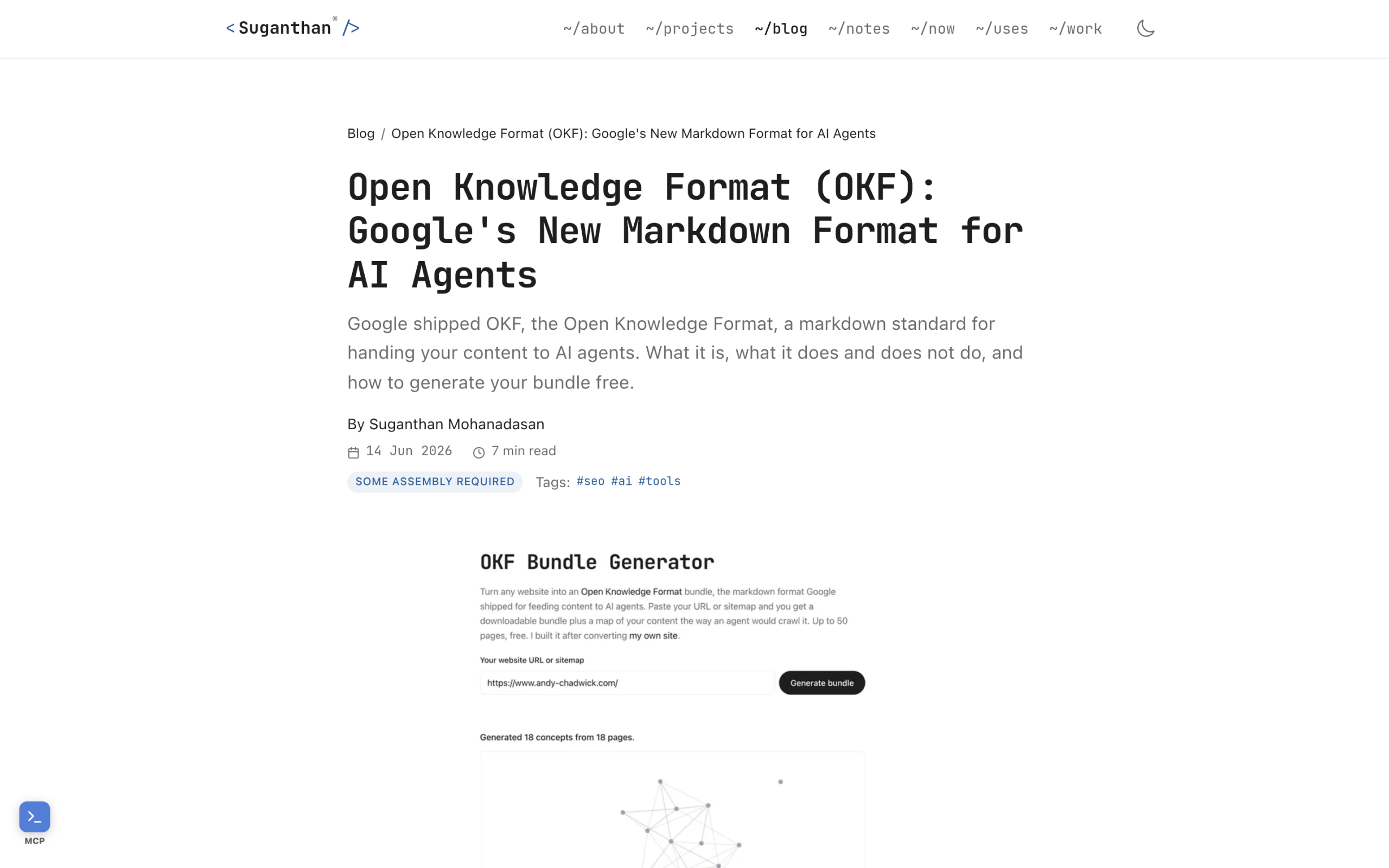
The resource field points back to the live human page, which is how an agent knows the canonical source. Repeat this for each concept you want in the bundle. Do not try to mirror your whole site on day one. A handful of your most-referenced pages is a sensible start.
Step 2: Build an index.md that lists every file
An agent should be able to see what is in the bundle before opening every file. That is the job of index.md. As the format describes it, you “add an index.md that lists the files so an agent can see what is there before opening everything, and that is the format.” A simple list of links with one-line descriptions is enough. Think of it as a table of contents for machines.
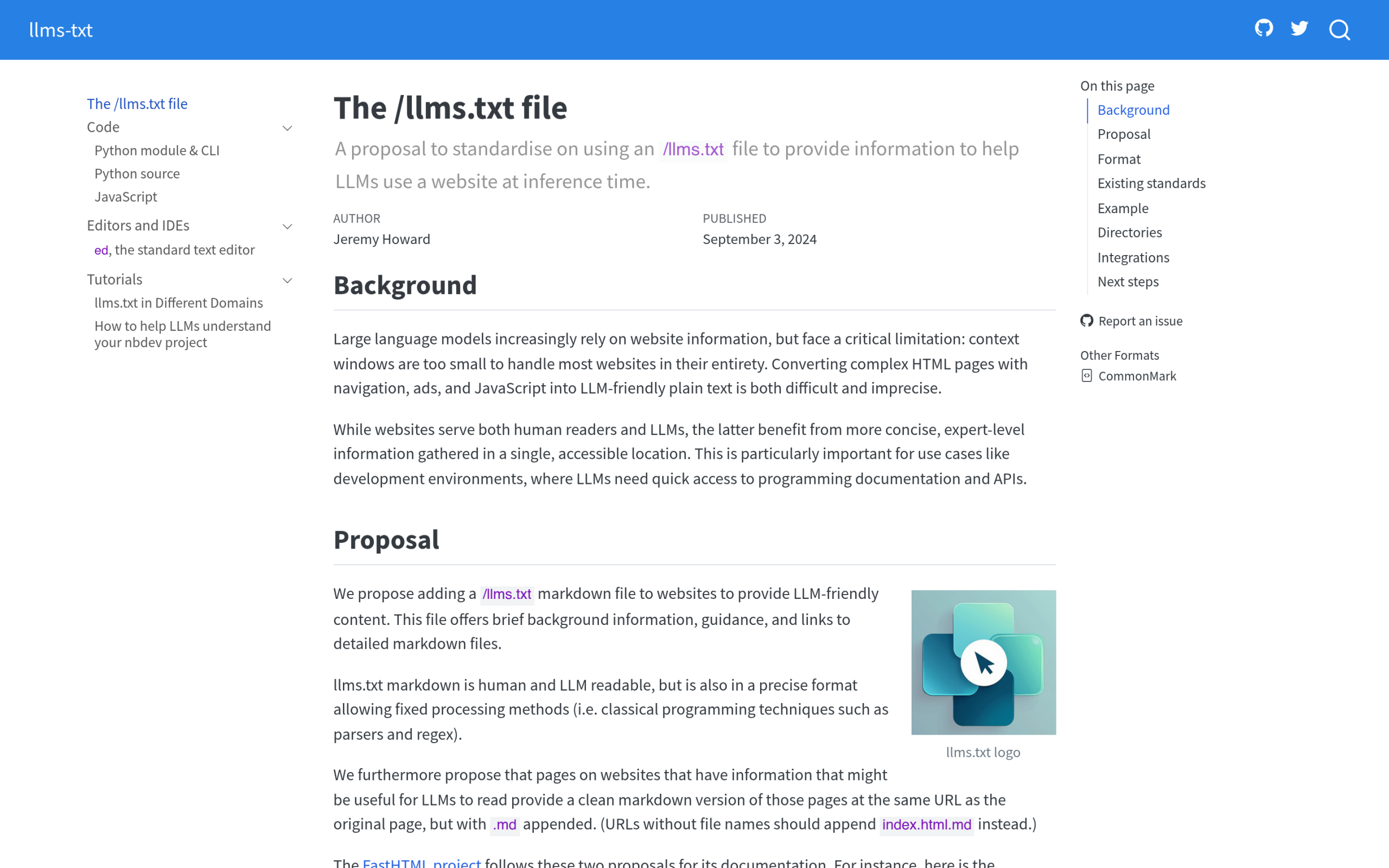
Also Read: OKF vs llms.txt so you understand why the index file matters and how it differs from a single llms.txt signpost.
Step 3: Serve the folder at /okf/
Now make the folder reachable. The simplest route is the manual one: create an /okf/ directory in your site root, upload your .md files and index.md, and confirm yoursite.com/okf/index.md loads in a browser. Because OKF is “just files,” there is no runtime, no SDK, and nothing to configure beyond the path being public.
Be careful with one expectation here. There is no mature, widely shipped WordPress plugin that auto-builds an OKF bundle for you yet. Some technical SEOs are tidying scripts into free tools, but as of now this is early. If you want it live today, the manual folder is the reliable path, and you will be regenerating those files by hand whenever the underlying posts change. That maintenance cost is the real tax on doing this now.
Where a Gutenberg block theme gives you a head start
This is where the WordPress story gets better on a block theme specifically. Gutenberg stores content as clean semantic blocks rather than the nested wrapper divs a page builder leaves behind. Clean blocks export to clean Markdown almost one to one, which is exactly the format an OKF file wants. The closer your source is to plain structured text, the less hand-cleaning each .md file needs.
If you run Nexter Theme with Nexter Blocks, you are already authoring in that clean-block world, so the gap between “published post” and “OKF concept file” is mostly copy, paste, and add frontmatter. Pair that with proper schema markup and an llms.txt file and you have the machine-readable basics covered.
The honest part: what an OKF bundle does and doesn’t do today
Here is the line worth tattooing on every OKF take. Suganthan, who has actually shipped one, says plainly: “A bundle will not move your rankings or your AI visibility this week.” Nothing crawls these bundles yet, the spec is v0.1, and Google built it for data teams sharing tables and metrics, not for blogs chasing citations.
So why do it at all? Because, in his words, “the win is a site the systems sitting between your writing and your reader can actually understand.” It is the same shape of bet that schema markup was a decade ago: low cost now, possibly meaningful later, and you are early if you ship it. Just go in with eyes open. This is a hedge on the direction of the answer engine era, not a tactic that earns AI citations this quarter.
How to tell if it’s working
If you ship a bundle, the obvious next question is whether any AI agent ever touches it. You answer that in your server logs or with a tool that reads them for you. This is the layer the free RankReady plugin handles: a live AI crawler log that names 31-plus bots, a citation-candidates view showing which of your pages AI crawlers fetched, and AI referral tracking from ChatGPT, Perplexity, Claude, Gemini, and Copilot.
RankReady does not generate OKF bundles, and I am not going to pretend it does. What it does is generate your llms.txt and llms-full.txt, add a .md version to any post URL, score each post 0 to 100 for AI readiness, and then show you whether the machines are actually showing up. Publishing is the bet; measurement is how you decide whether to keep paying the maintenance tax. It is free, GPL-2.0-or-later, and runs on WordPress 6.0+ with PHP 7.4+.
Suggested Reading
- What Is Google’s Open Knowledge Format (OKF)? The plain-English explainer for site owners.
- OKF vs llms.txt How the two machine-readable formats differ and when to use each.
- Does OKF Matter for WordPress SEO? An honest 2026 take on whether to bother.
- The 2026 AI-Readiness Stack for WordPress Where OKF fits with llms.txt, schema, and MCP.
- Turn Your WordPress Content Into an AI-Readable Knowledge Base The broader workflow around bundles.
