---
title: "Multilingual SEO for WordPress: The Complete Guide (+ the AI Layer Everyone Skips)"
url: https://nexterwp.com/blog/multilingual-seo-wordpress/
date: 2026-06-11
modified: 2026-06-11
author: "Aditya Sharma"
description: "Multilingual SEO for WordPress made simple: hreflang, URL structure, translated content, and the AI-search layer that gets you cited in every language."
image: https://nexterwp.com/wp-content/uploads/2026/06/5m1mvc-1024x538.jpg
word_count: 1785
---
# Multilingual SEO for WordPress: The Complete Guide (+ the AI Layer Everyone Skips)
#### Key Takeaways
- Multilingual SEO targets users by **language**; multi-regional SEO targets them by **country**. Most WordPress sites confuse the two and ship the wrong URL structure.- hreflang is where most sites break. Google ignores the tags entirely unless every language version links back to every other version, including itself.- Machine-translated pages with no localized keyword research read as thin content. Translate the intent, not just the words.- The layer nobody covers: getting your translated content **cited by AI search engines** in each language. A per-language LLMs.txt, localized schema, and open AI-crawler access decide whether ChatGPT or Google AI Overviews quote your German page or a competitor's.
A few months back I watched a WordPress site I was helping rank on page one for its main keyword in five languages. English, German, Spanish, French, Dutch. The owner was thrilled. Then we asked ChatGPT and Google's AI Overview the same question in German that the site already ranked for, and the answer cited a competitor who ranked below them. In every language except English, the AI engines acted as if the site did not exist.
That is the gap in almost every multilingual SEO guide you will read. They teach you hreflang, URL structure, and translation, which still matter. But they stop at the blue link. In 2026 a growing share of multilingual searches end in an AI answer, and ranking in a language is not the same as being quoted in it. This guide covers the fundamentals properly, then the part everyone skips.
Table of Contents
## Multilingual SEO vs multi-regional SEO (clear this up first)
These two terms get used interchangeably, and that single confusion is behind most broken international setups. They are not the same thing.
- **Multilingual SEO** serves the same content in more than one language. A recipe site offering its pages in English and Spanish is multilingual. The split is by *language*.- **Multi-regional SEO** targets users in different countries, who may speak the same language. A US store and a UK store both selling in English is multi-regional. The split is by *country*.
Plenty of sites are both at once: a Swiss site might serve German, French, and Italian to one country. Decide which problem you are actually solving before you touch URL structure, because the answer changes what you build.
## URL structure: subdirectory vs subdomain vs ccTLD
You have three honest ways to organize language versions on WordPress. There is no single right answer, only trade-offs.
| Structure | Example | Best for | Trade-off |
| --------- | ------- | -------- | --------- |
| Subdirectory | example.com/de/ | Most WordPress sites | Inherits the root domain's authority; easiest to manage with one install |
| Subdomain | de.example.com | Separate hosting or teams per language | Treated more like a separate site; authority is harder to consolidate |
| ccTLD | example.de | Strong country-level commitment and budget | Strongest geo signal, highest cost and maintenance |
The three URL structures for multilingual WordPress sites and when each makes sense.
For the majority of WordPress sites, the subdirectory approach wins. It keeps every language under one domain, so the link equity your English pages earn supports your German and Spanish pages too. Translation plugins like WPML and Polylang default to this for good reason. If you are still choosing a stack, our roundup of the [best WordPress translation plugins for multilingual sites](https://nexterwp.com/blog/best-wordpress-translation-plugins-for-multilingual-sites/) walks through how each one handles structure.
## hreflang done right (this is where most sites break)
hreflang is the annotation that tells Google which language and region a page is for, so it serves the German page to German searchers instead of the English one. It is also the single most common point of failure on multilingual WordPress sites.
Google supports three ways to declare it, and treats them as equivalent, so pick one rather than mixing all three: HTML link tags in the head, HTTP headers, or sitemap entries. The HTML method looks like this:
`
`
Three rules from Google's own documentation decide whether this works at all:
- **Return links are mandatory.** Google is explicit: "If two pages don't both point to each other, the tags will be ignored." Every version must reference all other versions, including itself. One missing back-link silently kills the whole set.- **Use the correct code format.** The language code follows ISO 639-1, with an optional region code in ISO 3166-1 Alpha 2 format, like `en-GB`, `de`, or `zh-Hans`. A made-up code is ignored.- **Always include x-default.** Google reserves `x-default` for users whose browser language matches none of your versions. It is the fallback that keeps a French speaker from landing on your German page.
The good news for WordPress: WPML and Polylang generate hreflang for you, including return links and x-default. The catch is that custom code, page builders, or aggressive caching can strip or duplicate those tags, so verify them on the live page, not just in the plugin settings.
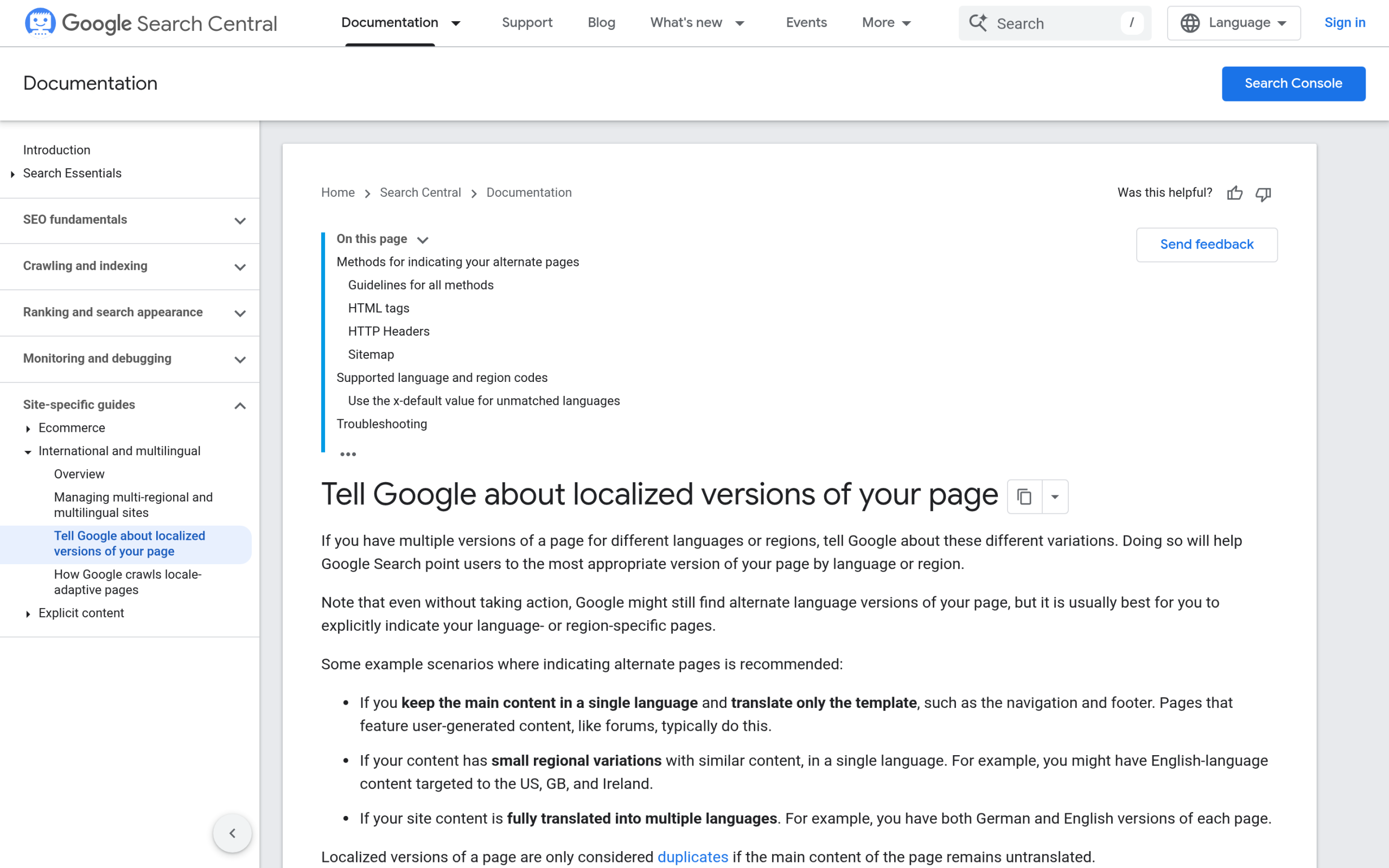Google's own documentation confirms hreflang return links are mandatory: if two pages don't both point to each other, the tags are ignored.
***Also Read:** [How to add schema markup in WordPress](https://nexterwp.com/blog/schema-markup-generator-wordpress/), because translated structured data is what lets each language version qualify for rich results and AI answers.*
## Translated content is not duplicate content (if you do it right)
A common fear is that publishing the same article in five languages triggers a duplicate content penalty. It does not. Google understands that a German translation of an English page is a different page for a different audience, and hreflang reinforces that. The real risk is different: thin, low-quality translation.
Raw machine translation with no human review reads as exactly what it is, and search engines have gotten good at spotting it. Two habits keep translated pages strong:
- **Translate intent, not words.** A phrase that converts in English can fall flat or sound robotic in Japanese. Have a native speaker review anything that matters.- **Do localized keyword research.** Your German audience may not search the literal translation of your English keyword. Run keyword research per language, because search demand and phrasing shift across markets.
Machine translation is a fine first draft. Treat it as a starting point a human finishes, not a publish-ready output.
## Multilingual sitemaps and indexing on WordPress
Once your languages are live, Google needs to find every version. A few WordPress-specific points:
- Submit one sitemap that includes every language URL. WPML and Polylang add language paths to the sitemap your SEO plugin generates automatically.- You can declare hreflang directly inside the sitemap instead of in the page head, which is cleaner for large sites with many languages.- Do not auto-redirect users by IP address or browser language. Google's crawler usually presents as US-English, so an aggressive redirect can hide your other languages from it entirely. Offer a language switcher instead and let users choose.
If you build on a block theme, this stays straightforward. Nexter works with the standard WordPress sitemap and the major SEO plugins, so your translated pages flow into the same indexing pipeline as everything else.
## The AI layer everyone skips: multilingual answer engine optimization
Here is the part the Ahrefs and Semrush guides leave out. Ranking your German page in Google's blue links is only half the job now. The other half is whether ChatGPT, Perplexity, and Google's AI Overviews *cite* that page when someone asks a question in German. Those are different systems with different inputs, and a page can win one while losing the other.
Three things decide whether your translated content gets quoted by AI engines in each language:
- **AI crawlers can actually reach every language path.** If your robots rules or a firewall block AI bots, your translations are invisible to them no matter how well they rank. Our guide to [controlling AI crawlers in your robots.txt](https://nexterwp.com/blog/wordpress-robots-txt-ai-crawlers-gutenberg/) covers which bots to allow.- **Structured data exists in each language.** Schema in German, with the language declared, helps an AI engine understand and attribute the German page rather than defaulting to your English one.- **A machine-readable copy of each translation exists.** An LLMs.txt file and a clean Markdown version of each page give AI models a low-friction way to read and quote your content per language.
This is exactly the layer [RankReady](https://store.posimyth.com/plugins/rankready/) handles, and it is free, forever, under a GPL-2.0-or-later license (WordPress 6.0+, PHP 7.4+). It generates LLMs.txt and LLMs-full.txt, publishes a Markdown copy of every post, manages 31 AI crawlers in one screen, and outputs Article, Speakable, FAQPage, HowTo, and ItemList schema. Each translated post gets its own per-post readiness score, so you can see at a glance which of your German or Spanish pages are actually ready to be cited and which are not. It runs alongside Rank Math, Yoast, or AIOSEO without conflicts, so it adds the AI layer on top of the traditional SEO you already do.
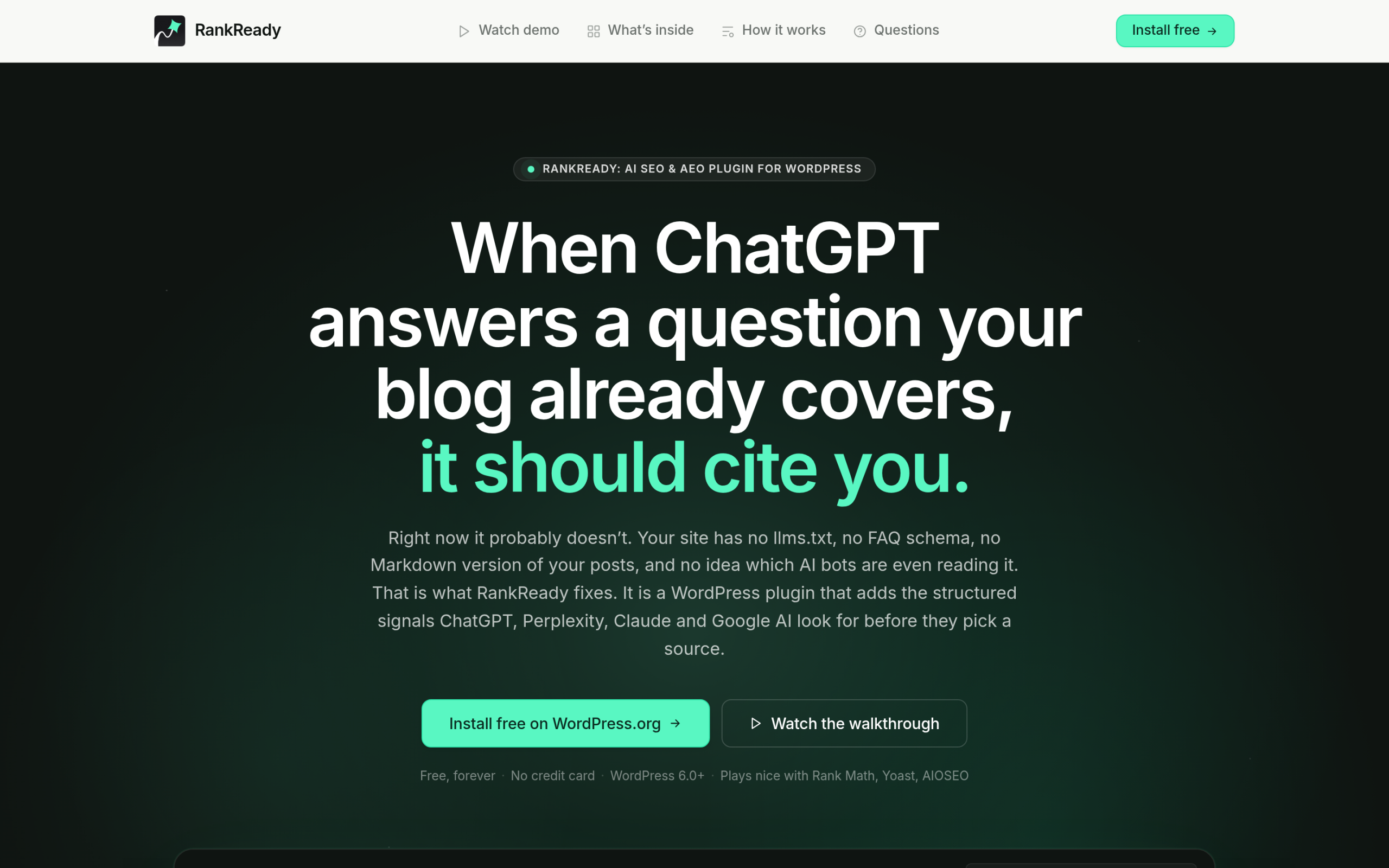RankReady adds the AI layer per language: LLMs.txt, a Markdown copy of every post, 31 AI crawlers in one screen, and a per-post readiness score.
The point is simple. In a multilingual setup, every language is a separate citation opportunity, and most sites only optimize the AI layer for English by accident. Treat each language as its own AEO target. For the full method, see our pillar on [answer engine optimization for WordPress](https://nexterwp.com/blog/answer-engine-optimization-wordpress/).
***Also Read:** [How to add an LLMs.txt file in WordPress](https://nexterwp.com/blog/llms-txt-gutenberg-wordpress/), the file that tells AI models how to read each of your language versions.*
## Common multilingual SEO mistakes on WordPress
- **Auto-redirecting by IP or browser language.** It frustrates users and can hide languages from Google's crawler. Use a switcher.- **Missing x-default.** Without it, unmatched visitors get a guess instead of a sensible fallback.- **Mixed-language pages.** An English page with a German sidebar and Spanish footer confuses both users and crawlers. Keep each page in one language.- **Forgetting to translate metadata.** Titles, descriptions, alt text, and slugs all need translating, not just the body copy.- **Optimizing only English for AI.** The mistake that started this article. Schema, LLMs.txt, and crawler access need to exist for every language.
## A practical multilingual SEO checklist
- Decide: multilingual, multi-regional, or both.- Pick a URL structure (subdirectory for most WordPress sites).- Install a translation plugin (WPML or Polylang) and set hreflang with return links and x-default.- Verify hreflang on the live page, not just in plugin settings.- Do localized keyword research per language; have a native speaker review translations.- Translate metadata, alt text, and slugs.- Submit one sitemap covering every language; remove IP-based auto-redirects.- Add the AI layer per language: localized schema, LLMs.txt, open AI-crawler access, and a per-language readiness check.
Get the first seven right and you will rank across languages. Add the eighth and you get cited across them too, which is increasingly where the traffic that converts actually comes from.
## Suggested Reading
- [Best WordPress translation plugins for multilingual sites](https://nexterwp.com/blog/best-wordpress-translation-plugins-for-multilingual-sites/)- [Answer engine optimization for WordPress: the complete guide](https://nexterwp.com/blog/answer-engine-optimization-wordpress/)- [How to add schema markup in WordPress](https://nexterwp.com/blog/schema-markup-generator-wordpress/)- [How to control AI crawlers in your WordPress robots.txt](https://nexterwp.com/blog/wordpress-robots-txt-ai-crawlers-gutenberg/)- [How to build topical authority in WordPress](https://nexterwp.com/blog/topical-authority-wordpress/)
#### Stay updated with Helpful WordPress Tips, Insider Insights, and Exclusive Updates – Subscribe now to keep up with Everything Happening on WordPress!
Subscribe