












Key Takeaways
- Image SEO in 2026 serves two audiences at once: Google Images and AI answers like AI Overviews, ChatGPT, and Gemini. The same signals feed both.
- Alt text is the single most important image signal. Google calls it the most important attribute for image metadata, and AI models lean on it to understand what a picture shows.
- Serve modern formats (WebP or AVIF) at the right size. Oversized images hurt Core Web Vitals, and slow pages rank worse.
- Descriptive filenames, captions, and the text around an image give both search engines and AI models the context they need. Placement matters.
- ImageObject schema and an image sitemap help Google and AI systems find, trust, and surface your images.
Picture a WordPress post with ten beautiful photos. Every file is named IMG_0423.jpg, none of them has alt text, and each one weighs two megabytes straight off a phone camera. To a visitor scrolling on a fast connection, the page looks fine. To Google Images, and now to the AI systems that answer questions about your topic, that gallery is close to invisible.
That gap is what image SEO closes. What changed in 2026 is who is reading your images. It is no longer only Google’s crawler. Multimodal AI models can now interpret a picture directly, yet they still rely heavily on the text signals around it to be sure of what they are looking at. The good news is that the work you do to rank in Google Images is almost exactly the work that makes your images usable to AI. This guide walks through both, in the order you would actually do them on a WordPress site.
What image SEO actually means in 2026
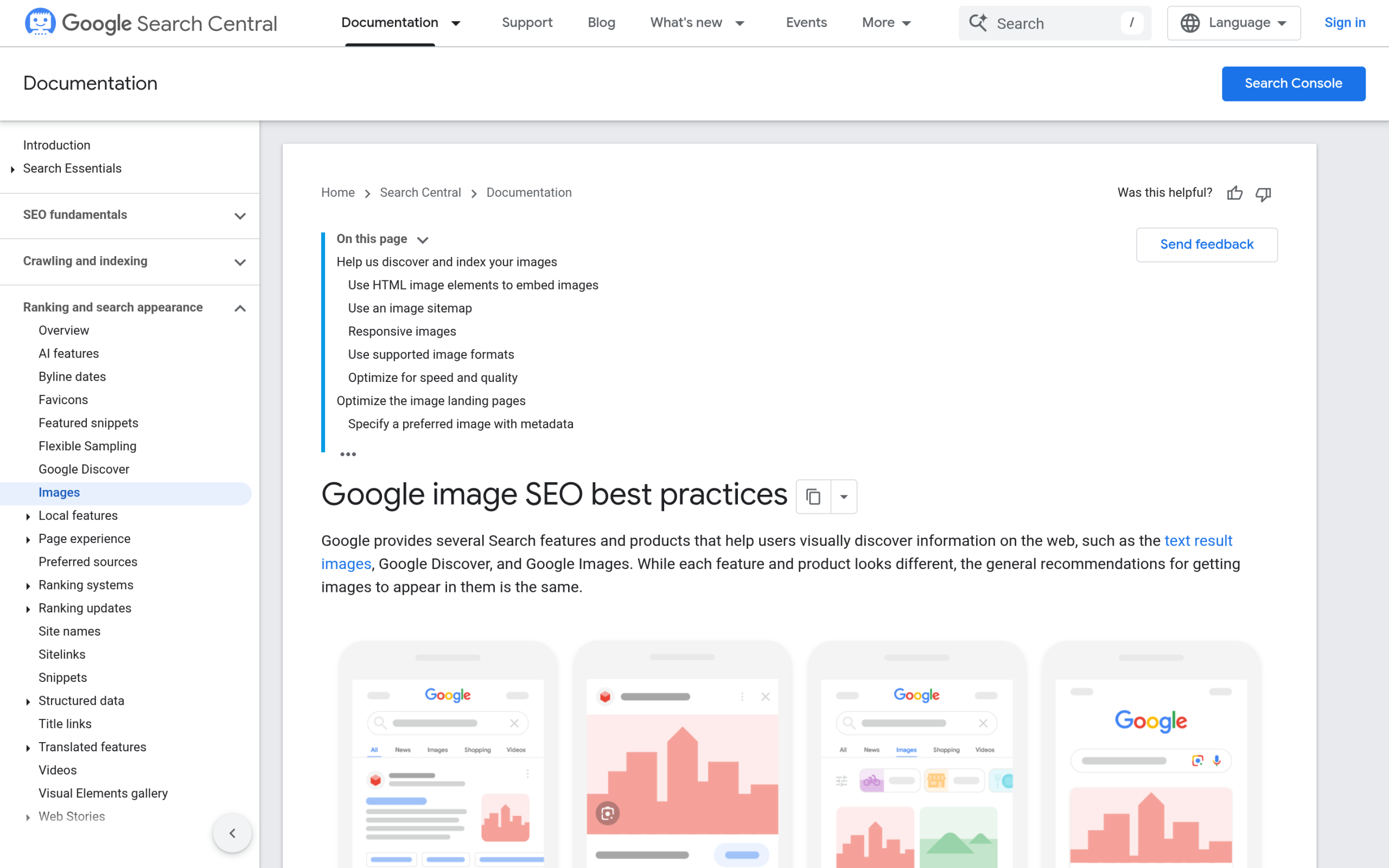
Image SEO is the practice of optimizing the images on your site so they can be found, understood, and ranked by search engines and AI systems. It runs across two channels. The first is traditional search: Google Images, image packs inside regular results, and rich results. The second is AI: the answers generated by AI Overviews, ChatGPT, Gemini, and Perplexity when they read your page.
The reason to treat them together is that they draw on the same signals. Alt text, filenames, captions, the words surrounding an image, structured data, and fast, high-quality files all matter to both. Get them right once and you improve your standing in both channels. Google is explicit about the most important of these signals. In its own image guidance it states that “the most important attribute when it comes to providing more metadata for an image is the alt text.” So that is where most of your effort should go, after you have made sure the file itself is not a liability.
Choose the right format and size before anything else
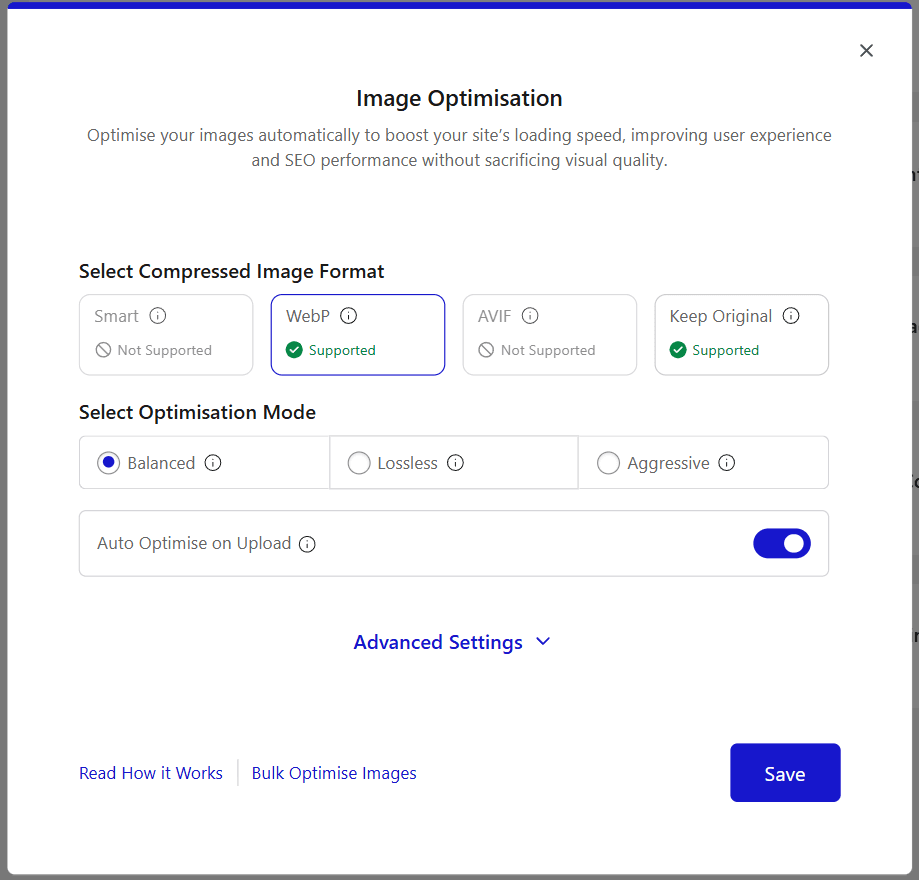
A perfectly described image still fails if it takes four seconds to load. Start with the file. Google Search supports images in BMP, GIF, JPEG, PNG, WebP, SVG, and AVIF. Two of those, WebP and AVIF, give you the same visual quality at a much smaller file size than JPEG or PNG, which is why they are the formats to reach for in 2026.
Two habits do most of the work. Convert photos to WebP or AVIF, and resize them to the largest size they will actually display at. A 4000-pixel-wide photo shown in a 800-pixel column is wasting three quarters of its weight. On WordPress you can handle both automatically. Nexter Extension has an Image Optimisation tool under Extensions and then Performance that converts uploads to WebP on the free plan and to AVIF on Pro, with a Smart Mode that compresses to both and serves whichever is smaller per image. It offers three compression modes, Balanced, Lossless, and Aggressive, plus auto-resize on upload and an option to strip EXIF metadata. Turn on Auto Optimise on Upload and every new image is handled as it lands, or run the Nexter Image Optimisation Center under Media and then Bulk Images to sweep your existing library.
Whatever tool you use, the point is the same: the format and compression layer should be automatic so you never think about it, which frees your attention for the parts a plugin cannot do for you, like writing the alt text.
Name your image files so search engines can read them
Your filename is a ranking signal, and it is set the moment you upload. Google recommends filenames that are “short, but descriptive,” and gives a clear example: my-new-black-kitten.jpg is better than IMG00023.JPG. Generic names like image1.jpg or pic.gif tell a crawler nothing.
Rename the file on your computer before you upload it, because WordPress builds the image URL from that name and changing it later means broken links. Use lowercase words separated by hyphens, describe what is in the shot, and stop there. A photo of a blue ceramic coffee mug becomes blue-ceramic-coffee-mug.jpg, not blue-coffee-mug-buy-cheap-best-coffee-mug.jpg. The first helps you. The second is keyword stuffing, and it works against you.
Write alt text that works for Google and for AI
Alt text is the single most valuable thing you will do for image SEO, for three reasons that now point in the same direction. It is what screen readers announce to people who cannot see the image. It is, in Google’s words, the most important attribute for describing an image to search. And when an AI model browses your page, the alt text is the most reliable signal it has for what the image actually shows. One sentence, three jobs.
Write it as a plain, natural description of what is in the frame, with just enough context to be useful. Google’s own example is alt=”Dalmatian puppy playing fetch.” Notice what it is not: it is not a list of keywords, and it is not empty. Google warns directly against “filling alt attributes with keywords,” which “results in a negative user experience” and can be read as spam. If an image is purely decorative, such as a divider or a background flourish, give it an empty alt attribute so assistive technology and crawlers skip it rather than announcing noise.
Also Read: Best WordPress Accessibility Plugins covers alt text and the wider accessibility rules it fits into, including the 2026 EAA requirements.
Captions, surrounding text, and placement
An image never gets read in isolation. Google advises putting images “near relevant text and on pages that are relevant to the image subject matter,” and this is exactly how AI systems build understanding too. A model reads the words immediately before and after an image to work out what it means. The same product photo sitting in a paragraph about pricing is understood differently from the same photo in a section comparing materials. Placement is context, and context is meaning.
Captions add a second layer. Unlike alt text, a caption is visible to every reader, it holds attention, and it is indexed as part of your content. You do not need one on every image, but on the ones that carry a point, a short caption that explains what the reader is looking at and why it matters earns its place. Every image block in Nexter Blocks, from a single image to the Image Grid, Carousel, and Masonry layouts, supports a caption field, so you can add them without touching code.
This is also where semantic SEO and images meet. When the text around a picture clearly names the entities and topics it relates to, both Google and AI models can connect the image to the right subject with confidence.
Keep images from slowing your site down
Images are usually the heaviest thing on a web page, so they are usually the first thing that drags down speed, and speed feeds directly into rankings through Core Web Vitals. Three moves keep images fast without sacrificing quality.
- Lazy-load below the fold. Images further down the page should load only as the reader scrolls to them. The one exception is your main hero or largest visible image, which you should load eagerly so it does not delay your Largest Contentful Paint. Nexter Blocks includes an Image Lazy Load option so you can apply this per block.
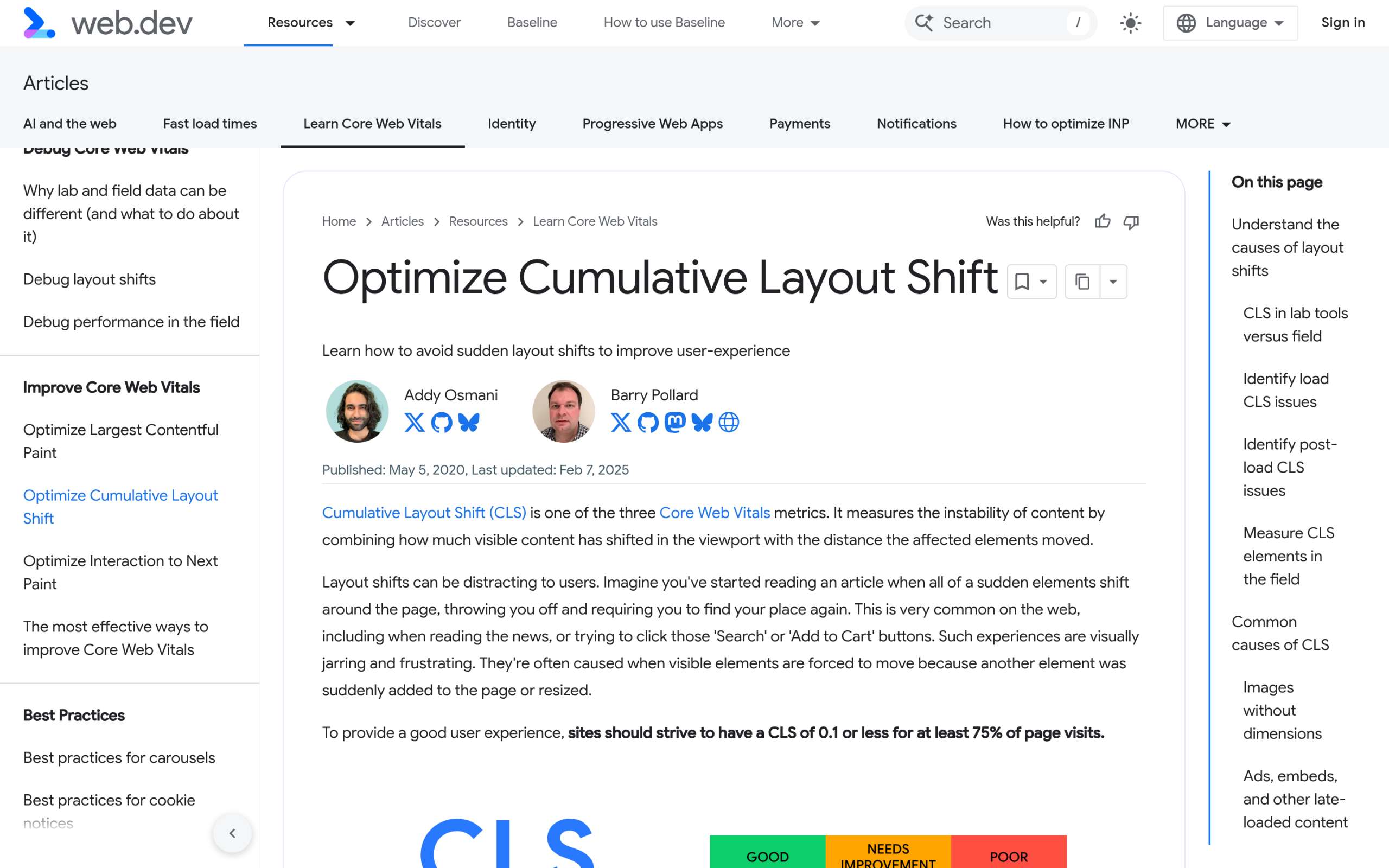
- Reserve space to stop layout shift. Always let WordPress output the width and height on an image so the browser holds its space while it loads. Without that, text jumps as images appear, which is a Cumulative Layout Shift problem and a poor experience.
- Serve responsive sizes. Google notes that pages use the picture element or the srcset attribute to serve the right image for each screen. WordPress does this for you through srcset, so a phone never downloads a desktop-sized file.
The theme underneath matters here as well. A lightweight foundation like Nexter Theme, which ships as pure vanilla JavaScript with no jQuery and weighs less than 20Kb, leaves more of your performance budget for the images themselves rather than spending it on framework overhead.
Also Read: Gutenberg Core Web Vitals goes deeper on measuring and fixing LCP and CLS on a block-theme WordPress site.
Add ImageObject schema and an image sitemap
Structured data is how you tell Google, in a language it does not have to guess at, which image represents a page and what it is. Google suggests specifying your preferred image with schema.org’s primaryImageOfPage property or attaching images to the main entity through the image property, and it is specific about what to choose: an image that is “relevant and representative of the page,” at high resolution, and not a generic one like your site logo.
A minimal ImageObject looks like this, and you can place it in your page’s JSON-LD:
{
  "@context": "https://schema.org",
  "@type": "ImageObject",
  "contentUrl": "https://example.com/blue-ceramic-coffee-mug.webp",
  "name": "Blue ceramic coffee mug",
  "caption": "A handmade blue ceramic coffee mug on a wooden table",
  "creditText": "Your Brand",
  "creator": { "@type": "Organization", "name": "Your Brand" }
}
The second half of this is discovery. An image sitemap lets you hand Google the URLs of images it might not find on its own, including images served from a CDN. And the payoff reaches beyond Google: structured data is a strong signal for AI systems working out what your images represent, so the same schema that supports a rich result also helps an AI answer cite the right picture from the right page. If you would rather not hand-write JSON-LD, a plugin like RankReady generates schema and scores how ready each post is for AI search, which takes the image-schema step off your plate while you focus on the pictures and the words.
Also Read: What Is AI SEO? puts image signals inside the bigger picture of getting a WordPress site surfaced by AI in 2026.
How images actually show up in Google Images and AI answers
All of this pays off in a few concrete places. In traditional search, well-optimized images appear in Google Images, in the image packs that sit inside normal results, and through reverse image search, where a clean filename, alt text, and surrounding context help Google match a picture to its subject. Interactive formats have their own visibility too, which is why interactive image maps can be worth using on the right page.
In AI answers the mechanics are newer. Multimodal models such as Gemini and GPT-4o can interpret the pixels of an image directly, but at web scale they still lean on the text signals around it, your alt text, captions, filenames, and schema, to be confident about what an image shows and whether to use it. AI Overviews amplify the same signals rather than replacing them. The honest limit is worth stating plainly: no amount of markup guarantees your image gets picked up in an AI answer or an image pack. Strong, consistent signals raise the odds, and that is the whole game.
Your WordPress image SEO checklist
Run every important image through this before you hit publish:
- Convert to WebP or AVIF and compress it.
- Resize to the largest dimension it will display at.
- Give the file a short, descriptive, hyphenated name before upload.
- Write plain-language alt text that describes the image, with no keyword stuffing.
- Add a caption where the image carries a real point.
- Place the image near the text it relates to.
- Lazy-load it if it is below the fold, but load your hero image eagerly.
- Make sure width and height are set so the layout does not shift.
- Add ImageObject schema for the page’s primary image.
- Include your images in an image sitemap.
- Use a genuinely high-quality original. Blurry images lose in both search and AI.
Do this consistently and your images stop being dead weight. They become another way for both Google and the AI answering your readers’ questions to find you, understand you, and send people your way.
Suggested Reading
- What Is AI SEO? The Complete 2026 Guide for WordPress
- Gutenberg Core Web Vitals: How to Speed Up a Block-Theme WordPress Site
- Semantic SEO for WordPress: Optimize for Meaning, Entities and AI Answers
- Speakable Schema: Mark Up Content for Voice and AI Answers
- The 6 Best WordPress Image Map and Hotspot Plugins
