












Key Takeaways
- A headless CMS splits your content management from your front end. WordPress keeps the dashboard and database, while a separate app (often Next.js or another JavaScript framework) renders the site visitors see.
- WordPress works as a headless CMS through its built-in REST API and the WPGraphQL plugin, which expose your content as JSON for any front end to consume.
- Going headless quietly changes how AI engines find you. SEO and AEO plugins generate schema, meta tags, and llms.txt on the WordPress back end, but a decoupled front end may never render any of it.
- To stay citable in AI answers, serve llms.txt and markdown copies from the WordPress origin, port your structured data into the front-end markup yourself, and confirm AI crawlers can reach the rendered HTML.
- Headless is a real architecture choice with real trade-offs. For most content sites, the AI-visibility cost is higher than the performance win.
The first time I watched a team take their WordPress site headless, the launch looked flawless. A quick React front end, content still managed in the familiar WordPress dashboard, performance scores in the green. Then someone opened the page source on the live front end, and the structured data was gone. The article schema, the FAQ markup, the llms.txt file the SEO plugin had generated, none of it was on the page that real visitors and crawlers loaded. It was all still sitting on the WordPress back end, on a domain nobody pointed a browser at.
That gap is the part of the headless conversation almost nobody writes about. Most guides explain the architecture and then list platforms. Very few stop to ask what splitting your front end off does to your visibility in ChatGPT, Perplexity, and Google’s AI answers. With AI search now sending real referral traffic, that question matters more than the Lighthouse score. Here is what a headless CMS actually is, how WordPress fits, and what you have to do differently to stay cited once you decouple.
What a headless CMS actually is
A traditional content management system does two jobs in one place. It stores and manages your content, and it renders that content into the HTML pages people see. WordPress, in its default setup, is exactly this. You write a post in the dashboard, and the theme turns it into a web page on the same domain.
A headless CMS keeps the first job and drops the second. The “head” is the front end, the part that renders pages. Cut it off, and you are left with a back end that manages content and hands it out as raw data, usually as JSON, through an API. A separate application then fetches that data and builds the actual pages. The content team still works in a familiar editor. The visitor sees a front end built with something like Next.js, Nuxt, or Astro.
Purpose-built headless platforms like Contentful, Strapi, and Sanity were designed this way from day one. They have no front end at all. You always bring your own. WordPress is different, because it started as a traditional CMS and gained the ability to run headless later, which is why the decision is more nuanced for WordPress users.

Why teams go headless, and who should not
The pull toward headless is real. A decoupled front end can be very fast, because it ships a lean JavaScript app instead of a full WordPress theme stack. Developers get to build with modern frameworks and component libraries instead of PHP templates. And one back end can feed many front ends at once, a website, a mobile app, a smart display, all pulling the same content.
The cost is just as real. You now run and maintain two systems instead of one. Features that worked out of the box in WordPress, preview, forms, comments, and most of the SEO plugin ecosystem, need to be rebuilt or rewired on the front end. For a large product team shipping a web app and a native app from shared content, that cost is worth paying. For a blog, a marketing site, or a small business that mostly publishes articles, it usually is not. You take on engineering overhead and, as the next sections show, a quiet hit to your AI search visibility, in exchange for speed you could often get with good caching on a normal WordPress site.
Also Read: How to fix Core Web Vitals on a Gutenberg block theme covers the performance wins you can get without going fully headless.
Using WordPress as a headless CMS
WordPress can run headless because it already speaks data, not just HTML. The WordPress REST API, built into core, “provides an interface for applications to interact with your WordPress site by sending and receiving data as JSON objects,” and it is designed to “bring your WordPress content into completely separate applications,” per the official developer handbook. Hit an endpoint like /wp-json/wp/v2/posts and you get your posts back as structured JSON that any front end can read.

Many headless WordPress builds use GraphQL instead, through the popular WPGraphQL plugin, which lets a front end ask for exactly the fields it needs in a single request. Either way, the pattern is the same. WordPress becomes the editing and storage layer. A framework like Next.js fetches content over the API and renders the pages. Your editors never leave the dashboard they know.
This is genuinely powerful, and it is why “is WordPress a headless CMS” is one of the most common questions in the space. The honest answer: WordPress is a traditional CMS that can be used as a headless one. The moment you do, though, the rules for being found change.
Also Read: MCP vs API for WordPress breaks down how AI agents and apps actually pull content from your site.
The part nobody mentions: what headless does to AI visibility
Here is the catch that surprises teams after launch. AI engines and search crawlers do not read your WordPress database. They read the rendered page on your public front end, the same HTML a browser receives. In a traditional WordPress site, that rendered page is built by WordPress itself, so everything your SEO and AEO plugins add, title tags, meta descriptions, JSON-LD schema, the llms.txt file, is right there in the response.
Go headless, and that rendered page is now built by your separate front-end app. WordPress is no longer in charge of what crawlers see. Unless your front end explicitly fetches and injects those SEO signals, they simply do not appear on the live page. Your content is intact, but the machine-readable layer that tells an AI engine what the page is, who wrote it, and whether it can be quoted is missing from the place it actually gets read.
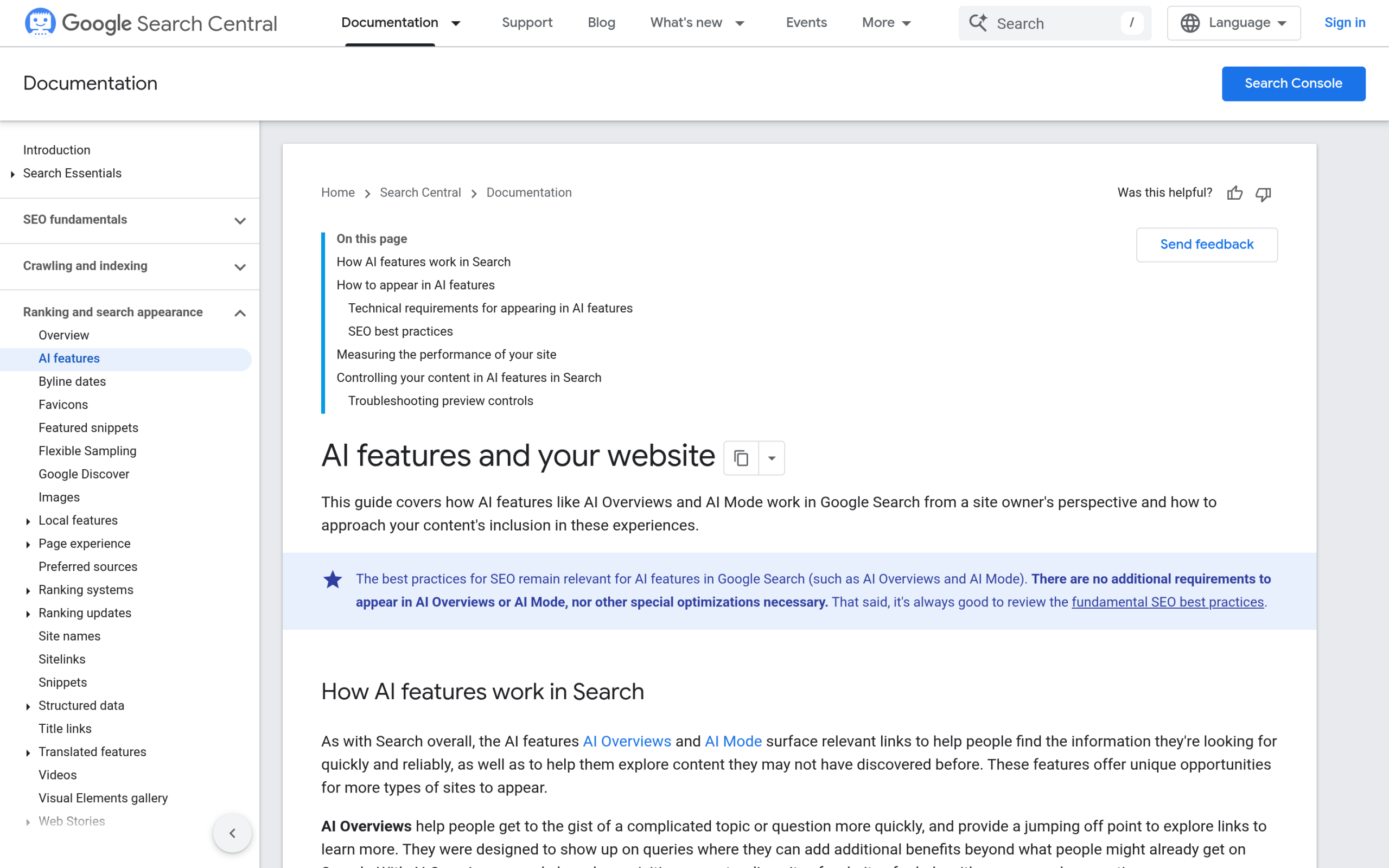
This matters because AI answer engines lean heavily on structured, clearly attributed content when they decide what to cite. Google’s own guidance for AI features says there are no special files or markup required to appear, but structured data and clean rendered HTML still help engines understand and trust a page. If your schema lives on a back-end domain nobody crawls, you are invisible to the part of that process you can control.
Where your SEO plugins stop working when you decouple
This is the single most important thing to understand before going headless. Plugins like Rank Math, Yoast, and RankReady do their work by hooking into how WordPress renders a page. They inject meta tags into the document head, output JSON-LD schema into the markup, and serve files like llms.txt and markdown copies from the WordPress site. All of that assumes WordPress is rendering the page.
When a Next.js or Astro front end renders instead, those hooks never fire on the page visitors load. The plugin still generates everything correctly, but it generates it on the WordPress origin, not on your decoupled front end. RankReady, for example, is built for traditional WordPress and page builders such as Gutenberg, Elementor, and Bricks, and its store page does not list a headless or decoupled mode. That is not a flaw, it is the reality of how every WordPress SEO plugin works. The fix is not a setting. It is an architecture decision you have to make yourself.
How to keep a headless WordPress site citable in AI answers
If you are committed to headless, you can still stay visible. It just takes deliberate work that a normal WordPress install would have done for you.
- Port your structured data to the front end. Pull the schema and meta fields from the WordPress API and render them into the head of every page your front end builds. If you use WPGraphQL, request the SEO fields alongside the content so each page ships its own JSON-LD and meta tags.
- Serve llms.txt and markdown from the origin that crawlers can reach. Files like llms.txt and clean markdown copies of posts are exactly what AI crawlers look for. RankReady generates both on the WordPress site, along with a live log of which AI crawlers visited. Keep that origin reachable and pointed at, or replicate those files on the public domain, so the AI-facing layer is not stranded.
- Render content on the server, not only in the browser. If your front end renders content client-side only, some crawlers may receive an empty shell. Server-side rendering or static generation puts the real text and markup in the first HTML response.
- Confirm AI crawlers are allowed. Your robots rules and crawler controls have to live on the domain that is actually served. Check that bots like GPTBot, ClaudeBot, and PerplexityBot are not blocked at the front-end edge.
The pattern is consistent. Treat the AI-readable layer, schema, llms.txt, crawler access, as something you now own at the front end, not something a plugin handles invisibly.
Headless vs traditional WordPress: which stays visible in AI search?
For a pure content site, traditional WordPress is the safer bet for AI visibility, because the tools that make you citable work out of the box. A plugin like RankReady can generate llms.txt, markdown copies, Article and Speakable schema, and a live AI crawler log, and all of it ships on the page automatically. You get the AI-facing layer for free.
Headless earns its place when you genuinely need one content source feeding several front ends, or when a product team is already living in a JavaScript framework. In that case the speed and flexibility are worth it, as long as you budget the engineering time to rebuild the AI-visibility layer the plugins used to handle. The wrong move is going headless for the performance bragging rights and discovering months later that your traffic from AI answers quietly never arrived. Decide based on what your team actually ships, not on what sounds modern.
Suggested Reading
- How to add an llms.txt file to WordPress
- Schema markup generator for WordPress
- Robots.txt and AI crawlers on WordPress
- E-E-A-T for AI search
- How to track AI Overview visibility
