












If you have ever tried to run events off a plain WordPress page, you know how it falls apart. Someone asks what time the Tuesday session starts, the date on the page is last month, and there is nowhere for anyone to actually register.
An events plugin fixes that by giving events their own place in WordPress, with real dates, a calendar people can read, and a way to sign up or buy a ticket.
There are a lot of them, and the differences that matter are not the ones the feature lists shout about. What usually decides it is whether recurring events and registrations are free or an add-on, and whether the plugin is still being maintained.
Short answer: for most WordPress sites the best events plugin is The Events Calendar, which has 600,000 active installs and publishes a working calendar the day you install it. Choose Events Manager if you want recurring events and bookings included for free, Timetable and Event Schedule for weekly class or session grids, Event Organiser for awkward repeat patterns, WP Event Manager for a front-end event directory, Eventin for selling tickets through WooCommerce, and MotoPress Events Calendar only if you already run MotoPress products.
What Are WordPress Event Plugins?
A WordPress event plugin adds events to WordPress as their own content type, with a start and end date attached to each one. That is the part a normal page cannot do: because the date is real data rather than text you typed, the site can sort events, show only upcoming ones, and put them on a calendar automatically.
Most of them are built on WordPress custom post types, which is why events end up behaving like posts with extra fields. On top of that foundation, plugins add some combination of calendar views, registration forms, ticket sales, venue records, reminder emails and recurring schedules.
One distinction saves a lot of wasted time. Event plugins publish something that happens once, or on a schedule, that many people attend. If you instead need visitors to pick a personal slot with you, that is appointment booking, and our roundup of the best WordPress booking plugins covers the right tools for it.
How We Picked These Events Plugins
Every number in this article was pulled fresh rather than carried over from the last version, because plugin listicles go stale quietly and that is exactly what makes them useless.
- We queried the WordPress.org plugin API on 6 August 2026 for each plugin’s active install count, current version, last-updated date, WordPress-tested version and user rating.
- We ranked by verified active installs first, then used rating and update recency to separate plugins sitting at the same install tier.
- Prices came from each vendor’s own pricing page on the same day. Where a vendor blocked automated access we say so in that section instead of guessing or reusing an old figure.
- We checked that every plugin is still actively maintained. All six of the WordPress.org plugins here were updated within the last seven weeks, and five of the six are tested against WordPress 7.0.2.
Two things changed as a result. We added The Events Calendar, which is the most installed events plugin on WordPress by a wide margin and was missing from the earlier version of this list. And we corrected the Events Manager pricing, which had drifted well below the vendor’s current rates. If you want to run these checks yourself before installing anything, our guide on how to vet a WordPress plugin walks through it.
The 7 Best WordPress Events Plugins Compared
The full ranking, with the install counts and update dates behind it:
| Plugin | Type | Best for | Price | Active installs | Last updated |
|---|---|---|---|---|---|
| The Events Calendar | Free core, paid add-ons | The site that just needs a dependable, conventional events calendar other people already know how to use | Free core, paid add-ons | 600,000 | 5 Aug 2026 |
| Events Manager | Freemium | Running bookings and registrations without buying an add-on first | Free, Pro from $129/yr | 70,000 | 3 Aug 2026 |
| Timetable and Event Schedule | Freemium | Recurring weekly schedules such as class timetables, gym sessions and festival line-ups | Free, premium available | 30,000 | 23 Jun 2026 |
| Event Organiser | Freemium | Awkward repeat patterns like the third Tuesday of every fourth month | Free, Pro from GBP 50 | 20,000 | 28 Jun 2026 |
| WP Event Manager | Freemium | A front-end event directory where organisers submit their own listings | Free, bundles from $99/yr | 20,000 | 22 Jul 2026 |
| Eventin | Freemium | Selling event tickets through WooCommerce, Stripe or PayPal from one dashboard | Free, Pro from $99/yr | 10,000 | 5 Aug 2026 |
| MotoPress Events Calendar | Premium only | Teams already invested in MotoPress products who want a design-led premium calendar | Premium, price not verified | Not listed on WordPress.org | Not listed on WordPress.org |
1. The Events Calendar

The Events Calendar is the default answer in this category, and the numbers are not close. It reports 600,000 active installs on WordPress.org, roughly nine times the next plugin on this list, and it was last updated on 5 August 2026. It is published by Nexcess, part of the Liquid Web group, which is why theeventscalendar.com now redirects to the Liquid Web software site.
The free plugin gives you month, list and day views, saved venues and organizers, tooltips, block editor support and iCal or Google Calendar export. That is enough to publish a working calendar the day you install it, with no add-on purchase.
The catch is that the features people often assume are built in are not. Recurring events, ticket sales, user-submitted events and automatic imports all live in paid add-ons such as Events Calendar Pro and Event Aggregator. If recurring events are your main requirement, read the pricing before you commit, or look at Events Manager and Event Organiser below, which include recurrence for free.
Best for: The site that just needs a dependable, conventional events calendar other people already know how to use.
Key features of The Events Calendar
- Month, list and day calendar views that work straight after activation.
- Saved venues and organizers, so repeat locations are entered once.
- Block editor support, plus a skeleton stylesheet, template overrides, hooks and filters for customising the output.
- iCal and Google Calendar export, and a library of free extensions.
- Recurring events, ticketing, user submissions and imports are paid add-ons, not part of the free plugin.
Pricing of The Events Calendar
The core plugin is free on WordPress.org. Events Calendar Pro, Event Aggregator and the other add-ons are paid, and they are now sold through the Liquid Web software store, which puts prices behind a login. We are not quoting a figure we could not read on a public page, so check the store for the current number.
Also Read: 8 Best WordPress Booking Plugins if you need personal appointment slots rather than public events.
2. Events Manager

Events Manager is the most capable free option here. Where The Events Calendar sells recurrence and bookings separately, Events Manager puts event registration, recurring events and booking management in the free plugin. It has 70,000 active installs and was updated on 3 August 2026.
Recurrence is unusually thorough. You can build repeat patterns with blackout dates, run multiple timeslots inside a single day, allow overlapping slots and set buffers between them. Bookings come with an approval and rejection workflow and CSV export, which is the part most free plugins leave out.
It also supports multisite events, cross-network event sharing, BuddyPress and BuddyBoss, and multiple event types such as workshops, webinars and appointments with labels and slugs you can rename. The readme now advertises AI access over MCP and a REST API as well.
Best for: Running bookings and registrations without buying an add-on first.
Key features of Events Manager
- Free event registration for single-day, multi-day and recurring events.
- Complex recurrence with exclusion and blackout dates, multiple timeslots per day, overlapping slots and buffers.
- Booking management with approvals, rejections and CSV export.
- Multisite and cross-network event sharing, plus BuddyPress and BuddyBoss support.
- Multiple custom event types with renameable labels, slugs and post type names.
Pricing of Events Manager
The free plugin covers most of what a small site needs. Events Manager Pro is billed annually and, checked on the vendor pricing page on 6 August 2026, starts at $129 per year for one site, then $219 for three sites, $299 for five, $499 for ten and $599 for unlimited. A Pro Plus tier that bundles every add-on runs from $169 per year. Note that this article previously quoted $89 per year, which is out of date.
3. Timetable and Event Schedule
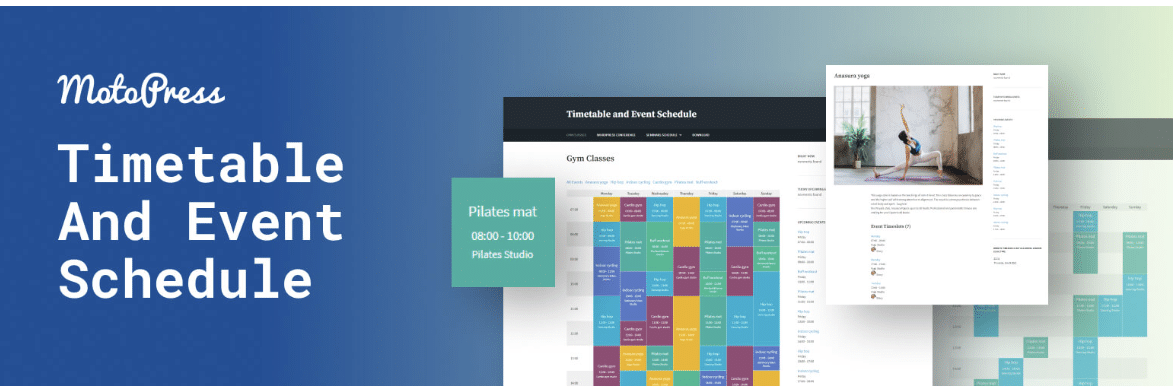
This one is a different shape from the rest of the list, and that is the point. Timetable and Event Schedule, built by MotoPress, is not really a calendar. It renders a grid: columns for days or rooms, rows for hours, and coloured blocks for each session. If what you actually need to publish is a weekly timetable, a calendar plugin is the wrong tool and this is the right one.
It has 30,000 active installs and was updated on 23 June 2026. You get several column types, event tags and categories, visitor-facing filters as either a dropdown or tabs, an hours column so session length reads accurately, and per-event colour settings for background, text and hover states.
Because each timetable gets a unique ID, you can put several on one page, which is how gyms and schools usually publish separate schedules per location. There is also an upcoming events widget, import and export, and RTL support.
Best for: Recurring weekly schedules such as class timetables, gym sessions and festival line-ups.
Key features of Timetable and Event Schedule
- Timetable grid with configurable column types and an hours column.
- Visitor-facing filtering by category, as a dropdown list or tabs.
- Per-event colour settings for background, text and hover states.
- Unique IDs so multiple timetables can share one page.
- Featured images per session, event URLs, import and export, and RTL support.
Pricing of Timetable and Event Schedule
The plugin is free on WordPress.org and MotoPress sells an extended premium version. MotoPress puts its site behind a Cloudflare human check that blocks automated access, so we could not read its current pricing on 6 August 2026 and are not repeating the older figure this article used to quote. Check motopress.com directly for the number.
Also Read: 7 Best WordPress Form Builder Plugins for building the registration form that feeds your event.
4. Event Organiser

Event Organiser is the specialist for recurrence that other plugins cannot describe. Its scheduling interface handles patterns such as the third Tuesday of every fourth month, or every month on the 16th, and it lets you add or remove individual dates from a series afterwards. If your events repeat on a rule rather than a fixed interval, start here.
It scores 92 out of 100 from 139 ratings, the joint highest on this list, from 20,000 active installs. It is built directly on WordPress custom post types, so events behave like posts and template tags such as the_title() work as you would expect. If that idea is new to you, our guide to WordPress custom post types explains the model.
Venues are first-class, with Google Maps support and a full content editor per venue, plus calendar, event list and agenda widgets and year, month and day archives. One caution: it is tested only up to WordPress 7.0.0 while everything else here is tested to 7.0.2, so verify it on staging before you update a live site.
Best for: Awkward repeat patterns like the third Tuesday of every fourth month.
Key features of Event Organiser
- One-off and recurring events with complex rule-based patterns.
- Add or remove individual dates from an existing series.
- Venues with Google Maps support and a dedicated content editor.
- Calendar, event list and agenda widgets, plus year, month and day archives.
- Event template functions that extend the standard WordPress post functions.
Pricing of Event Organiser
The core plugin is free. Event Organiser Pro, checked on the vendor pricing page on 6 August 2026, is a one-off licence at GBP 50 for Personal, GBP 90 for Business and GBP 120 for Developer, with the Business and Developer tiers adding extensions such as iCal sync, venue markers and discount codes. Bookings, frontend submissions and a Stripe gateway are separate add-ons.
5. WP Event Manager
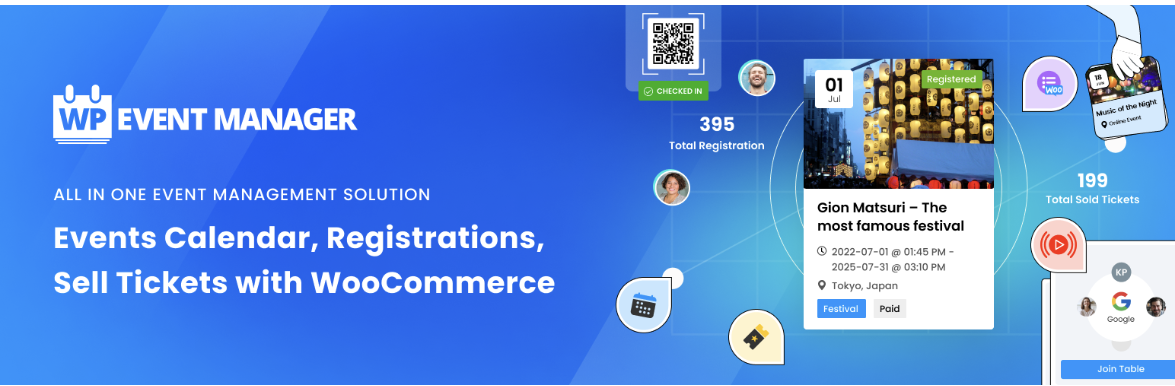
WP Event Manager is the lightweight, listings-first option. Rather than centring everything on a calendar grid, it treats events as directory entries you can search and filter, which suits sites where multiple organisers post their own events. It has 20,000 active installs and was updated on 22 July 2026.
The free plugin covers event creation, listings and a calendar. Registrations, ticket sales with QR codes, recurring events and marketing automation come from its add-on library, which the vendor says runs to more than 37 premium extensions. There is also an organiser mobile app for tracking check-ins and check-outs on the day.
Its 80 out of 100 rating from 246 ratings is the lowest here, so it is worth trying the free version on a staging site before you buy into the add-on ecosystem.
Best for: A front-end event directory where organisers submit their own listings.
Key features of WP Event Manager
- Front-end event listings with search and filtering.
- Event submission suitable for multiple organisers.
- Ticket sales with QR codes and WooCommerce support through paid add-ons.
- An organiser app for check-ins and check-outs during the event.
- More than 37 premium add-ons, plus matching event themes from the same vendor.
Pricing of WP Event Manager
The core plugin is free. The vendor pricing page, checked on 6 August 2026, advertises bundles starting at $99 per year, with individual add-ons sold separately.
Also Read: Best WordPress Google Map Plugins to show your venue properly on the event page.
6. Eventin
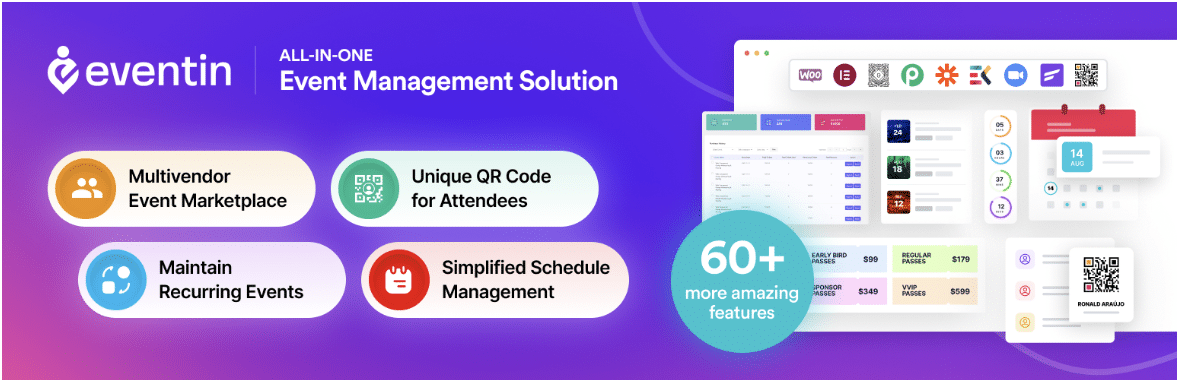
Eventin has the smallest install base here at 10,000, but the strongest quality signals: 92 out of 100 from 395 ratings, and an update on 5 August 2026. Built by Arraytics, it is aimed squarely at paid events.
It handles in-person, virtual, hybrid and recurring events from a single dashboard, sells tickets through WooCommerce, Stripe or PayPal, collects RSVPs and manages attendees with a booking workflow. The readme also advertises AI-assisted event creation that drafts titles, descriptions, schedules and FAQs, and the vendor positions it for eLearning and LMS sites.
Worth knowing before you plan a budget: several capabilities people expect in a ticketing plugin, including QR code check-in and seating by ticket type, are sold as separate paid add-ons on top of a Pro licence.
Best for: Selling event tickets through WooCommerce, Stripe or PayPal from one dashboard.
Key features of Eventin
- In-person, virtual, hybrid and recurring events managed from one dashboard.
- Ticket sales through WooCommerce, Stripe or PayPal, plus RSVPs and attendee management.
- AI-assisted drafting of event titles, descriptions, schedules and FAQs.
- Positioned for eLearning and LMS sites as well as standard events.
- QR code check-in and seating by ticket type are extra paid add-ons.
Pricing of Eventin
The free plugin is on WordPress.org. On the vendor pricing page, checked on 6 August 2026, the annual Solo organizer plan lists at $99 per year for two domains, frequently discounted, with Small Business and Premium tiers above it and one-off lifetime plans also offered.
7. MotoPress Events Calendar
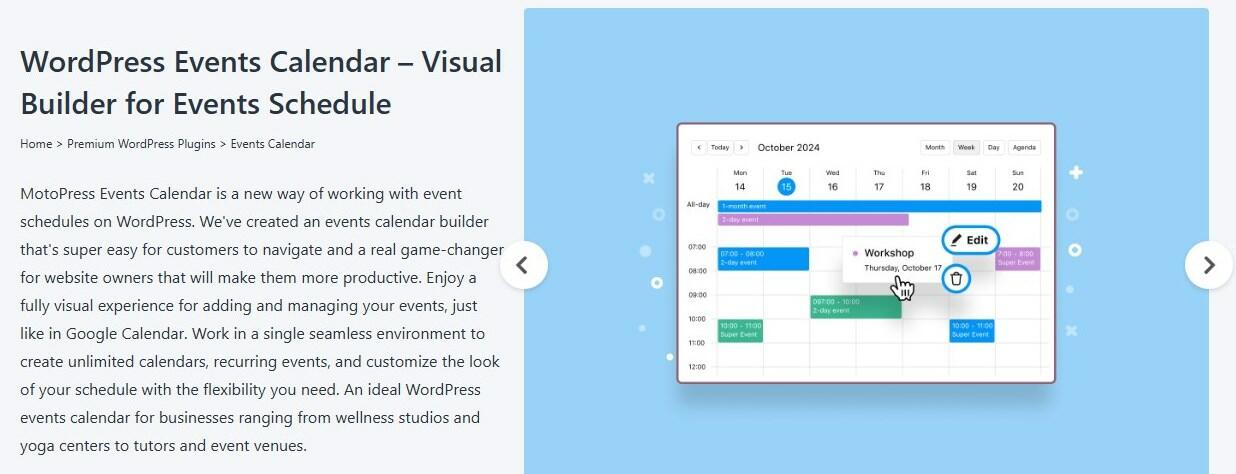
MotoPress Events Calendar is the one entry here we can tell you least about, and we would rather say so than pad it out. It is sold only on motopress.com, so it has no WordPress.org listing, which means there is no public active-install count, no last-updated date and no user rating to check it against the other six.
MotoPress itself is clearly an active vendor. Its free Timetable plugin at number three was updated in June 2026 and its other plugins were updated in August 2026. But when we tried to read the Events Calendar product and pricing page on 6 August 2026, motopress.com returned a Cloudflare human-verification challenge to every automated request, so we could not confirm the current feature set or price.
The practical advice: it is a reasonable option if you already run MotoPress themes or plugins and want something that matches them, and the vendor describes it as an extended version of the Timetable plugin. Verify the current price and feature list on motopress.com yourself before buying, and treat the figure this article used to quote as out of date.
Best for: Teams already invested in MotoPress products who want a design-led premium calendar.
Key features of MotoPress Events Calendar
- Premium-only product, distributed through motopress.com rather than WordPress.org.
- Described by the vendor as an extended version of its free Timetable and Event Schedule plugin.
- No public install count, update date or rating available for comparison.
- Sensible mainly if you already use other MotoPress products.
Pricing of MotoPress Events Calendar
Premium only, with no free version on WordPress.org. We could not verify the current price on 6 August 2026 because motopress.com blocks automated access behind a Cloudflare human check, so check the vendor site directly.
Which WordPress Events Plugin Should You Choose?
Work backwards from the one requirement that is hardest to change later, which is almost always recurrence or payment.
- You want a calendar that works immediately and nothing exotic: The Events Calendar.
- You need recurring events or registrations without paying for an add-on: Events Manager.
- You are publishing a weekly grid of classes or sessions: Timetable and Event Schedule.
- Your events repeat on a rule rather than a fixed interval: Event Organiser.
- Several organisers will submit their own listings: WP Event Manager.
- You are selling tickets through WooCommerce, Stripe or PayPal: Eventin.
- You already run MotoPress products and want a match: MotoPress Events Calendar.
Two habits worth keeping whichever you pick. Test the plugin on a staging copy first, because event plugins register their own post types and rewrite rules and are awkward to unpick later. And once the events are live, watch what people actually do on those pages. Our roundup of the best Google Analytics plugins for WordPress covers setting that up.
One last thing on the page itself. These plugins are good at event data and registration, and less good at making the event page look like a landing page. If you build in the block editor, Nexter Blocks adds blocks that pair well with any of them: a Countdown for the deadline, a Timeline for the running order, a Form Builder for sign-ups, Google Map for the venue and Post Grid to list upcoming events in your own layout.
Further Read: 10 Common WordPress Mistakes to Avoid before you add another plugin to the stack.
Suggested Reading
- 8 Best WordPress Booking Plugins for appointment scheduling
- 7 Best WordPress Form Builder Plugins for registrations
- Best WordPress Google Map Plugins for venue maps
- How to vet a WordPress plugin before you install it
- Best WordPress Google Business Reviews Plugins for post-event social proof
Stay updated with Helpful WordPress Tips, Insider Insights, and Exclusive Updates – Subscribe now to keep up with Everything Happening on WordPress!
FAQs about WordPress Events Plugins
What is an events calendar in WordPress?
An events calendar in WordPress is a tool that allows you to create, manage, and display events on your WordPress website. It provides a user-friendly interface to create event listings, handle registrations, sell tickets, and showcase event details. The calendar helps visitors easily view and navigate upcoming events, enhancing the overall event management experience on your WordPress site.
Are there any free event plugins available for WordPress?
Yes, most event plugins offer a free version, such as Events Manager, Event Organiser, and Eventin.
Which event plugins offer social sharing and integration with social media platforms?
Event Organiser and Eventin offer social sharing and integration with social media platforms across Facebook, Twitter, Google, and LinkedIn.
