












You just uploaded 180 photos from a shoot, dropped them into the default WordPress gallery block, and got a flat grid: no lightbox, no captions on hover, no masonry, and every image loading at once. That is the moment most site owners go looking for a real photo gallery plugin.
The good news: you do not need a paid tool to fix it. Most of the best WordPress photo gallery plugins have genuinely useful free versions. The catch is that they are built for different jobs, so the right pick depends on whether you want masonry layouts, albums, watermarking, or just a fast, simple grid.
Short answer: the best photo gallery plugin for WordPress
For most WordPress sites, Modula Image Gallery is the best free photo gallery plugin. It has the most generous free tier and a modern custom-grid builder (100,000+ installs, rated 94/100 on WordPress.org). From there, pick by the job:
- Modula Image Gallery – best all-round free gallery with a drag-to-arrange custom grid.
- FooGallery – best for masonry, justified and carousel layouts.
- Photo Gallery by 10Web – most features for free (albums, tags, watermarks).
- Photo Gallery by Supsystic – handy if you already use Supsystic’s table or popup tools.
- Robo Gallery – simplest, most lightweight option for a quick grid.
- Image Gallery by Nexter Blocks – best if you already build in Gutenberg and want a native block (note: it is a Pro block).

How we picked these plugins
This is not a scraped list. Every plugin here was checked against its live WordPress.org listing while writing this guide (July 2026), so the install counts, versions and last-updated dates below are current, not copied from an old post.
- Actively maintained. Each plugin has a recent release and is tested against a current WordPress version. We dropped one plugin from the previous version of this list, Final Tiles Grid Gallery, because it has been removed from the WordPress.org directory and is no longer available for download.
- Real free tier. Every pick works on a free plan; we call out where the useful features are Pro-only.
- Layout range. Grid, masonry, justified and slider options, plus lightbox support.
- Honest ownership note. Image Gallery is one of our own blocks in Nexter Blocks, so we flag that clearly and rank it on merit rather than putting it at the top by default.
Also Read: Image SEO for WordPress – a gallery is only as fast as its images, so compress and tag them first.
WordPress photo gallery plugins compared
| Plugin | Type | Best for | Price | Active installs | Last updated |
|---|---|---|---|---|---|
| Modula Image Gallery | Standalone plugin | Best all-round free gallery | Free + Pro | 100,000+ | Jul 2026 (v2.14.34) |
| FooGallery | Standalone plugin | Masonry & carousel layouts | Free + Pro | 100,000+ | May 2026 (v3.1.32) |
| Photo Gallery by 10Web | Standalone plugin | Most features in the free tier | Free + Pro | 100,000+ | May 2026 (v1.8.42) |
| Photo Gallery by Supsystic | Standalone plugin | Supsystic toolkit users | Free + Pro | 20,000+ | Jul 2026 (v1.17.0) |
| Robo Gallery | Standalone plugin | Simple, lightweight galleries | Free + Pro | 40,000+ | May 2026 (v5.1.5) |
| Image Gallery by Nexter Blocks | Gutenberg block (Pro) | Native galleries in the block editor | Free plugin; gallery is a Pro block | 10,000+ | Jul 2026 (v5.0.2) |
1. Modula Image Gallery

Modula is the plugin we reach for first on a general WordPress site. Its custom-grid builder lets you drag images into any arrangement instead of forcing everything into equal squares, and the free version already covers hover effects, lightbox, and lazy loading. On WordPress.org it holds 100,000+ active installs and a 94/100 rating (v2.14.34, updated July 2026).
- Drag-and-drop custom grid and creative grid layouts
- Hover effects, captions and a built-in lightbox
- Lazy loading and speed-optimised markup
- Filterable albums, deep-linking and social sharing in Pro
Worth knowing: the most eye-catching effects (filters, slideshow, watermarking) sit in the Pro tier, but the free gallery is more capable than most.
Best for: most WordPress sites that want a modern, flexible free gallery without a learning curve.
Pricing: Free on WordPress.org; Modula Pro is a paid upgrade.
2. FooGallery

FooGallery is the specialist for layout variety. If you specifically want masonry, justified or carousel galleries, this is the cleanest way to get them. It is one of the highest-rated options here at 96/100 with 100,000+ active installs (v3.1.32, updated May 2026), and its galleries are responsive out of the box.
- Responsive masonry, justified, grid and carousel layouts
- Lightbox with captions and gallery filtering
- Lazy loading and retina support
- Video galleries, e-commerce and advanced filtering in Pro
Worth knowing: it replaced Final Tiles Grid Gallery in this guide precisely because it does the same masonry job and is still actively maintained.
Best for: sites that need masonry, justified or carousel layouts specifically.
Pricing: Free on WordPress.org; FooGallery PRO adds video, filtering and commerce features.
Also Read: How to add an image lightbox in WordPress – if all you need is click-to-zoom, you may not need a full gallery plugin.
3. Photo Gallery by 10Web

Photo Gallery by 10Web crams the most into its free tier. Out of the box you get albums, image tags, watermarking, and multiple gallery views, which makes it a strong choice when you are managing a large, organised photo library rather than a single gallery. It has 100,000+ active installs and a 90/100 rating (v1.8.42, updated May 2026).
- Unlimited galleries and albums with tags
- Automatic watermarking to protect images
- Thumbnail, masonry, slideshow and image-browser views
- Ecommerce add-on and advanced lightbox in paid tiers
Worth knowing: with so many options the settings screen is busier than Modula’s, so it rewards a few minutes of setup.
Best for: photographers and content-heavy sites that need albums, tags and watermarks for free.
Pricing: Free on WordPress.org; premium and ecommerce add-ons are paid.
4. Photo Gallery by Supsystic

Supsystic makes a suite of WordPress plugins (tables, popups, sliders), and its Photo Gallery fits neatly if you already use them. You get responsive galleries with several layouts, a lightbox, and social buttons. It sits at 20,000+ active installs and a 92/100 rating (v1.17.0, updated July 2026).
- Grid, masonry, slider and thumbnail layouts
- Lightbox with social sharing
- Custom CSS and templating options
- Pagination, pro layouts and integrations in Pro
Worth knowing: the free version is capable, but some layouts and pagination options are reserved for Pro.
Best for: sites already invested in Supsystic’s table, slider or popup plugins.
Pricing: Free on WordPress.org; Supsystic Pro is a paid upgrade.
5. Robo Gallery
Robo Gallery is the pick when you want a gallery live in five minutes without reading documentation. It focuses on straightforward responsive grids and sliders with a light footprint, which suits simple blogs and brochure sites. It has 40,000+ active installs and an 86/100 rating (v5.1.5, updated May 2026).
- Responsive grid and justified layouts
- Built-in lightbox with captions
- Simple, low-configuration setup
- Filtering, slider and animation options in Pro
Worth knowing: it is deliberately simpler than Modula or FooGallery, so power users will hit its ceiling sooner.
Best for: quick, lightweight galleries on simple sites.
Pricing: Free on WordPress.org; Robo Gallery premium unlocks extra layouts.
6. Image Gallery by Nexter Blocks
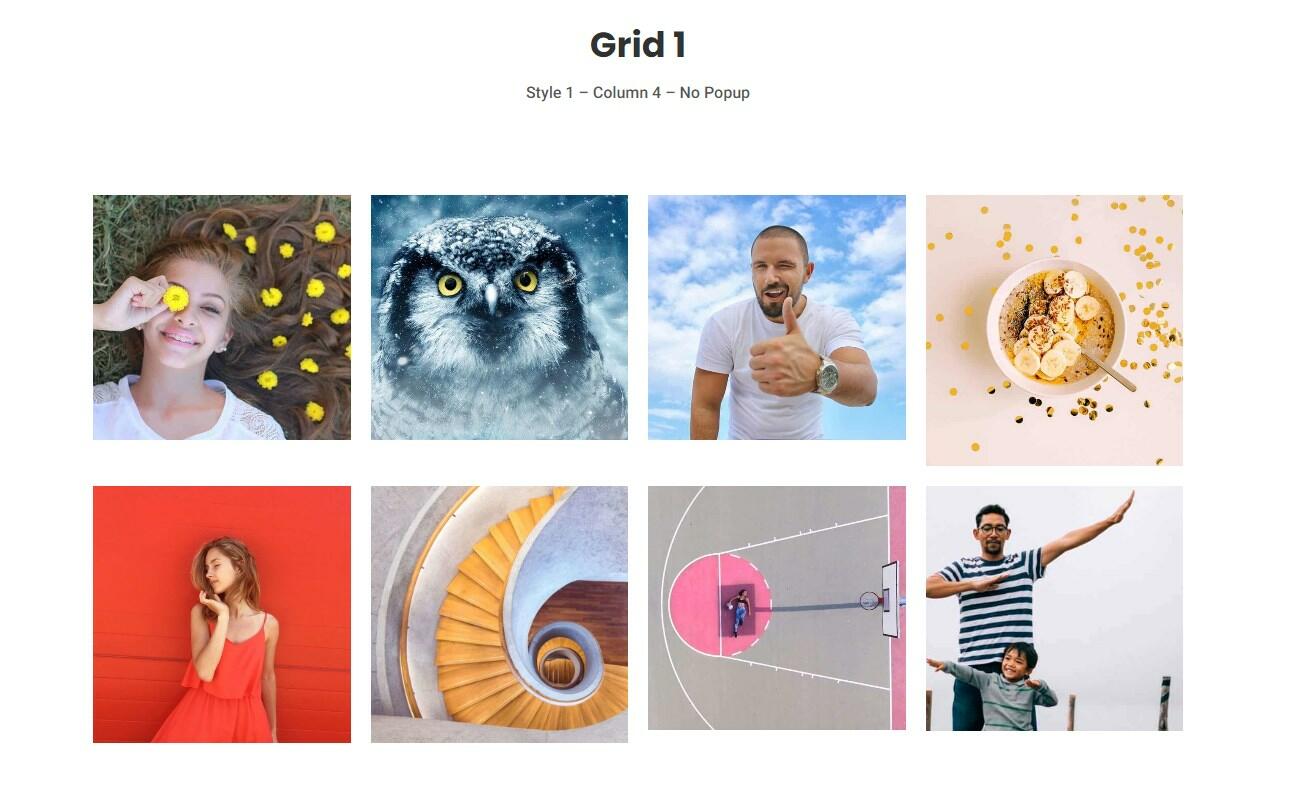
If you already build with the block editor, you may not want a separate gallery plugin at all. Image Gallery is a block inside Nexter Blocks (our own free Gutenberg blocks plugin, 10,000+ active installs, 96/100, v5.0.2), so galleries live natively in Gutenberg with grid and masonry layouts, lightbox popups and per-image custom links. To be upfront: Image Gallery is a Pro block, so you need Nexter Blocks Pro to use it, even though the core plugin is free.

- Grid and masonry layouts controlled directly in the editor
- Lightbox popup with captions
- Custom link on each image
- Filterable galleries and hover styles
Worth knowing: it only makes sense if you are building in Gutenberg (or already run Nexter Blocks); it is not a standalone gallery plugin.
Best for: people building in the block editor who want galleries without adding another plugin.
Pricing: Nexter Blocks is free on WordPress.org; the Image Gallery block requires Nexter Blocks Pro.
Also Read: How to create a photography website with WordPress – a full walk-through if the gallery is the whole site.
Which photo gallery plugin should you choose?
If you want one answer: install Modula and you will be happy on most sites. Choose FooGallery for masonry and carousels, Photo Gallery by 10Web when you need albums and watermarks for free, Supsystic if you already run its other plugins, and Robo Gallery for the simplest possible setup. Building in Gutenberg already? The Image Gallery block in Nexter Blocks keeps everything native, as long as you are on Nexter Blocks Pro.
Suggested reading
- How to Create a WordPress Image Gallery Using Gutenberg
- How to Add an Image Lightbox in WordPress
- Image SEO for WordPress: Optimize Images for Search and AI
- 5 Best Video Gallery Plugins for WordPress
- How to Create a Photography Website Using WordPress
How to choose the best WordPress photo image gallery plugin for my website?
When choosing the best WordPress photo image gallery plugin, individuals should look for one that offers customizable layouts, lightbox and zoom effects, filters, sorting, and responsive design. Nexter Blocks Gallery block provides all of these features and more, making it an ideal choice for anyone looking to showcase their images in a visually appealing and engaging way on their WordPress website. The user-friendly interface and comprehensive set of features make it the perfect choice for photographers, artists, and businesses looking to create stunning and dynamic image galleries.
What are the key features to look for in a WordPress photo image gallery plugin?
A good WordPress photo image gallery plugin should offer multiple layout options, customization options, lightbox and zoom effects, filters, and sorting options, and be responsive. Nexter Blocks Gallery block includes all of these key features and more, making it the perfect solution for creating stunning and dynamic image galleries on your WordPress website.
Are there any free WordPress photo image gallery plugins that are worth using?
Although free plugins do not offer enhanced customization control over your gallery design, you can use one if you want a basic gallery. If you want a free plugin with basic functionalities, you can try gallery plugins from 10Web or Supsystic. But if you’re considering a feature-packed on the can, check out Nexter Blocks’ Image Gallery block.
How can I add Custom Links to each Photo in the WordPress Image Gallery?
Nexter Blocks Gallery block offers a simple solution for adding custom links to each photo in your image gallery. By uploading your images in a repeater format, you can easily add custom titles, links, and captions to each individual image. Then, you can customize the links by editing the individual images within the gallery block.
