












Astra and Blocksy are two of the most popular free WordPress themes available today. Both are fast, both work with every major page builder, and both have free versions that are genuinely capable. So the question is not which one is better in the abstract. It is which one is right for the kind of site you are building.
This guide compares Astra vs Blocksy across speed, customization, WooCommerce features, pricing, and template depth. We also cover where Nexter Theme, a lightweight WordPress theme by POSIMYTH Innovations, fits into the picture if you want a theme that bundles more than either of these two out of the box. Last updated: May 2026.
This guide is for WordPress site owners, freelancers, and agency developers who are evaluating themes for a new project or considering a switch from one to the other.
What Is Astra?
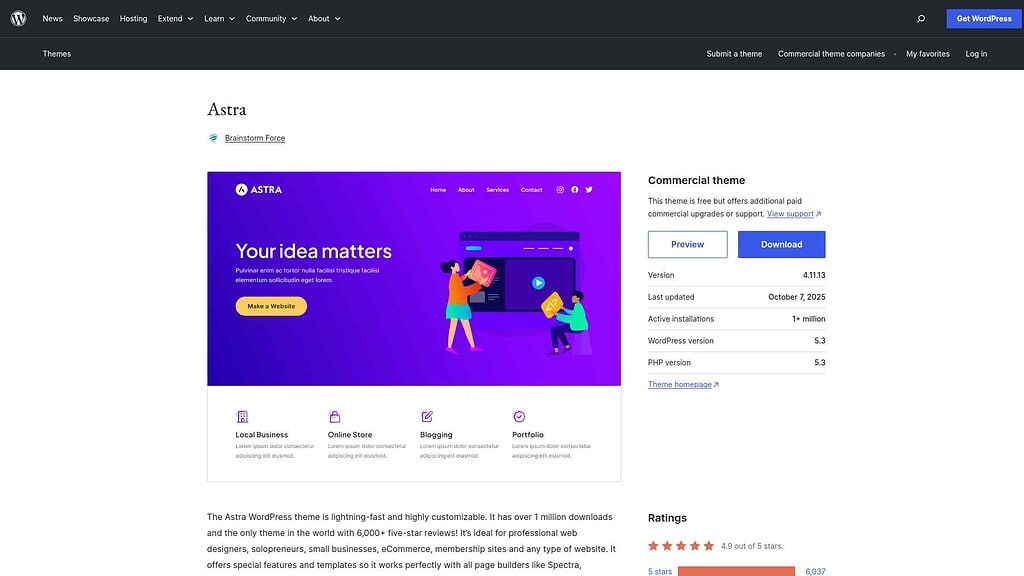
Astra is a free WordPress theme developed by Brainstorm Force. With more than 1.8 million websites built on it (as of May 2026), it is one of the most widely used themes in the WordPress ecosystem. Astra is built for speed and flexibility, starting at under 50KB on the front end, and works with every major page builder including Elementor, Gutenberg, Beaver Builder, and Bricks.
Astra is designed to be a blank canvas. It does not impose a design style, which is why it pairs so well with page builders that bring their own design system. The free version covers most of what a basic site needs. Astra Pro starts at $69/yr (for up to 3 sites) and unlocks advanced header and footer customization, conditional layouts, and additional WooCommerce controls.
Key Features of Astra
- 300+ starter templates: Pre-built designs for blogs, business sites, portfolios, and WooCommerce stores that import in one click (Free)
- Page builder compatibility: Works with Elementor, Beaver Builder, Brizy, Divi, and Gutenberg without conflicts (Free)
- WordPress Customizer-based settings: All theme controls live in the native Customizer, no separate dashboard to learn (Free)
- WooCommerce integration: Product page, shop, cart, and checkout layout customization built in (Free, advanced controls in Pro)
- White label support: Rebrand the theme for client projects (Pro)
- SEO-friendly markup: Schema.org integration and AMP-ready code (Free)
Pros and Cons of Astra
- Largest template library: 300+ starter sites give beginners a faster setup path than almost any theme. Import a full site design in under a minute.
- Page builder neutral: Astra does not lock you into one builder. It works with everything, which matters for agencies that use different builders per client.
- Consistent performance across hosts: Years of real-world use across thousands of server environments means fewer unexpected performance conflicts.
- Huge community: 1.8M+ websites built on Astra means tutorials, forum answers, and compatibility fixes are easy to find.
- Header and footer customization needs Pro: Meaningful header and footer control is gated behind the $69/yr Pro plan (3 sites). The free version is limited for advanced layouts.
- Gutenberg integration is secondary: Astra works with Gutenberg but was not built for it. Users who want a native block editor experience get more from Blocksy.
- No single-site license: Astra’s entry plan covers 3 sites at $69/yr or $319 lifetime. If you only need one site, Blocksy’s $69/yr annual or $199 lifetime for 1 site is the better value.
Want the full breakdown of Astra’s features and performance? Read the Astra Detailed Review
What Is Blocksy?
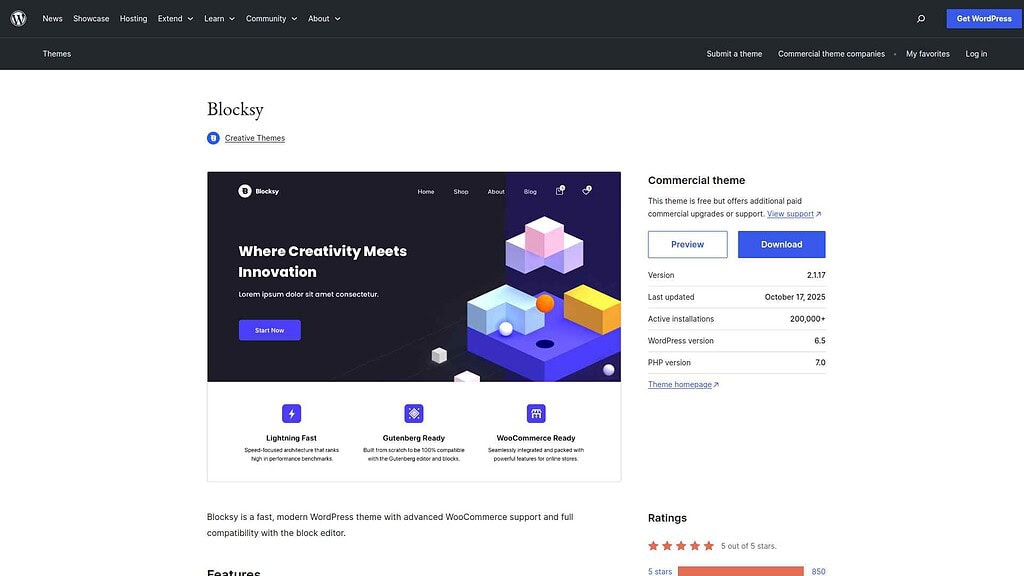
Blocksy is a free WordPress theme built by Creative Themes, launched in 2019. It has grown steadily to 300,000+ active installs (as of WordPress.org, May 2026). Where Astra prioritized page builder compatibility from the start, Blocksy was built for the modern WordPress block editor. That foundation gives it a cleaner codebase, better full-site editing support, and a more intuitive customizer experience than Astra provides.
Blocksy is a strong choice for builders who want deep Gutenberg integration, more customization in the free tier, and better out-of-the-box WooCommerce features. Blocksy Pro starts at $69/yr for 1 site and adds conditional headers, content blocks, advanced WooCommerce tools, and dynamic template logic.
Key Features of Blocksy
- 120+ starter templates: Modern, focused designs for portfolios, agencies, blogs, and stores (Free)
- Full-site editing (FSE) compatibility: Works with WordPress’s native block-based site editing workflow (Free)
- Advanced live preview customizer: Real-time changes across typography, colors, layouts, and header configurations (Free)
- Global color palette and typography: Set site-wide design tokens that apply across all content (Free)
- Conditional headers and footers: Different header designs per page, post type, or user role (Pro)
- WooCommerce enhancements: 12 shop layouts, product quick view, AJAX cart, wishlist functionality (Pro)
Pros and Cons of Blocksy
- Gutenberg-first architecture: Built for the block editor from the start, with better FSE support and native block patterns than Astra. If you build with Gutenberg, this matters.
- Better free tier customization: More options available without paying compared to Astra Free, dynamic header layout, global color palettes, and responsive controls are all in the free version.
- Faster load times on optimized hosts: Blocksy’s newer codebase generates fewer CSS rules and loads only what active features need, giving it a speed edge on equivalent hardware.
- Superior WooCommerce features: 12 shop layouts (vs Astra’s 8), built-in wishlist, AJAX cart, and quick view in Pro. No separate WooCommerce plugin needed for these features.
- Smaller template library: 120+ starter sites vs Astra’s 300+ gives fewer starting points, especially for niche or business site categories.
- Smaller community: Launched in 2019 vs Astra’s 2017. Fewer third-party tutorials and a smaller forum base for troubleshooting.
- Less tested with older plugins: Blocksy’s modern architecture occasionally produces compatibility issues with older WordPress plugins that haven’t been updated to modern standards.
Need a deeper look at Blocksy’s features? Read the Blocksy Detailed Review
Is Blocksy Faster Than Astra? Speed and Performance Compared
Speed is where Blocksy and Astra diverge most clearly. In speed tests run on identical WordPress environments with equivalent content, Blocksy consistently outperforms Astra on raw load time. Blocksy averages around 0.6 seconds page load time in optimized setups vs Astra at approximately 0.8 seconds. Blocksy also achieves higher Google PageSpeed Insights scores (98/100 vs 96/100 in typical clean-install tests) and generates smaller default page sizes.
The reason is architecture. Blocksy’s codebase was written without the legacy code that has accumulated in Astra over years of development. Blocksy generates roughly 20% fewer CSS rules and loads only the stylesheets needed for features that are actually enabled on a given page. Astra loads some unused CSS even in basic configurations, which adds weight on every page view.
What Does the Speed Difference Mean for Core Web Vitals?
On managed or VPS hosting, the difference between 0.6s and 0.8s is unlikely to affect your Google rankings in any measurable way, both themes achieve Lighthouse performance scores above 95 on clean installs. The gap matters more on shared hosting, where Blocksy’s smaller default payload gives it a measurable LCP advantage.
Astra’s consistency across hosting environments is its counter-argument. Years of testing on thousands of server configurations means fewer unexpected performance conflicts, especially with older plugins. For agencies managing dozens of client sites on mixed hosting, that reliability has real value.
Nexter Theme ships with a footprint under 50KB and runs pure Vanilla JS with zero jQuery dependency. Its smart asset delivery system loads only 1 CSS file and 1 JS file per page regardless of how many blocks are active, keeping page weight low even on feature-rich builds (Free).
Comparing Blocksy with another popular theme? See our Blocksy vs OceanWP: 21+ Feature Comparisons
Astra vs Blocksy WordPress Themes Compared
.tpgb-table tbody tr td:nth-child(3), .tpgb-table tbody tr td:nth-child(6), .tpgb-table tbody tr td:nth-child(7), .tpgb-table tbody tr td:nth-child(8), .tpgb-table thead th:nth-child(3), .tpgb-table thead th:nth-child(6), .tpgb-table thead th:nth-child(7), .tpgb-table thead th:nth-child(8) { display: none; }| FEATURES | Nexter Theme | Kadence Theme | Astra Theme | Blocksy | OceanWP | GeneratePress | Avada Theme |
|---|---|---|---|---|---|---|---|
| Global Fonts & Colors | Yes | Yes | Yes | Yes | Yes | Yes | Yes |
| Advanced Theme Builder | Yes | Yes | Limited | Limited | Limited | Yes | Limited |
| Conditional Rules | Yes | - | Yes | Yes | Yes | Yes | Limited |
| Header & Footer Builder | Yes | Yes | Limited | Limited | Limited | Yes | Yes |
| Code Snippets | Yes | - | - | Limited | - | - | - |
| Prebuilt Websites Templates | Yes 1000+ | Yes 90+ | Yes 300+ | Yes 40+ | Yes 240+ | Yes 90+ | Yes 110+ |
| Action & Filter Hooks | Yes | - | Yes | - | - | - | - |
| Whitelabel Theme | Yes | Limited | Yes | Yes | Yes | - | Yes |
| Maintenance/Coming Soon Mode | Yes | - | - | Yes | - | - | Yes |
| Replace Text & URL | Yes | - | - | - | - | - | - |
| Performance Booster | Yes | Limited | Limited | Limited | Limited | Limited | Yes |
| Security Hardening | Yes | - | - | - | Requires Ocean Core Extensions Bundle | - | Yes |
| Local Google Fonts | Yes | Yes | Yes | Yes | Yes | Yes | Yes |
| Adobe Fonts | Yes | - | - | Yes | Yes | - | Yes |
| Custom Upload Fonts | Yes | Requires Kadence Custom Fonts plugin | - | Yes | Yes | Yes | Yes |
| 404 Page | Yes | - | Yes | Yes | Yes | Yes | Yes |
| Disable Admin Settings | Yes | - | - | - | - | - | - |
| Post & Page Duplicator | Yes | - | - | - | - | - | - |
| WooCommerce Builder | Yes (With The Plus Addons) | Yes (Requires Shop Kit extension) | Yes | Yes | Yes | Yes | Yes |
| Blog Builder | Yes | - | Limited | Yes | Yes | Yes (Requires Blog add on) | Yes |
| Vertical & Horizontal Mega Menu | Yes | Limited | Yes | Limited | Yes | - | Yes |
1. Customization Options
Astra uses the standard WordPress Customizer for all theme settings. The free version covers global colors, typography, header layout, sidebar, and blog settings. Advanced features like custom layouts, conditional headers, and sticky header behavior require Astra Pro ($69/yr for 3 sites). Agencies that need white label support also need the Pro plan.
Blocksy’s customizer is more modern, with live preview and real-time changes across every setting. The free version is more generous: dynamic header options, global color palettes, and responsive breakpoints are all included without paying. Blocksy Pro ($69/yr for 1 site) unlocks conditional templates, content blocks, and the full WooCommerce feature set.
For quick site launches from a template, Astra’s larger library offsets its more limited free customizer. For hands-on builders who want to configure everything from scratch, Blocksy’s free tier delivers more. Nexter Extension takes customization further still, adding a full theme builder with 50+ display conditions, code snippets, and admin controls that neither Astra Pro nor Blocksy Pro include (Pro).
2. Gutenberg and Full-Site Editing Compatibility
Blocksy was designed for Gutenberg from the start. It includes better full-site editing (FSE) support, native block patterns, and block style variations that work directly inside the editor. Sites built with Blocksy and Gutenberg do not need a separate page builder plugin.
Astra is fully compatible with Gutenberg but is not Gutenberg-first. Its deeper integrations are with Elementor and Beaver Builder. Teams that use Gutenberg as their primary editor will find Blocksy feels more natural in the editor, with better block styling and FSE template editing support.
For Gutenberg builders who need advanced blocks beyond what either theme provides, Nexter Blocks adds 90+ Gutenberg blocks and works independently of theme choice. You do not need Nexter Theme to use Nexter Blocks (Free and Pro).
3. WooCommerce: Which Theme Wins for Online Stores?
For WooCommerce stores, Blocksy holds a clear advantage over Astra in the Pro tier.
- Blocksy Pro: 12 WooCommerce shop layouts, built-in wishlist, AJAX add-to-cart, product quick view, and advanced cart and checkout styling. All without a separate WooCommerce enhancement plugin.
- Astra Pro: 8 WooCommerce shop layout options, product page and checkout styling controls. Advanced features like quick view and wishlist require third-party plugins.
For standard WooCommerce stores, both themes work well. If your store needs advanced product browsing features like quick view, wishlist, and AJAX-driven filtering, Blocksy Pro delivers these natively. For agencies that use Gutenberg with WooCommerce, Nexter Blocks includes WooCommerce product listing blocks in grid, carousel, masonry, and metro layouts that work with any theme including Astra and Blocksy (Pro).
Using Gutenberg with WooCommerce? Here is how to Add Gutenberg Editor to WooCommerce
4. Template Libraries and Starter Sites
Astra includes 300+ starter templates. Blocksy includes 120+. Both cover blogs, portfolios, business sites, and WooCommerce stores. Astra’s larger library makes it the faster starting point for beginners who want to launch from a pre-built design. Blocksy’s 120 templates tend to be more polished and modern-looking, with fewer of the older, inconsistent designs that appear in Astra’s larger catalog.
For teams working on multiple projects, WDesignKit offers 1,000+ ready-made templates for Elementor, Gutenberg, and Bricks that work across any theme, including Astra and Blocksy. Nexter plans start at $49/yr and include 1,000+ starter templates, which outnumber both themes’ libraries.
5. Community, Documentation, and Support
Astra has been around since 2017 and has one of the largest theme communities in WordPress. With 1.8M+ websites built on it, finding tutorials, troubleshooting threads, and developer documentation is easy. Brainstorm Force provides Pro support with a 24-48 hour response average.
Blocksy launched in 2019 and has a smaller but active community. The Creative Themes support team averages 12-24 hours on support tickets, which is faster than Astra’s average. Blocksy’s documentation is thorough and kept current. The smaller community means fewer third-party tutorials and a shorter forum history, which can make it harder to find answers for edge cases.
Astra vs Blocksy Pricing: What You Actually Pay
Both themes have free versions that are genuinely capable for basic sites. Here is how their paid plans compare (pricing verified May 2026):
| Plan | Astra Pro | Blocksy Pro |
|---|---|---|
| Free version | Yes (unlimited sites) | Yes (unlimited sites) |
| Annual — 1 site | No single-site plan | $69/yr |
| Annual — entry (multi-site) | $69/yr (3 sites) | $99/yr (10 sites) |
| Lifetime — 1 site | No single-site plan | $199 one-time |
| Lifetime — entry (multi-site) | $319 one-time (3 sites) | $299 one-time (10 sites) |
Both Astra and Blocksy price their entry annual plans at $69/yr, but the site limits differ: Blocksy’s $69/yr Personal plan covers 1 site, while Astra’s $69/yr entry plan covers 3 sites. If you need a single-site license, Blocksy wins on annual pricing. If you need to cover multiple projects, Astra’s 3-site entry plan is the better deal at the same price. At the lifetime tier, Blocksy’s 1-site lifetime ($199) is the cheapest option for a single long-term project. Astra’s entry lifetime ($319) covers 3 sites and is cheaper per site.
Both Pro plans are theme-only. They give you advanced customization, templates, and support, but not a block plugin, extension manager, or site-building toolkit.
Nexter plans start at $49/yr, which is $20/yr less than either Astra Pro or Blocksy Pro. The difference: Nexter Starter at $49/yr includes Nexter Theme plus 90+ Gutenberg blocks (Nexter Blocks) plus 50+ site extensions (Nexter Extension) plus 50 WDesignKit credits, all in one plan. Both Astra Pro and Blocksy Pro are theme-only at $69/yr.
Why We Recommend Using Nexter Theme?
Astra and Blocksy are both solid theme choices, and either one will serve a well-built WordPress site. But if you are comparing theme value, Nexter Theme solves a problem neither Astra nor Blocksy addresses: plugin bloat. Both Astra Pro and Blocksy Pro start at $69/yr for a theme-only plan. Nexter Starter at $49/yr, a full $20 less, bundles the theme, 90+ Gutenberg blocks, 50+ site extensions, and 1,000+ starter templates in one plan. That means fewer plugin purchases, fewer compatibility conflicts, and one dashboard for everything from security to performance to font management. Nexter Theme’s footprint stays under 50KB with zero jQuery and smart asset delivery, so adding more features does not add more page weight.
Nexter is a lightweight, high-performance theme from POSIMYTH, the team behind The Plus Addons for Elementor and Nexter Blocks. It offers all the essential elements of a premium WordPress theme, such as a flexible header and footer builder, customizable post types, an archive builder, multilingual capabilities, and numerous additional features.
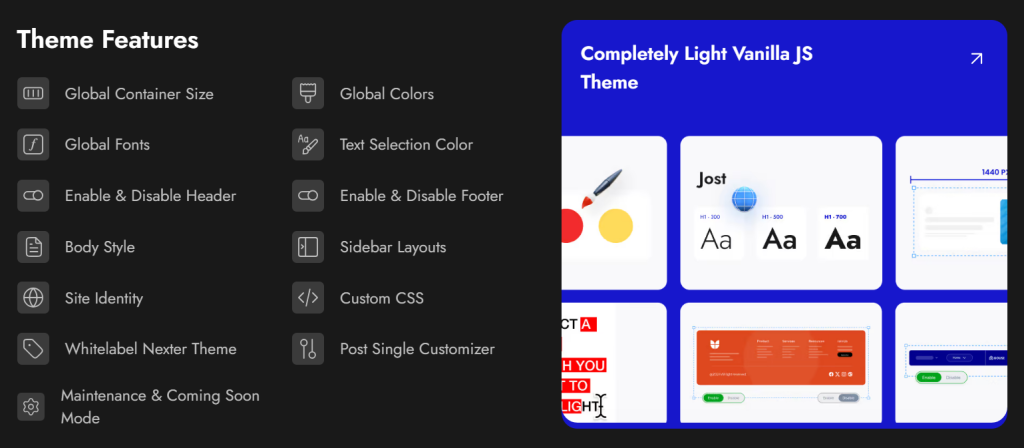
With Nexter, you can select from a wide range of pre-designed templates for effortless website construction and deployment. In terms of speed, Nexter excels with its exceptional performance. The theme's core files are optimized to be under 20 KB, resulting in lightning-fast load times of less than 0.5 seconds.
Nexter seamlessly integrates with popular page builders like Gutenberg, Elementor, Beaver Builder, and Brizy, ensuring compatibility across all major platforms.
Moreover, Nexter also provides many security features, such as content protection, Google reCAPTCHA integration, and the ability to disable XML-RPC or conceal your WordPress version.
Stay updated with Helpful WordPress Tips, Insider Insights, and Exclusive Updates – Subscribe now to keep up with Everything Happening on WordPress!
Which Should You Choose: Astra or Blocksy?
Both Astra and Blocksy are good themes. The choice comes down to how you build and what you need from your theme.
- Choose Astra if: You are a beginner who wants a large template library to launch from, or you work with multiple page builders and need maximum compatibility. Astra’s 300+ starter sites and long community history make it the safer bet for teams with varied plugin stacks.
- Choose Blocksy if: You build primarily with Gutenberg, want more customization in the free version, or run a WooCommerce store that needs built-in quick view, wishlist, and AJAX cart features. Blocksy also wins for single-site lifetime purchases at $199 vs Astra’s $319 entry lifetime (which covers 3 sites).
- Consider Nexter Theme if: You want a theme that does not stop at design. Nexter Theme bundles 90+ Gutenberg blocks, 50+ site extensions, and 1,000+ templates starting at $49/yr, making it the option with the most bundled value at a comparable price point to Astra Pro or Blocksy Pro.
Whatever theme you choose, the fastest way to evaluate it is to run it on a staging site with your actual content before committing. Both Astra and Blocksy perform well on modern WordPress hosting. The differences show up in customizer depth, Gutenberg integration, and WooCommerce features, not in basic functionality.
WordPress for beginners looking for a lightweight, full-featured starting point can try Nexter Theme free on unlimited sites and upgrade when you need the full block and extension library.
Extra Resources
Nexter Official Website
Check 90+ Gutenberg Blocks Library
Get Premium Plan – Yearly & Lifetime (Both available)
Join our Facebook Community – Ask all your WordPress questions
Subscribe for Product Updates, Elementor News, Tips & More
